
gaelybryan - Minecraft Skins & Skin History
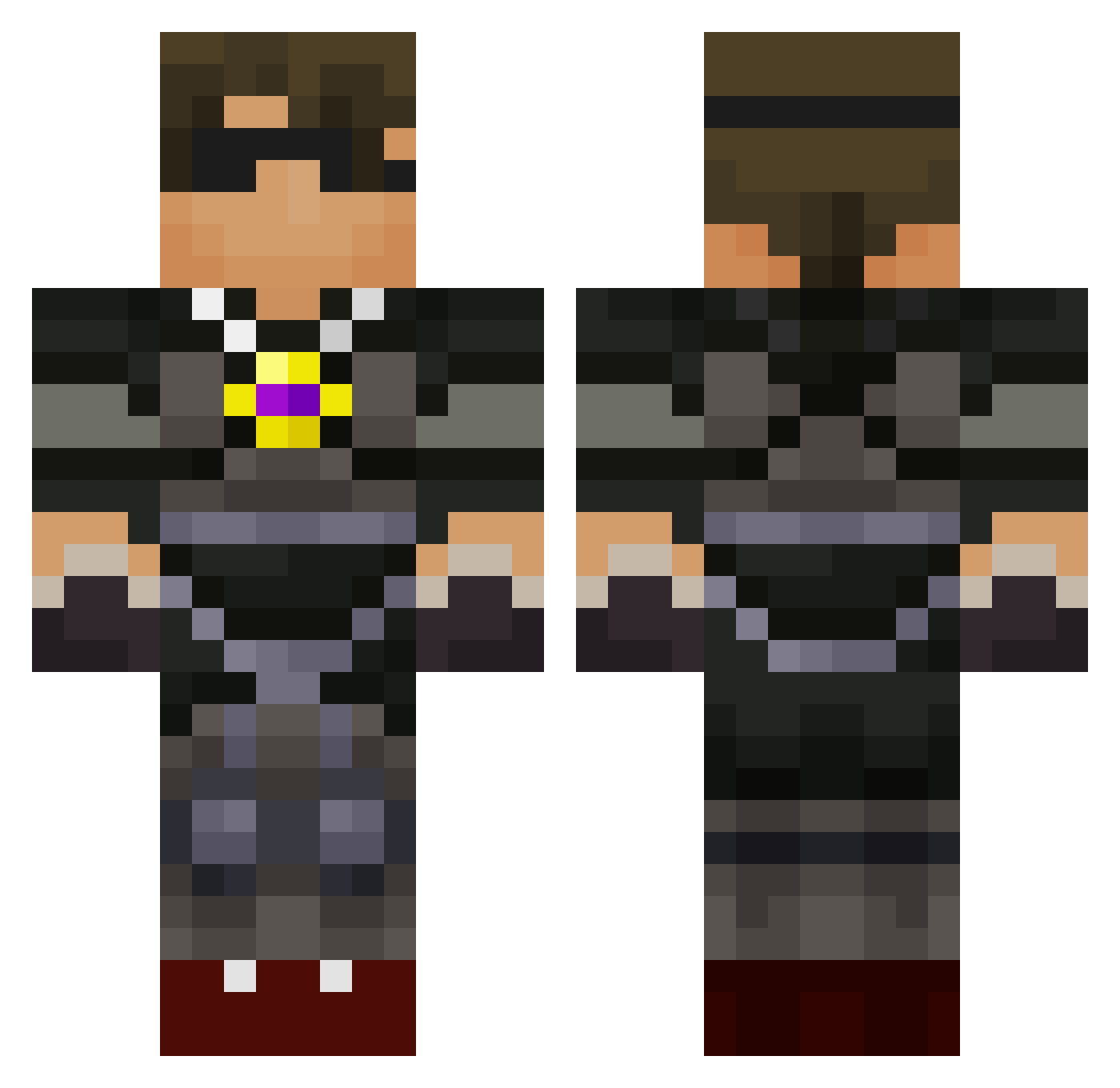
Current Minecraft skin of the player gaelybryan, loaded from the official Mojang API. Rotate the 3D model with your mouse or finger, then download the skin as a PNG file and use it in Minecraft: Bedrock Edition or Java Edition for free. When gaelybryan changes their skin, this page updates automatically and the old skin stays in the history below.
Other players with this skin (589)
gaelybryan was the 430th player we have seen with this skin, first spotted on 02.10.2026. The same skin was seen on these players. Open a nickname to see their current skin and skin history.
 Tmonsterpuff BradleyG7 Bennyboy2007 EpicCreeper2006 boulders123 harvd12 diego56780 Foxxrr BOGIEMASTER billymt2001 SammyRose7482 coyote105 davidtrang werty617 iplayonline280 Michael_Lykke xxxchucknorris ParkerG06 ShadowMcQueen iox mastermindjoby Ninja_Jayden TrusteyCypress82 NielsxD12 SkyythekidRS braydenbh15 Ninjapr CaptaiMorgan1 hbbtstar BimboBearr epiccody1 cjrs1 EwG_AsSASsinZ klmdr MrLucario7 catyg1rl thagy15 BlakeD1 Anagar1233 Rhonester Killy_Killa gavster2003 Mikolajek2013 RacerJetson Crazy_coal Buter2002 lnytune1 EndergamingPlayz N_Rasmussen FaZeGhost7 SSS57 sassycocobella zpo314 WanderingTiger MrJonRichard Fiona_Evans indianssoul SonicSull12 bluebird107 vike27
More Necklace Minecraft skins
How to install the gaelybryan skin
- Press the Download button above to save the skin as a PNG file.
- Minecraft: Bedrock Edition (PE): open the Dressing Room from the main menu (or tap your character → Edit Character), go to Classic Skins → Owned, press the + (new skin) button, choose the downloaded PNG and pick the Classic (Steve) model. Works on PC and mobile; consoles cannot import custom skins.
- Minecraft: Java Edition: open the Minecraft Launcher, go to the Skins tab, click New Skin, load the PNG, pick the Classic (Steve) model and press Save & Use. You can also upload it at minecraft.net → Profile → Change Skin.
The skin does not show up after import - what should I do?
Restart Minecraft and open the Dressing Room again - imported skins sometimes appear only after a restart. Also make sure you selected the imported skin and picked the Classic (Steve) model.
Which model should I choose, Classic or Slim?
This skin is designed for the Classic (Steve) model. If you pick the wrong model, the arms of the skin will look stretched or squeezed.
Is the skin of gaelybryan free to download?
Yes. Press Download, save the PNG file and use it in Minecraft: Bedrock Edition or Java Edition - no payment or registration needed. The skin also works on multiplayer servers and Realms.
More skins
Looking for more? Go back to all Minecraft skins and check the top skins of the week, month and all time, or find any player's skin by nickname.