
fura_s - Minecraft Skins & Skin History
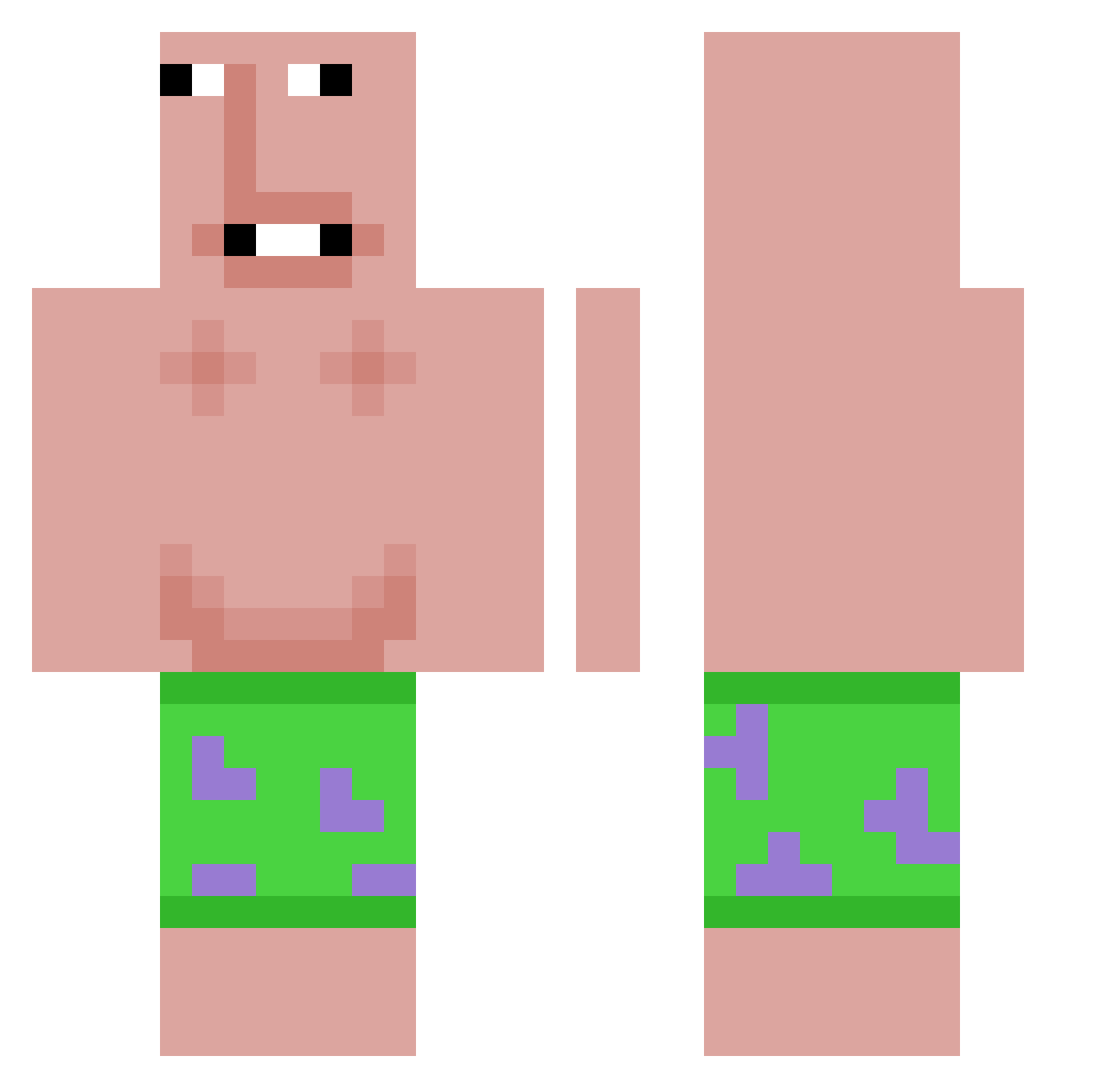
Current Minecraft skin of the player fura_s, loaded from the official Mojang API. Rotate the 3D model with your mouse or finger, then download the skin as a PNG file and use it in Minecraft: Bedrock Edition or Java Edition for free. When fura_s changes their skin, this page updates automatically and the old skin stays in the history below.
Other players with this skin (607)
fura_s was the 195th player we have seen with this skin, first spotted on 23.08.2026. The same skin was seen on these players. Open a nickname to see their current skin and skin history.
 Luk007skywalker N1V73 ace09ventura lebronsigmagoat Hexxoooo Sk1ppy2014 Airozona Jasiek28Miki solanei susybaki69420 huogi alexandanthony michawoods noahskwi Azromega rohann05 Rest_Athena StinkyToeNails COM_TA Blsk80 levve79 TwoZeus nutbowl
 WOPEK98 CookieBarsMars Arena_20_22 ur_a_fatso 1_Skrrr_r rey_mogin chris_0101 WigleXD Hugomfo540 timid_mouse1 MMMMEEEMMMSSS Zynfantry Emilianasc GirthyMcHuge meofc Entitilo_fcqxr Zwool Columbia233 x3freebee NathanCoolerBot oosx Sajmon6 sinwoo0949 kimskrr
 12234266 LeweJajoMaltixon
 Killox33 XTONE12 ochaix swaxy132 Oldieboldie Crabzar DiamondBeast185 MamaTpaxep1 Slowzx__ jglyj high_chipmunk
More Patrick Star Minecraft skins
See all 636 Patrick Star skins
How to install the fura_s skin
- Press the Download button above to save the skin as a PNG file.
- Minecraft: Bedrock Edition (PE): open the Dressing Room from the main menu (or tap your character → Edit Character), go to Classic Skins → Owned, press the + (new skin) button, choose the downloaded PNG and pick the Classic (Steve) model. Works on PC and mobile; consoles cannot import custom skins.
- Minecraft: Java Edition: open the Minecraft Launcher, go to the Skins tab, click New Skin, load the PNG, pick the Classic (Steve) model and press Save & Use. You can also upload it at minecraft.net → Profile → Change Skin.
The skin does not show up after import - what should I do?
Restart Minecraft and open the Dressing Room again - imported skins sometimes appear only after a restart. Also make sure you selected the imported skin and picked the Classic (Steve) model.
Which model should I choose, Classic or Slim?
This skin is designed for the Classic (Steve) model. If you pick the wrong model, the arms of the skin will look stretched or squeezed.
Is the skin of fura_s free to download?
Yes. Press Download, save the PNG file and use it in Minecraft: Bedrock Edition or Java Edition - no payment or registration needed. The skin also works on multiplayer servers and Realms.
More skins
Looking for more? Go back to all Minecraft skins and check the top skins of the week, month and all time, or find any player's skin by nickname.