
fqvv - Minecraft Skins & Skin History
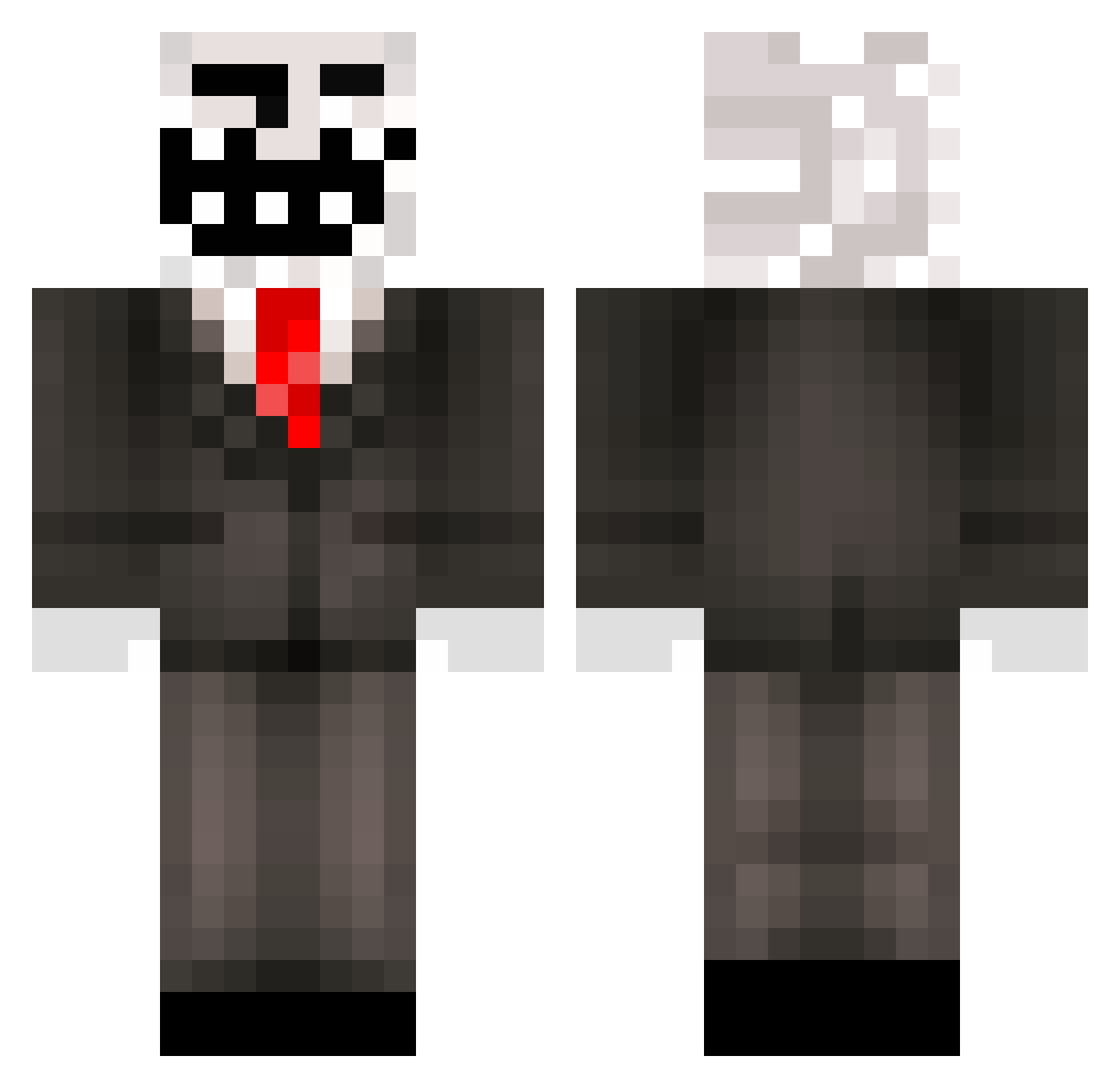
Current Minecraft skin of the player fqvv, loaded from the official Mojang API. Rotate the 3D model with your mouse or finger, then download the skin as a PNG file and use it in Minecraft: Bedrock Edition or Java Edition for free. When fqvv changes their skin, this page updates automatically and the old skin stays in the history below.
Other players with this skin (218)
fqvv was the 71st player we have seen with this skin, first spotted on 21.08.2026. The same skin was seen on these players. Open a nickname to see their current skin and skin history.
 djcatnip4 wxy2371 diamantove AntonDerFalke DiefliegendeNUSS Preposes Baaatooonn CharlesCrown cstp MonoTheDestroyer Coolmcshothead BestRA1N momo_on99 Zente600 Bedrych1 deification228 albertazz funnybritainman parscraft21 Vita2020 LucasTheKnown PureElla sai0724 TTGetDunkedOn UbeydeC For_Filled 3vighet zmxmam
 buru_152 oli_ruiz Eramine_CE Coleves Cobjr PasserbyHuman Tzilacatzin5728 B3nd3rm4n Rashirex Keldr245 S03A1 Shogun2k_ JerseyBoy3109 dakayy TotallyAsianChad Bolck Grosseviande Lerxxd Whoocks tahblep pu_c25 karuona NashiGotU Imortalius666 NYG1ants1010 _P0rche_ a6CL KeinorLm BrickEater69
 maxallen04 z2KDN MartinThatGuy
More Trollface Minecraft skins
How to install the fqvv skin
- Press the Download button above to save the skin as a PNG file.
- Minecraft: Bedrock Edition (PE): open the Dressing Room from the main menu (or tap your character → Edit Character), go to Classic Skins → Owned, press the + (new skin) button, choose the downloaded PNG and pick the Classic (Steve) model. Works on PC and mobile; consoles cannot import custom skins.
- Minecraft: Java Edition: open the Minecraft Launcher, go to the Skins tab, click New Skin, load the PNG, pick the Classic (Steve) model and press Save & Use. You can also upload it at minecraft.net → Profile → Change Skin.
The skin does not show up after import - what should I do?
Restart Minecraft and open the Dressing Room again - imported skins sometimes appear only after a restart. Also make sure you selected the imported skin and picked the Classic (Steve) model.
Which model should I choose, Classic or Slim?
This skin is designed for the Classic (Steve) model. If you pick the wrong model, the arms of the skin will look stretched or squeezed.
Is the skin of fqvv free to download?
Yes. Press Download, save the PNG file and use it in Minecraft: Bedrock Edition or Java Edition - no payment or registration needed. The skin also works on multiplayer servers and Realms.
More skins
Looking for more? Go back to all Minecraft skins and check the top skins of the week, month and all time, or find any player's skin by nickname.