
fishi074857 - Minecraft Skins & Skin History
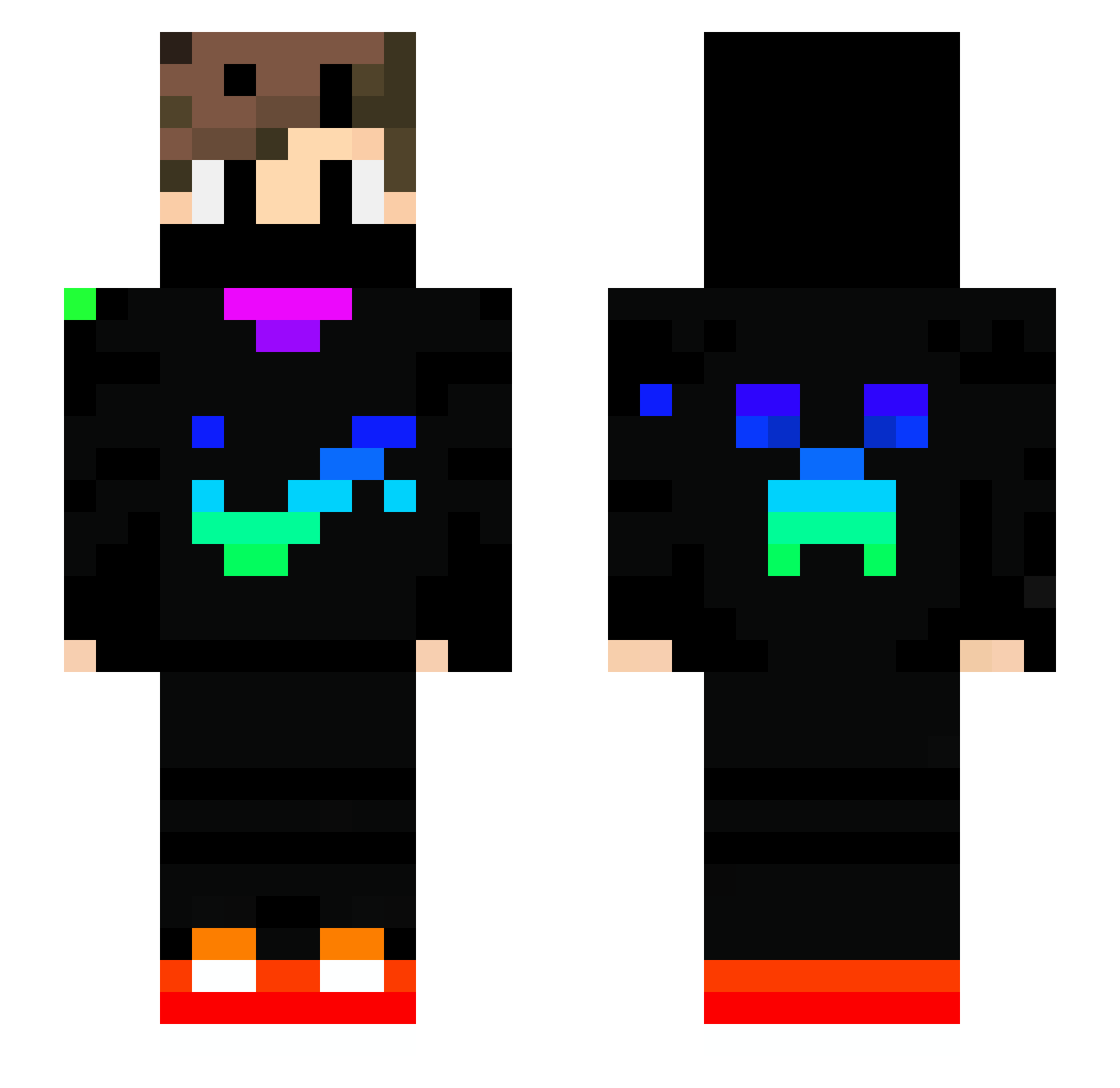
Current Minecraft skin of the player fishi074857, loaded from the official Mojang API. Rotate the 3D model with your mouse or finger, then download the skin as a PNG file and use it in Minecraft: Bedrock Edition or Java Edition for free. When fishi074857 changes their skin, this page updates automatically and the old skin stays in the history below.
Other players with this skin (739)
fishi074857 was the 322nd player we have seen with this skin, first spotted on 12.09.2026. The same skin was seen on these players. Open a nickname to see their current skin and skin history.
 JOHNFC13 Danielpro2725 MaxGamer_20 Lynexor_ XandreGood yokoso1 NotKaartik MetalBro55 kuba12hero ItsThonny22 adrimb95 FFiesta185 kazan_BR Kingluca003 Vilmos12 Henrybro28 Alexdyablo AC_GIGNWAR860 Eliteninja543 zvonecek24 elrayojuaquin701 JuicyMouse53553 DeliLily FrenzyFlames HEI_MAI Music_Boy07 Biberboy2 7LSCOP lxls4685 dasBert234 FireGod364 sucrelemeilleur eletricity12 rennfahrer120 itz_teizzer_boii Emilaliyev01 Naturalblade_YT Just_Ant1 RedSoxRBest34 jusselhd3080 justin120505 xHarry7xxl Benoqio Arkingtun RubyMirror91546 ComPleX_0800 MerGhaLf Kacperrro_MC szpic76 wis97 ArielTshuva ashdoug18 Emolol6154 loui3000 ItsArroyo KostyaCSKA Fabi_908 Ahkomahko9 GuilhermeGamer28 MR_koniuszek_PL
More Creeper Minecraft skins
How to install the fishi074857 skin
- Press the Download button above to save the skin as a PNG file.
- Minecraft: Bedrock Edition (PE): open the Dressing Room from the main menu (or tap your character → Edit Character), go to Classic Skins → Owned, press the + (new skin) button, choose the downloaded PNG and pick the Slim (Alex) model. Works on PC and mobile; consoles cannot import custom skins.
- Minecraft: Java Edition: open the Minecraft Launcher, go to the Skins tab, click New Skin, load the PNG, pick the Slim (Alex) model and press Save & Use. You can also upload it at minecraft.net → Profile → Change Skin.
The skin does not show up after import - what should I do?
Restart Minecraft and open the Dressing Room again - imported skins sometimes appear only after a restart. Also make sure you selected the imported skin and picked the Slim (Alex) model.
Which model should I choose, Classic or Slim?
This skin is designed for the Slim (Alex) model. If you pick the wrong model, the arms of the skin will look stretched or squeezed.
Is the skin of fishi074857 free to download?
Yes. Press Download, save the PNG file and use it in Minecraft: Bedrock Edition or Java Edition - no payment or registration needed. The skin also works on multiplayer servers and Realms.
More skins
Looking for more? Go back to all Minecraft skins and check the top skins of the week, month and all time, or find any player's skin by nickname.