
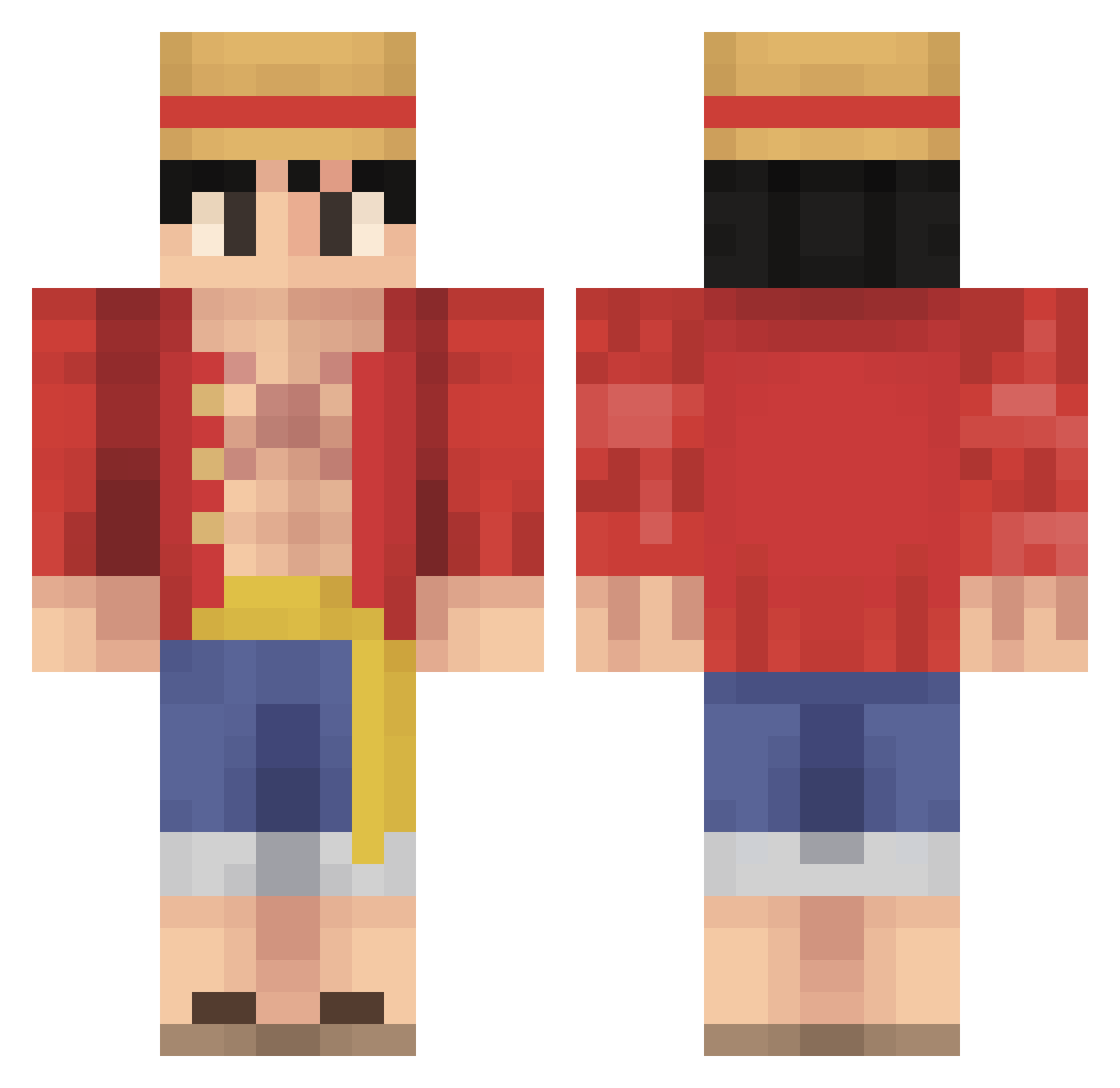
Current Minecraft skin of the player fireskull_2008, loaded from the official Mojang API. Rotate the 3D model with your mouse or finger, then download the skin as a PNG file and use it in Minecraft: Bedrock Edition or Java Edition for free. When fireskull_2008 changes their skin, this page updates automatically and the old skin stays in the history below.
Other players with this skin (457)
fireskull_2008 was the 349th player we have seen with this skin, first spotted on 02.10.2026. The same skin was seen on these players. Open a nickname to see their current skin and skin history.
 MrMatzah malooky07 SmellyFOX69 purin2012 poesneus69 DokterDoedelzak_ xTete22 luquinha123 Domnuu Cold_frenchfry1 PremiumG Dj_froyo Prasmit Timsen009 ogi789 BoikA121 Papasoja Andres332 SylenDanny Justin8372 LuchotuPapi Bonobo_Bro asianboiinoah 5Asura9 H4RRY321 Svenson13 Lmao_Jkandro2244 Gerozier Mysterymeat1 Ottorbl woyaobbtea RRsoldier B4n4n4split RetroG_01 ilym4dy fullkronox santhaking555 Userf8 PRINSESO iibra187 converse69 G0dsBlade big_BK123 Azul4y Moozie5 arcman98 wumemgs ciabatta_atomica DankGhost Krummihelga TooGood23 droy159 quinn4zero Maleek__ BadMender6765 DenisArz TeaPrice _Tuci_ T0x1c_Buffalo Stevenson_renato
More Monkey D Luffy Minecraft skins
See all 822 Monkey D Luffy skins
How to install the fireskull_2008 skin
- Press the Download button above to save the skin as a PNG file.
- Minecraft: Bedrock Edition (PE): open the Dressing Room from the main menu (or tap your character → Edit Character), go to Classic Skins → Owned, press the + (new skin) button, choose the downloaded PNG and pick the Classic (Steve) model. Works on PC and mobile; consoles cannot import custom skins.
- Minecraft: Java Edition: open the Minecraft Launcher, go to the Skins tab, click New Skin, load the PNG, pick the Classic (Steve) model and press Save & Use. You can also upload it at minecraft.net → Profile → Change Skin.
The skin does not show up after import - what should I do?
Restart Minecraft and open the Dressing Room again - imported skins sometimes appear only after a restart. Also make sure you selected the imported skin and picked the Classic (Steve) model.
Which model should I choose, Classic or Slim?
This skin is designed for the Classic (Steve) model. If you pick the wrong model, the arms of the skin will look stretched or squeezed.
Is the skin of fireskull_2008 free to download?
Yes. Press Download, save the PNG file and use it in Minecraft: Bedrock Edition or Java Edition - no payment or registration needed. The skin also works on multiplayer servers and Realms.
More skins
Looking for more? Go back to all Minecraft skins and check the top skins of the week, month and all time, or find any player's skin by nickname.