
ferdinhond - Minecraft Skins & Skin History
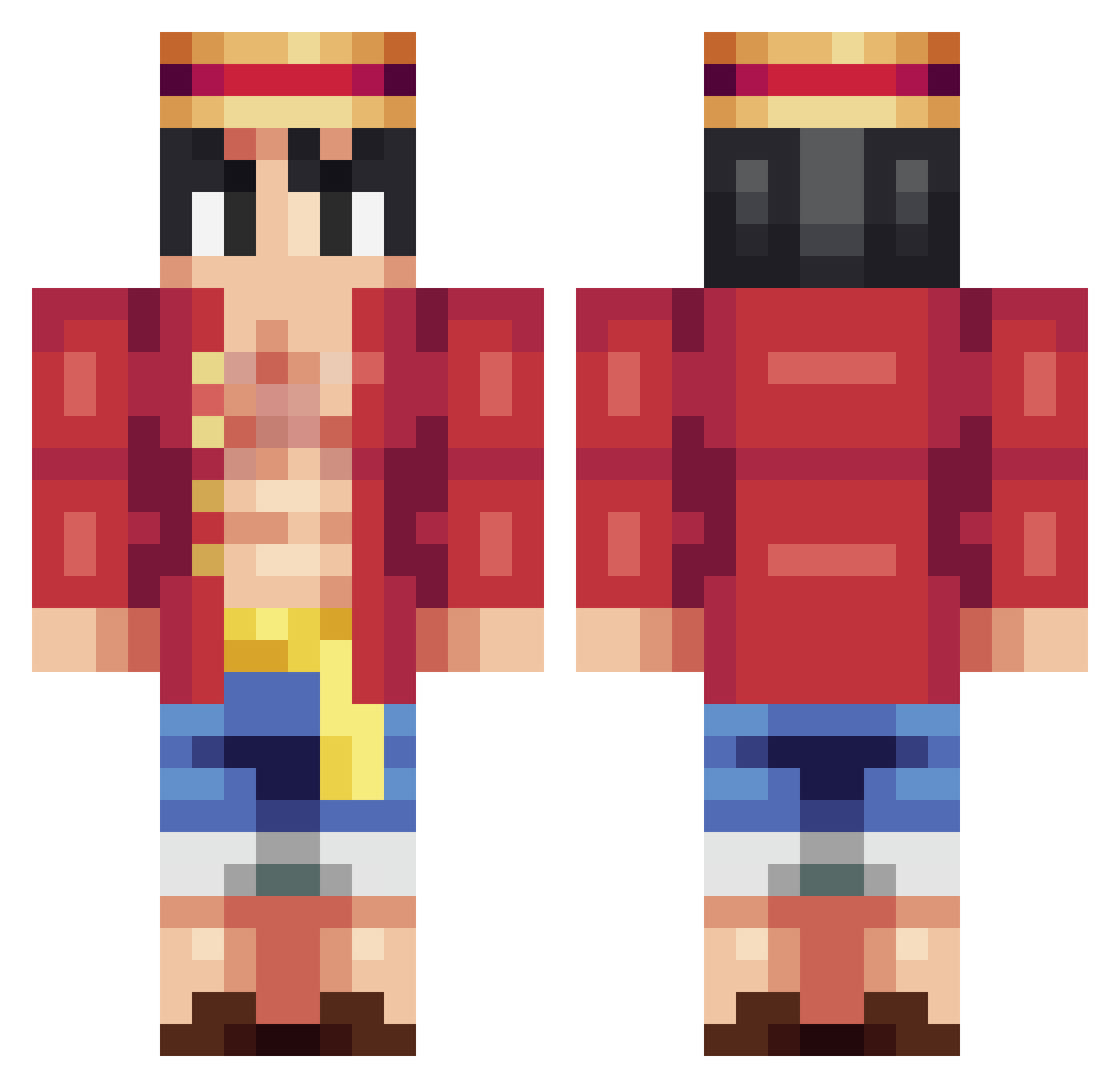
Current Minecraft skin of the player ferdinhond, loaded from the official Mojang API. Rotate the 3D model with your mouse or finger, then download the skin as a PNG file and use it in Minecraft: Bedrock Edition or Java Edition for free. When ferdinhond changes their skin, this page updates automatically and the old skin stays in the history below.
Other players with this skin (314)
ferdinhond was the 277th player we have seen with this skin, first spotted on 05.11.2026. The same skin was seen on these players. Open a nickname to see their current skin and skin history.
 harry842 Hamazura_Fan_1 CrafterFelixGHG kaduOLDPLAYER MaestroOgway0507 Jaheck Nanaryyy RaijinsRath Trilllance 3AM_STARLIGHT0 HideSusa MyGuyL muratakyol_ Test616 shucream0 LayanCO RealDaily hendy53 Phantasma29 HANGYEOL120106 YRG_jmf KDH0906 Dennis_CR7 Seelvilt onepiece3me ZiTernGaming escapisme im_suwucidal TuneGG Berjatroll02 ElR0dro WxshedC destr0ylon3ly Monkey_Dy_Luffy_ Cxirzy Jimmy_ilpompiere Heaven_Ace therealbob2 Kil0Killer TheNubLeader268 qwekilla SpiriT412 CYRILLEND Urax Facujkl OgeaN Sharinganja AlejoGhost LazYbj_ Sushie__ Usoland17 Suruss YungWeej dragonlegend56 9WED Ajimi74 Kandlerr dahee315 Lego_Expert Aprima34
More Monkey D Luffy Minecraft skins
See all 1046 Monkey D Luffy skins
How to install the ferdinhond skin
- Press the Download button above to save the skin as a PNG file.
- Minecraft: Bedrock Edition (PE): open the Dressing Room from the main menu (or tap your character → Edit Character), go to Classic Skins → Owned, press the + (new skin) button, choose the downloaded PNG and pick the Classic (Steve) model. Works on PC and mobile; consoles cannot import custom skins.
- Minecraft: Java Edition: open the Minecraft Launcher, go to the Skins tab, click New Skin, load the PNG, pick the Classic (Steve) model and press Save & Use. You can also upload it at minecraft.net → Profile → Change Skin.
The skin does not show up after import - what should I do?
Restart Minecraft and open the Dressing Room again - imported skins sometimes appear only after a restart. Also make sure you selected the imported skin and picked the Classic (Steve) model.
Which model should I choose, Classic or Slim?
This skin is designed for the Classic (Steve) model. If you pick the wrong model, the arms of the skin will look stretched or squeezed.
Is the skin of ferdinhond free to download?
Yes. Press Download, save the PNG file and use it in Minecraft: Bedrock Edition or Java Edition - no payment or registration needed. The skin also works on multiplayer servers and Realms.
More skins
Looking for more? Go back to all Minecraft skins and check the top skins of the week, month and all time, or find any player's skin by nickname.