
fer_Hhhmr_0104 - Minecraft Skins & Skin History
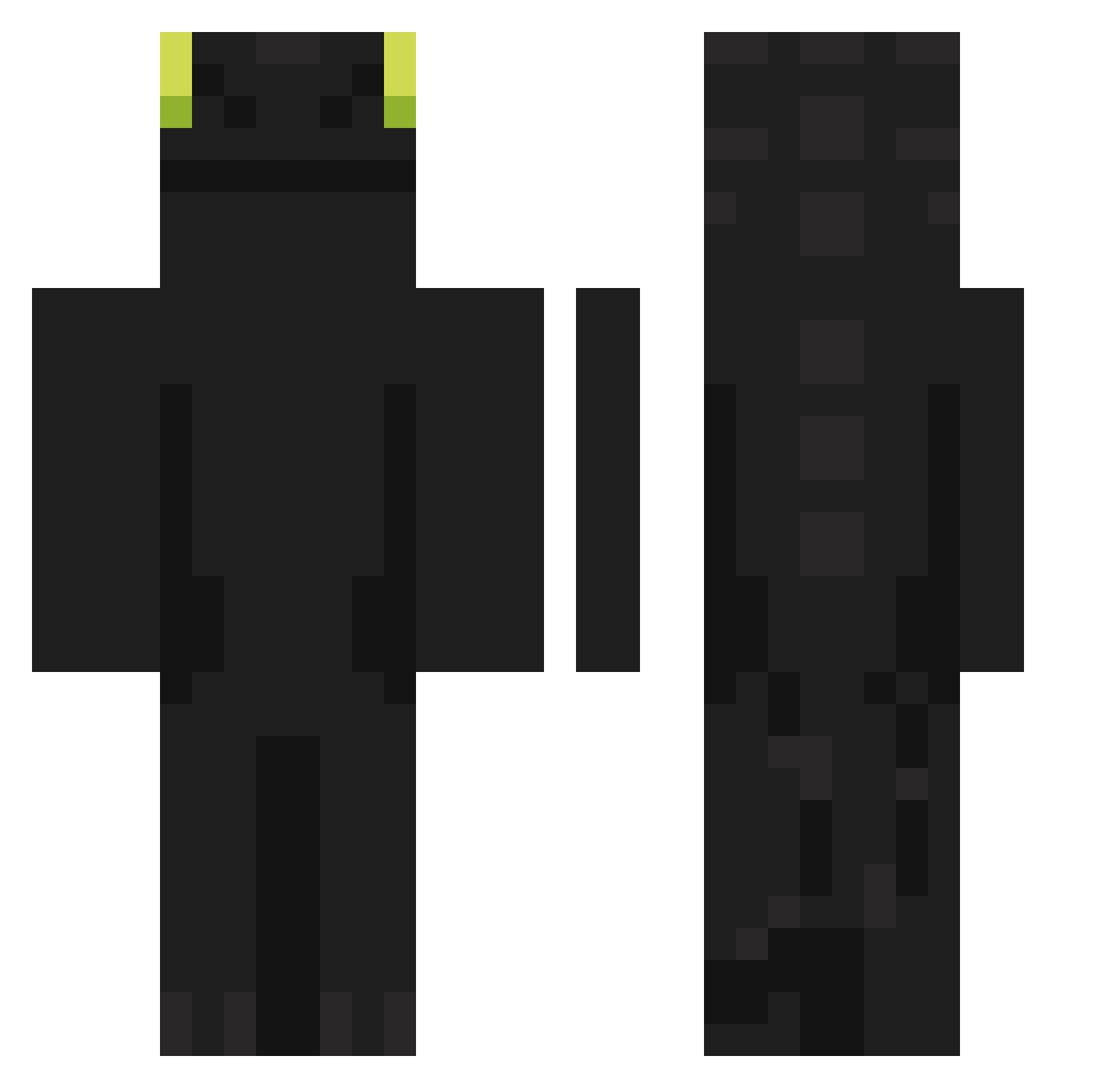
Current Minecraft skin of the player fer_Hhhmr_0104, loaded from the official Mojang API. Rotate the 3D model with your mouse or finger, then download the skin as a PNG file and use it in Minecraft: Bedrock Edition or Java Edition for free. When fer_Hhhmr_0104 changes their skin, this page updates automatically and the old skin stays in the history below.
Other players with this skin (961)
fer_Hhhmr_0104 was the 560th player we have seen with this skin, first spotted on 02.10.2026. The same skin was seen on these players. Open a nickname to see their current skin and skin history.
 SebastianKoxu25 BGD_Dragon rit0330 Draw25 FullestLeaf JARJAR_BLINKS wiiiir Hestonn Nethie1821 kkeodrug guismo0143 LueLueya Diego981104 Stefmina akknee BigFatMat Hamanachi DIMONDCRYSTALIZ PSIEP SSW0604 Omiaowo avt__________ qetuowryip13579 Dymension clemwlg di3g0sdc Milkykuto Wink_jay LKQR SlamaWolf minseong1127 junhong07 xKulza_06 Lyrhaa Shenguail ANTILOG101 TheLotosss YONGYONG0803 Supakorn_ Beck_01 teemar0507 skyzziii ian656500 smile2777 qazplm0408 FaMlKing Service07 Gom5000 Flnn03 Handsomeboiiiii KingZen01 hxyuan Jabotsito137 Daijang LamB351 PPP1012 Bekkir late23 Talvez2000 CasraftXD
More Night Fury Minecraft skins
How to install the fer_Hhhmr_0104 skin
- Press the Download button above to save the skin as a PNG file.
- Minecraft: Bedrock Edition (PE): open the Dressing Room from the main menu (or tap your character → Edit Character), go to Classic Skins → Owned, press the + (new skin) button, choose the downloaded PNG and pick the Classic (Steve) model. Works on PC and mobile; consoles cannot import custom skins.
- Minecraft: Java Edition: open the Minecraft Launcher, go to the Skins tab, click New Skin, load the PNG, pick the Classic (Steve) model and press Save & Use. You can also upload it at minecraft.net → Profile → Change Skin.
The skin does not show up after import - what should I do?
Restart Minecraft and open the Dressing Room again - imported skins sometimes appear only after a restart. Also make sure you selected the imported skin and picked the Classic (Steve) model.
Which model should I choose, Classic or Slim?
This skin is designed for the Classic (Steve) model. If you pick the wrong model, the arms of the skin will look stretched or squeezed.
Is the skin of fer_Hhhmr_0104 free to download?
Yes. Press Download, save the PNG file and use it in Minecraft: Bedrock Edition or Java Edition - no payment or registration needed. The skin also works on multiplayer servers and Realms.
More skins
Looking for more? Go back to all Minecraft skins and check the top skins of the week, month and all time, or find any player's skin by nickname.