
fengshua - Minecraft Skins & Skin History
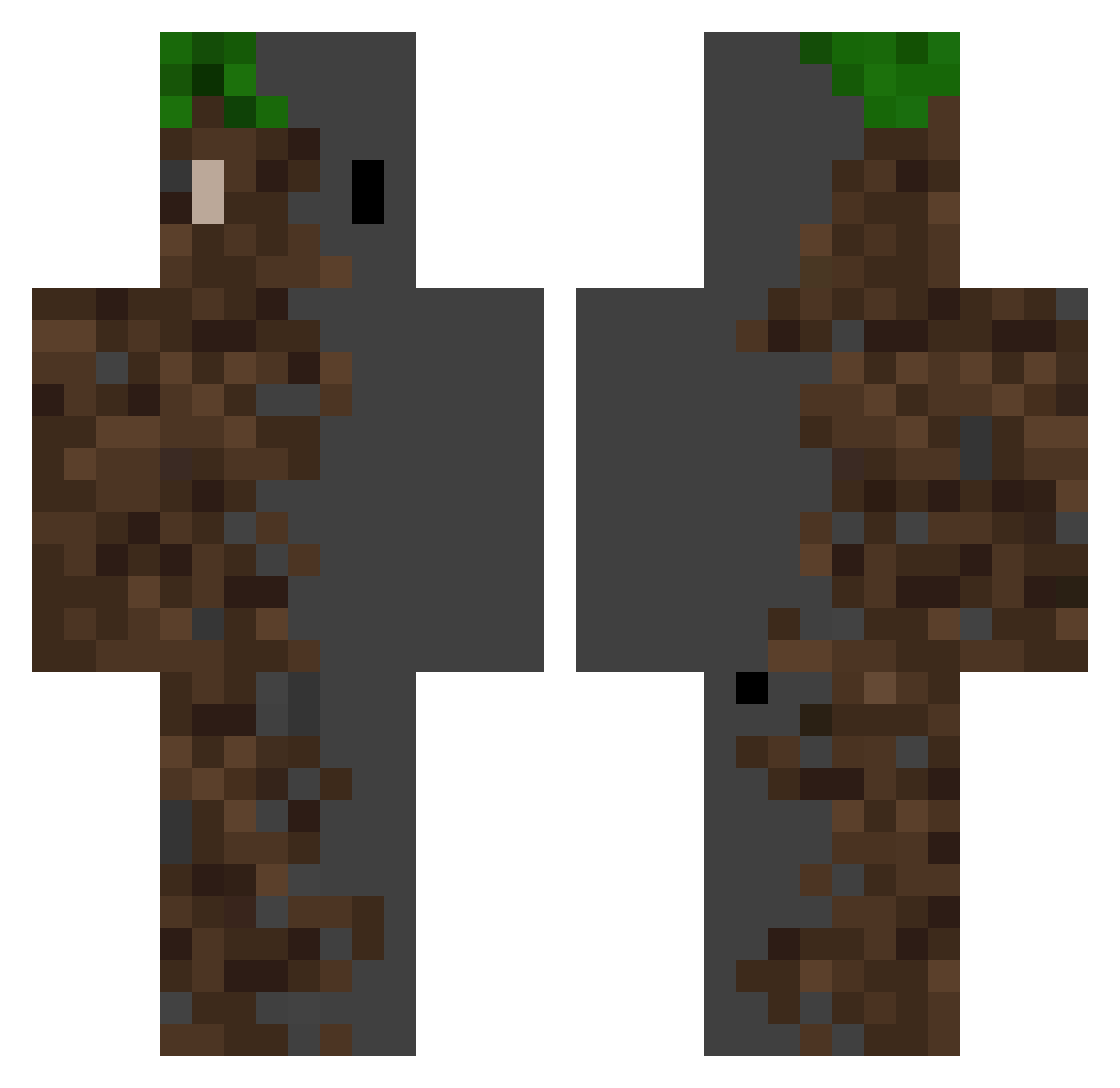
Current Minecraft skin of the player fengshua, loaded from the official Mojang API. Rotate the 3D model with your mouse or finger, then download the skin as a PNG file and use it in Minecraft: Bedrock Edition or Java Edition for free. When fengshua changes their skin, this page updates automatically and the old skin stays in the history below.
Other players with this skin (526)
fengshua was the 239th player we have seen with this skin, first spotted on 16.09.2026. The same skin was seen on these players. Open a nickname to see their current skin and skin history.
 zlpd _Minerr_ NitMajor KiqueJava ChaseOS AlperT42 W_F5M Rinex_x Carbi07 Goldkyoung TqPeee nan_mang ChibraxOMAX Buqyy hou118 Wieloryb0 rlaeoghks Frabsi99 Jazzyxz hisuizx0129 geekolan SpadesA1 egarbmc sp2red_s0ul DBOY289 A_X_E_I OZEY59 xnotkadenx Panosgg Sorchid nezerit64 cncn666 Deri_xD NEXUSGAMER99831 Akamma1 TPkoZ papapala AirmanHawk GX_9900_BlackAsh tomazuchan Kingkevthebest Muffingraf captainXXX ThePavstr_CZ RS_AGE Nima19D Z3RO_SL33P Joseph070916 Karrot112 Eldelicioso7v7 Tren45 theGreatBlack hubcio787 oddnk BrokenSmile_ xXSneezeXx VMP0310 Th3EvilCucuna dexer45 _TheRe4lRed_
More Dirt Block Minecraft skins
How to install the fengshua skin
- Press the Download button above to save the skin as a PNG file.
- Minecraft: Bedrock Edition (PE): open the Dressing Room from the main menu (or tap your character → Edit Character), go to Classic Skins → Owned, press the + (new skin) button, choose the downloaded PNG and pick the Classic (Steve) model. Works on PC and mobile; consoles cannot import custom skins.
- Minecraft: Java Edition: open the Minecraft Launcher, go to the Skins tab, click New Skin, load the PNG, pick the Classic (Steve) model and press Save & Use. You can also upload it at minecraft.net → Profile → Change Skin.
The skin does not show up after import - what should I do?
Restart Minecraft and open the Dressing Room again - imported skins sometimes appear only after a restart. Also make sure you selected the imported skin and picked the Classic (Steve) model.
Which model should I choose, Classic or Slim?
This skin is designed for the Classic (Steve) model. If you pick the wrong model, the arms of the skin will look stretched or squeezed.
Is the skin of fengshua free to download?
Yes. Press Download, save the PNG file and use it in Minecraft: Bedrock Edition or Java Edition - no payment or registration needed. The skin also works on multiplayer servers and Realms.
More skins
Looking for more? Go back to all Minecraft skins and check the top skins of the week, month and all time, or find any player's skin by nickname.