
felty - Minecraft Skins & Skin History
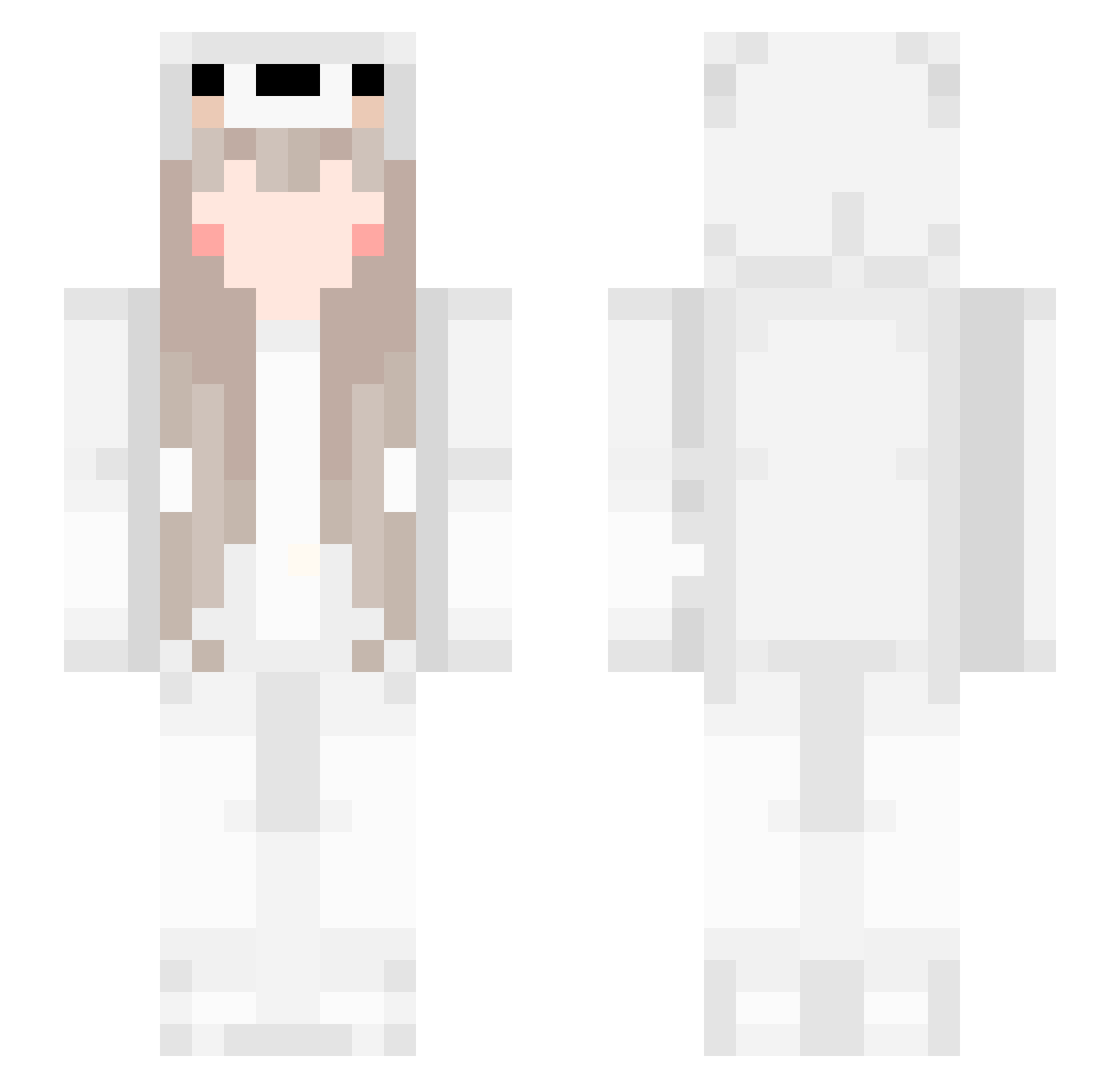
Current Minecraft skin of the player felty, loaded from the official Mojang API. Rotate the 3D model with your mouse or finger, then download the skin as a PNG file and use it in Minecraft: Bedrock Edition or Java Edition for free. When felty changes their skin, this page updates automatically and the old skin stays in the history below.
Other players with this skin (561)
felty was the 406th player we have seen with this skin, first spotted on 11.10.2026. The same skin was seen on these players. Open a nickname to see their current skin and skin history.
 UkhiBhm AndreyLisen KOYYO 3RcyctBehgtQ guai436 yyyun1 GimmeAttention Rou_GE plo_osh RuryQAQ dandan9527 Kuku_Adventures Caferia0 Shadowd123 Cocor08 Bai912 KWONHYUKJAE XiaoYun_BaBy guang1013 miniiiiiii ChuMo05 Conicole Silenceyuu Wolfsagan Scamandern _OS_ jiyuan123 StuperSheep Yeye_nai TheFokeL Embar2006 TheBeiluo CatherineHaze dudu_biubiu ymc2006 urpunny11 Limit0712 tableclever demonsknighta icedeatw Datha_Dio lussori yunjianke Luckycot WTDJN WUHUChaim 123456258 Karupinu _Felyne_ Yumi_Wei YI76 emmlan599 marcuslindemose Olhuda WAhaha_03 jsbin_ starry_night114 Yami1007 whispys Aefser
More Girl Minecraft skins
How to install the felty skin
- Press the Download button above to save the skin as a PNG file.
- Minecraft: Bedrock Edition (PE): open the Dressing Room from the main menu (or tap your character → Edit Character), go to Classic Skins → Owned, press the + (new skin) button, choose the downloaded PNG and pick the Slim (Alex) model. Works on PC and mobile; consoles cannot import custom skins.
- Minecraft: Java Edition: open the Minecraft Launcher, go to the Skins tab, click New Skin, load the PNG, pick the Slim (Alex) model and press Save & Use. You can also upload it at minecraft.net → Profile → Change Skin.
The skin does not show up after import - what should I do?
Restart Minecraft and open the Dressing Room again - imported skins sometimes appear only after a restart. Also make sure you selected the imported skin and picked the Slim (Alex) model.
Which model should I choose, Classic or Slim?
This skin is designed for the Slim (Alex) model. If you pick the wrong model, the arms of the skin will look stretched or squeezed.
Is the skin of felty free to download?
Yes. Press Download, save the PNG file and use it in Minecraft: Bedrock Edition or Java Edition - no payment or registration needed. The skin also works on multiplayer servers and Realms.
More skins
Looking for more? Go back to all Minecraft skins and check the top skins of the week, month and all time, or find any player's skin by nickname.