
felixberner12 - Minecraft Skins & Skin History
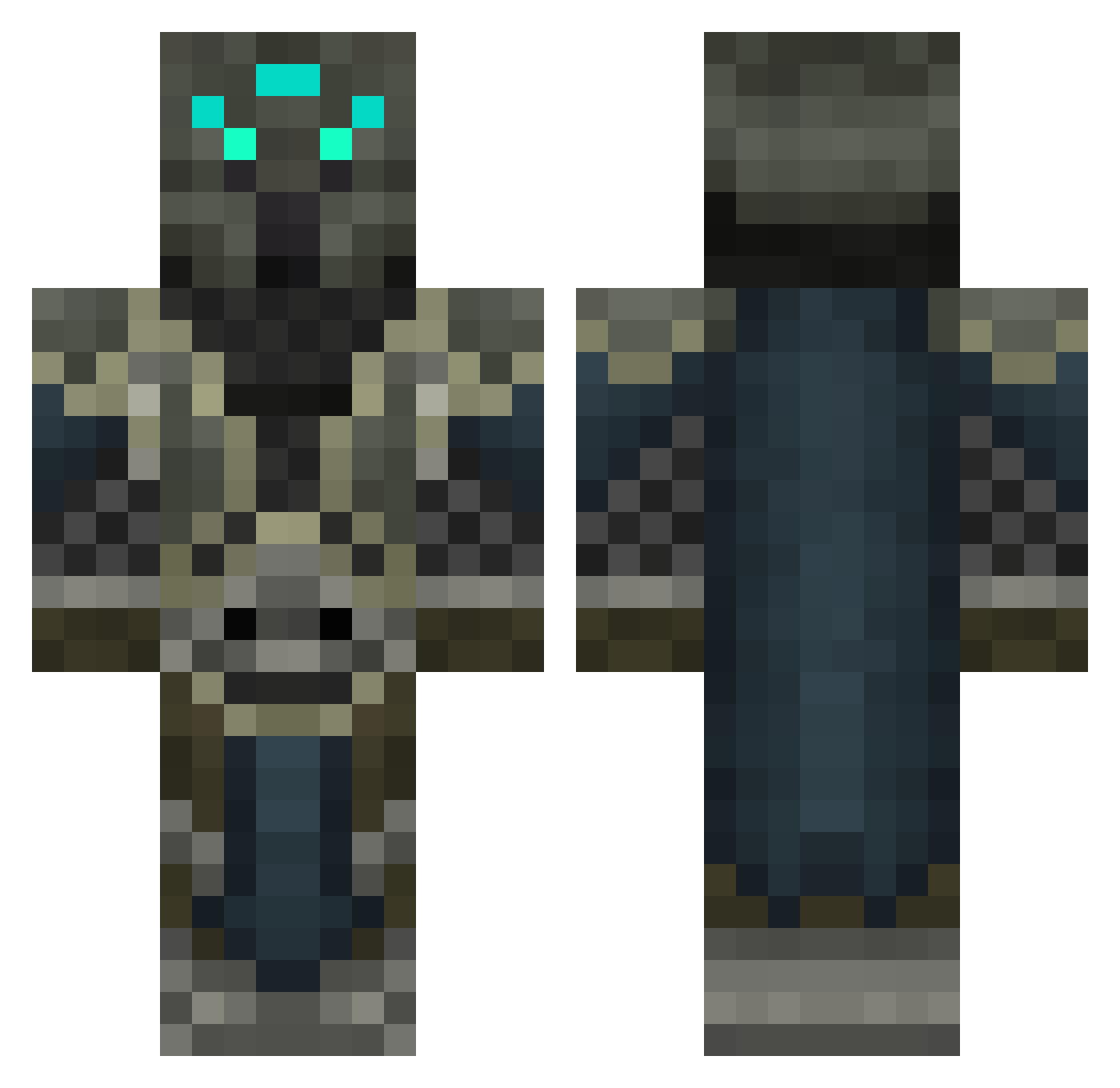
Current Minecraft skin of the player felixberner12, loaded from the official Mojang API. Rotate the 3D model with your mouse or finger, then download the skin as a PNG file and use it in Minecraft: Bedrock Edition or Java Edition for free. When felixberner12 changes their skin, this page updates automatically and the old skin stays in the history below.
Other players with this skin (457)
felixberner12 was the 233rd player we have seen with this skin, first spotted on 17.09.2026. The same skin was seen on these players. Open a nickname to see their current skin and skin history.
 jason1099 cloakshadow Deathwing_Hyde13 JCRgamer Trycux Cukies132 Keno0087 AWLew HB_LostFile ChaosKrafter kimsebasse Lordofnubs PUDUNTY axelwtb EmojiBlitz Alyrazor fluxx6 reshnak Shireck crunchy123456 DevilKirish kingb88 zelefyr Coopermila svenmelis123 SpecOpWolfBorn MaxForce LP720 SaberWolfEWP DEADPOOLVA iStachi eddytheone Nimbrethil cjhendoop creeperglock2240 Sir_Skunk Harbringer18 blackbell12 ausgod acecash kikkoulol xXMystery_ManXx Denolann Dilleygoat Moong85 McFathom Aruhn95 Xaldeveran ABC_K1ller omegaghost25 kitchener20 MinerZM luciusww stretch71 genius3124 Grimmhound EternalGreed akdoggie gyshan kookmook5
More Medieval Minecraft skins
How to install the felixberner12 skin
- Press the Download button above to save the skin as a PNG file.
- Minecraft: Bedrock Edition (PE): open the Dressing Room from the main menu (or tap your character → Edit Character), go to Classic Skins → Owned, press the + (new skin) button, choose the downloaded PNG and pick the Classic (Steve) model. Works on PC and mobile; consoles cannot import custom skins.
- Minecraft: Java Edition: open the Minecraft Launcher, go to the Skins tab, click New Skin, load the PNG, pick the Classic (Steve) model and press Save & Use. You can also upload it at minecraft.net → Profile → Change Skin.
The skin does not show up after import - what should I do?
Restart Minecraft and open the Dressing Room again - imported skins sometimes appear only after a restart. Also make sure you selected the imported skin and picked the Classic (Steve) model.
Which model should I choose, Classic or Slim?
This skin is designed for the Classic (Steve) model. If you pick the wrong model, the arms of the skin will look stretched or squeezed.
Is the skin of felixberner12 free to download?
Yes. Press Download, save the PNG file and use it in Minecraft: Bedrock Edition or Java Edition - no payment or registration needed. The skin also works on multiplayer servers and Realms.
More skins
Looking for more? Go back to all Minecraft skins and check the top skins of the week, month and all time, or find any player's skin by nickname.