
kookmook5 - Minecraft Skins & Skin History
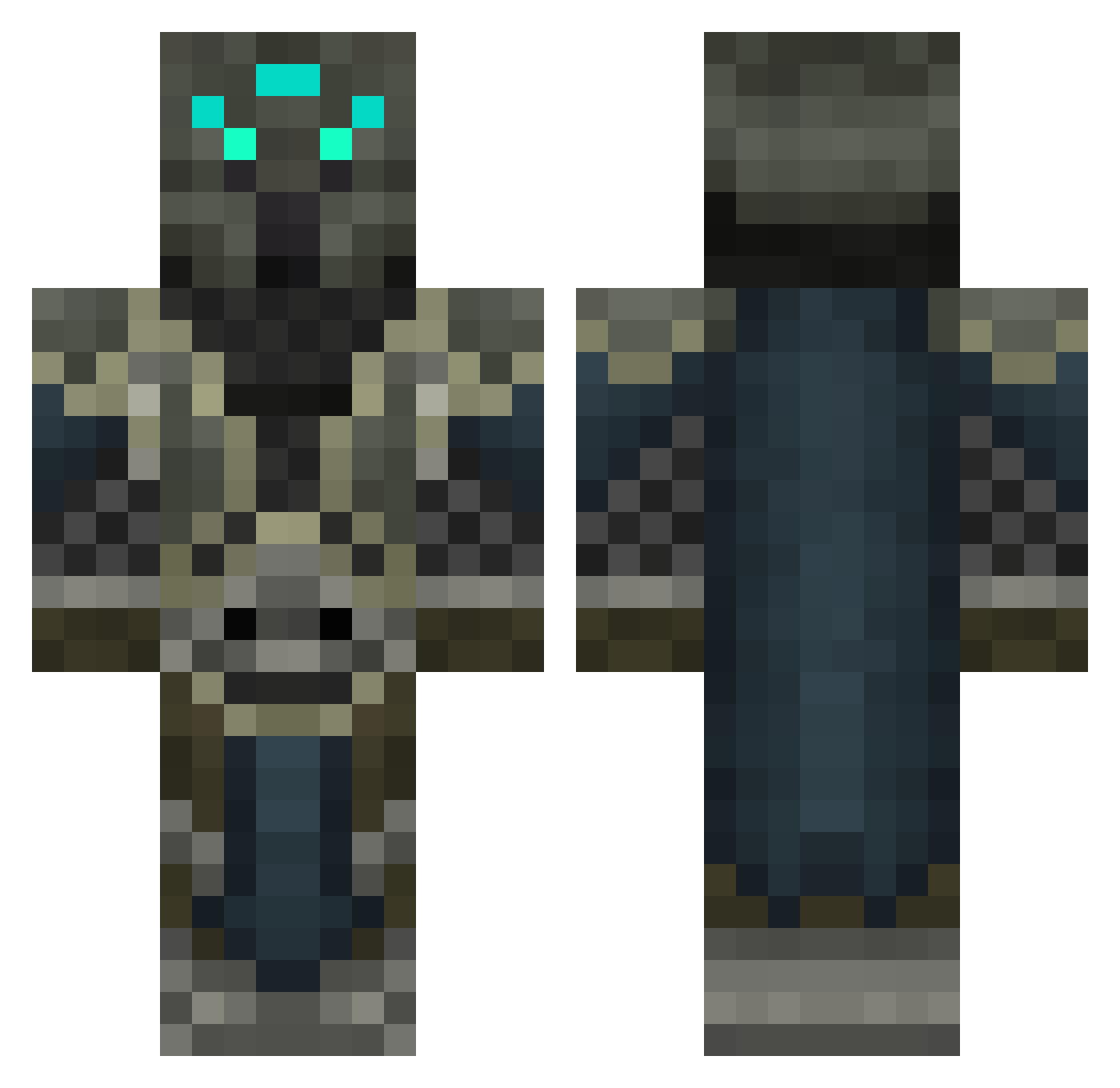
Current Minecraft skin of the player kookmook5, loaded from the official Mojang API. Rotate the 3D model with your mouse or finger, then download the skin as a PNG file and use it in Minecraft: Bedrock Edition or Java Edition for free. When kookmook5 changes their skin, this page updates automatically and the old skin stays in the history below.
Other players with this skin (457)
kookmook5 was the 263rd player we have seen with this skin, first spotted on 26.09.2026. The same skin was seen on these players. Open a nickname to see their current skin and skin history.
 gyshan EternalGreed genius3124 Soterius ALCRO zabuku3 Z_Gaming_Guy kitchener20 omegaghost25 strateballn nevross Clement042001 Neltt Aruhn95 Sk1ppyx Shrewums s17019 Moong85 arthas57 Names_Mud xXMystery_ManXx Dotzrus kikkoulol acecash hakuna92 Lord_Tiggz ausgod HunterBoi Monty2510 Silwyn buiachaca scarydrew popperpro GOTcreeperMILK Sir_Skunk ELIT3FOUR eddytheone lycan1144 kravenhead disguised8potato HaveSex Emeegeemee iStachi DEADPOOLVA nategoodwin tlbullard3 SpecOpWolfBorn Artos20 DennisTNT2 Zarastrasza nino551 ColusBlackPoint Kombak54 BossRasmus Coopermila zelefyr kingb88 Itsgrouchyspanky Shireck exxavion
More Medieval Minecraft skins
How to install the kookmook5 skin
- Press the Download button above to save the skin as a PNG file.
- Minecraft: Bedrock Edition (PE): open the Dressing Room from the main menu (or tap your character → Edit Character), go to Classic Skins → Owned, press the + (new skin) button, choose the downloaded PNG and pick the Classic (Steve) model. Works on PC and mobile; consoles cannot import custom skins.
- Minecraft: Java Edition: open the Minecraft Launcher, go to the Skins tab, click New Skin, load the PNG, pick the Classic (Steve) model and press Save & Use. You can also upload it at minecraft.net → Profile → Change Skin.
The skin does not show up after import - what should I do?
Restart Minecraft and open the Dressing Room again - imported skins sometimes appear only after a restart. Also make sure you selected the imported skin and picked the Classic (Steve) model.
Which model should I choose, Classic or Slim?
This skin is designed for the Classic (Steve) model. If you pick the wrong model, the arms of the skin will look stretched or squeezed.
Is the skin of kookmook5 free to download?
Yes. Press Download, save the PNG file and use it in Minecraft: Bedrock Edition or Java Edition - no payment or registration needed. The skin also works on multiplayer servers and Realms.
More skins
Looking for more? Go back to all Minecraft skins and check the top skins of the week, month and all time, or find any player's skin by nickname.