
felipephill97 - Minecraft Skins & Skin History
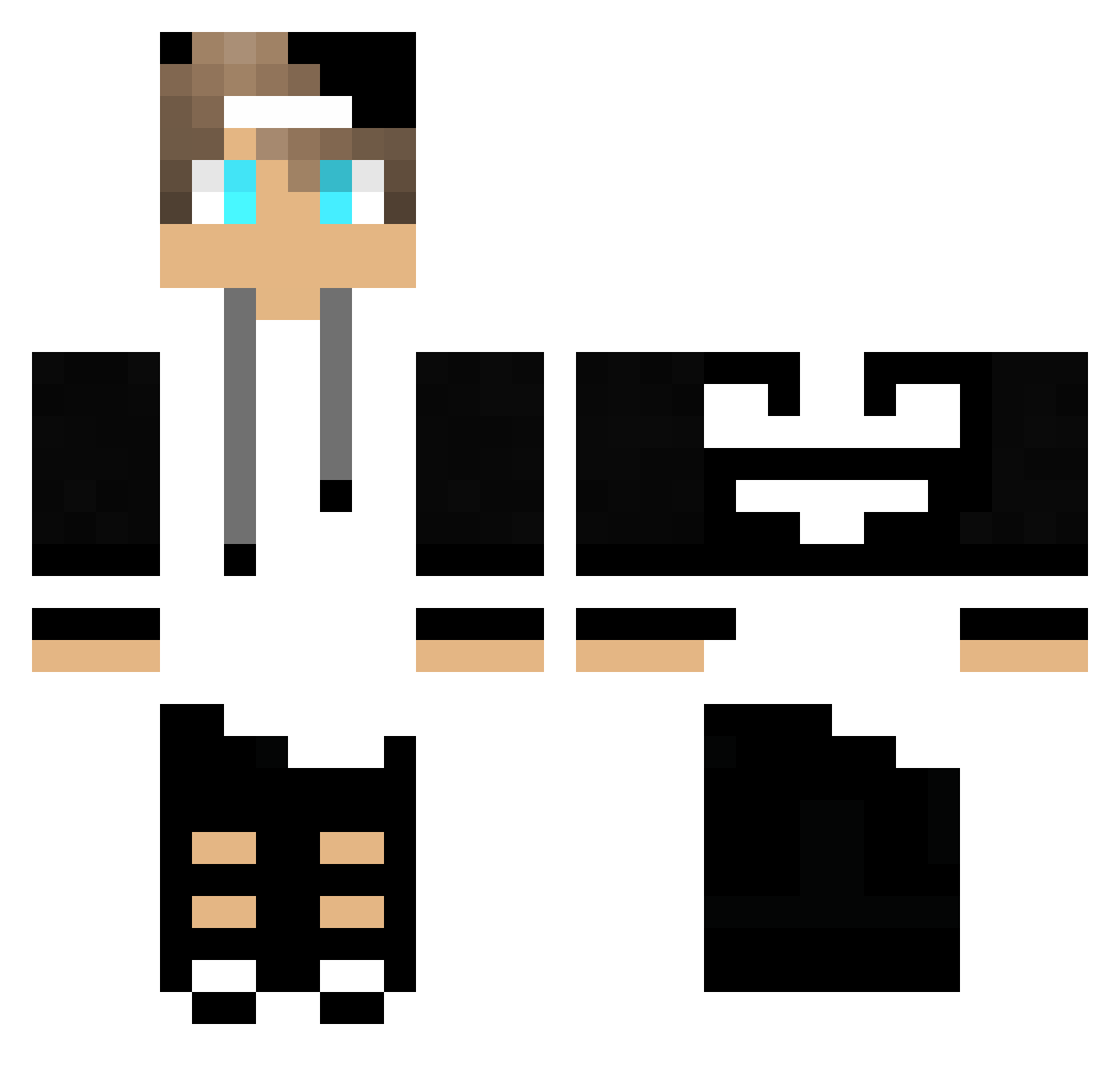
Current Minecraft skin of the player felipephill97, loaded from the official Mojang API. Rotate the 3D model with your mouse or finger, then download the skin as a PNG file and use it in Minecraft: Bedrock Edition or Java Edition for free. When felipephill97 changes their skin, this page updates automatically and the old skin stays in the history below.
Other players with this skin (246)
felipephill97 was the 135th player we have seen with this skin, first spotted on 29.09.2026. The same skin was seen on these players. Open a nickname to see their current skin and skin history.
 JJayMiner OSAMA1010 theo210476 Hegyi_ Jhevison007 cinarksimsek Tarberg RaphaelLucasRR Arrietty1 ErenYld markobelaivan coelhoxtreme bravhs Mooreelle Fietscross Spielemeister11 togglerunner xXDommiXx22 obitsiwel NandoCraft21 BaNz_ Jackss28 Whoops581 Erick008 TheIrishMexican1 OMG_OT Johnas_HD Abbysion foufuninho DerMuffin Woikei SadikHancer carloso13 Badzin13 Erik0i VinirGames Brvolker AtiiE Iuryzinho LigerDK Finite_Sauce R0K1TXIO PixelChange jared_121 SBOn9Game DMan18 KILLerI16 jackita92 HomeMonster5016 NumeriqueGaming3 Klaseven sssanti004 Lagartija43 The_Phil1337 HUNDRED_007 _Max_Musterman_ SyQc1 WaldiWeeb CarotteMur22462 Beerboisgaming
More Cap Minecraft skins
How to install the felipephill97 skin
- Press the Download button above to save the skin as a PNG file.
- Minecraft: Bedrock Edition (PE): open the Dressing Room from the main menu (or tap your character → Edit Character), go to Classic Skins → Owned, press the + (new skin) button, choose the downloaded PNG and pick the Classic (Steve) model. Works on PC and mobile; consoles cannot import custom skins.
- Minecraft: Java Edition: open the Minecraft Launcher, go to the Skins tab, click New Skin, load the PNG, pick the Classic (Steve) model and press Save & Use. You can also upload it at minecraft.net → Profile → Change Skin.
The skin does not show up after import - what should I do?
Restart Minecraft and open the Dressing Room again - imported skins sometimes appear only after a restart. Also make sure you selected the imported skin and picked the Classic (Steve) model.
Which model should I choose, Classic or Slim?
This skin is designed for the Classic (Steve) model. If you pick the wrong model, the arms of the skin will look stretched or squeezed.
Is the skin of felipephill97 free to download?
Yes. Press Download, save the PNG file and use it in Minecraft: Bedrock Edition or Java Edition - no payment or registration needed. The skin also works on multiplayer servers and Realms.
More skins
Looking for more? Go back to all Minecraft skins and check the top skins of the week, month and all time, or find any player's skin by nickname.