
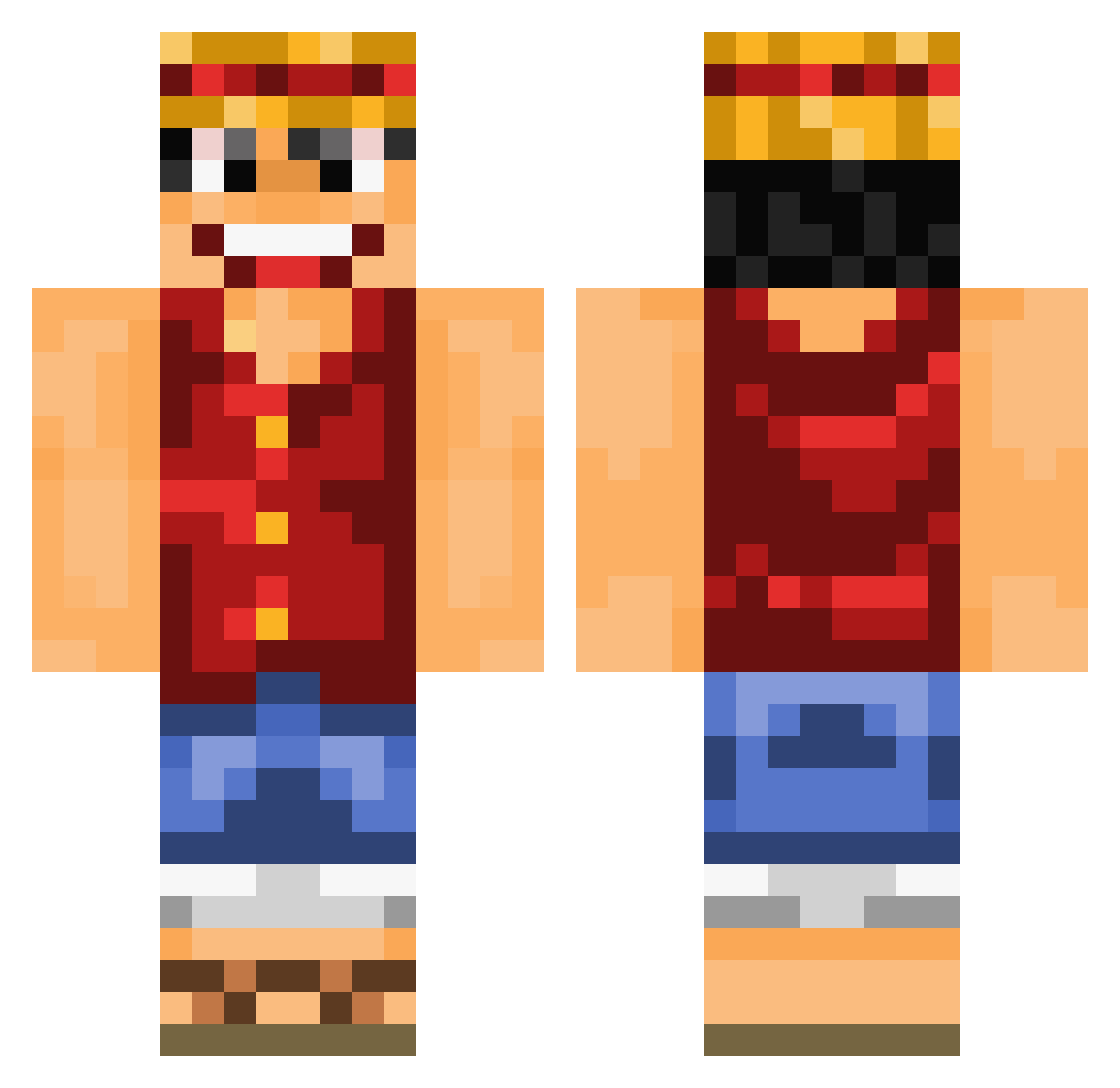
Current Minecraft skin of the player faruk2929, loaded from the official Mojang API. Rotate the 3D model with your mouse or finger, then download the skin as a PNG file and use it in Minecraft: Bedrock Edition or Java Edition for free. When faruk2929 changes their skin, this page updates automatically and the old skin stays in the history below.
Other players with this skin (642)
faruk2929 was the 344th player we have seen with this skin, first spotted on 07.09.2026. The same skin was seen on these players. Open a nickname to see their current skin and skin history.
 mzalakain Eisa_ hackedaf ChaosKombi pitschii TheRaspberryPie Lord_CJ Toumas1 mangoJ888 Lelsito Sanitaire M4R14N07 sapinmufin Cungerr DaptoOfficial ximeng12 JIHIRSH JaberJaws FarmerofChaos ANARAUL jagup RamboM4 OzHulk castco Z_kfsq Clemaz junbeom10 ZachIsble Tacolord123321 Druidovico Rickp9 Magoss22 Gandoulf49 MarsMasterLP Pretzel97 akachechu Keepote LithanJenkins Virusx011 inklynk Dr_Donny_ Nat_777 Kryxliz OJayIsGood TheSexyKANGAROO Bruddles Kykyks Juuniiior picsous09 Arrock88 IAMUMN JLRayou erikthe10man rayan29 SneakiezFNDT jikky86 auto11551 K1nGx3 Falithh GodLikeGamerHere
More Monkey D Luffy Minecraft skins
See all 774 Monkey D Luffy skins
How to install the faruk2929 skin
- Press the Download button above to save the skin as a PNG file.
- Minecraft: Bedrock Edition (PE): open the Dressing Room from the main menu (or tap your character → Edit Character), go to Classic Skins → Owned, press the + (new skin) button, choose the downloaded PNG and pick the Classic (Steve) model. Works on PC and mobile; consoles cannot import custom skins.
- Minecraft: Java Edition: open the Minecraft Launcher, go to the Skins tab, click New Skin, load the PNG, pick the Classic (Steve) model and press Save & Use. You can also upload it at minecraft.net → Profile → Change Skin.
The skin does not show up after import - what should I do?
Restart Minecraft and open the Dressing Room again - imported skins sometimes appear only after a restart. Also make sure you selected the imported skin and picked the Classic (Steve) model.
Which model should I choose, Classic or Slim?
This skin is designed for the Classic (Steve) model. If you pick the wrong model, the arms of the skin will look stretched or squeezed.
Is the skin of faruk2929 free to download?
Yes. Press Download, save the PNG file and use it in Minecraft: Bedrock Edition or Java Edition - no payment or registration needed. The skin also works on multiplayer servers and Realms.
More skins
Looking for more? Go back to all Minecraft skins and check the top skins of the week, month and all time, or find any player's skin by nickname.