
erlolencho - Minecraft Skins & Skin History
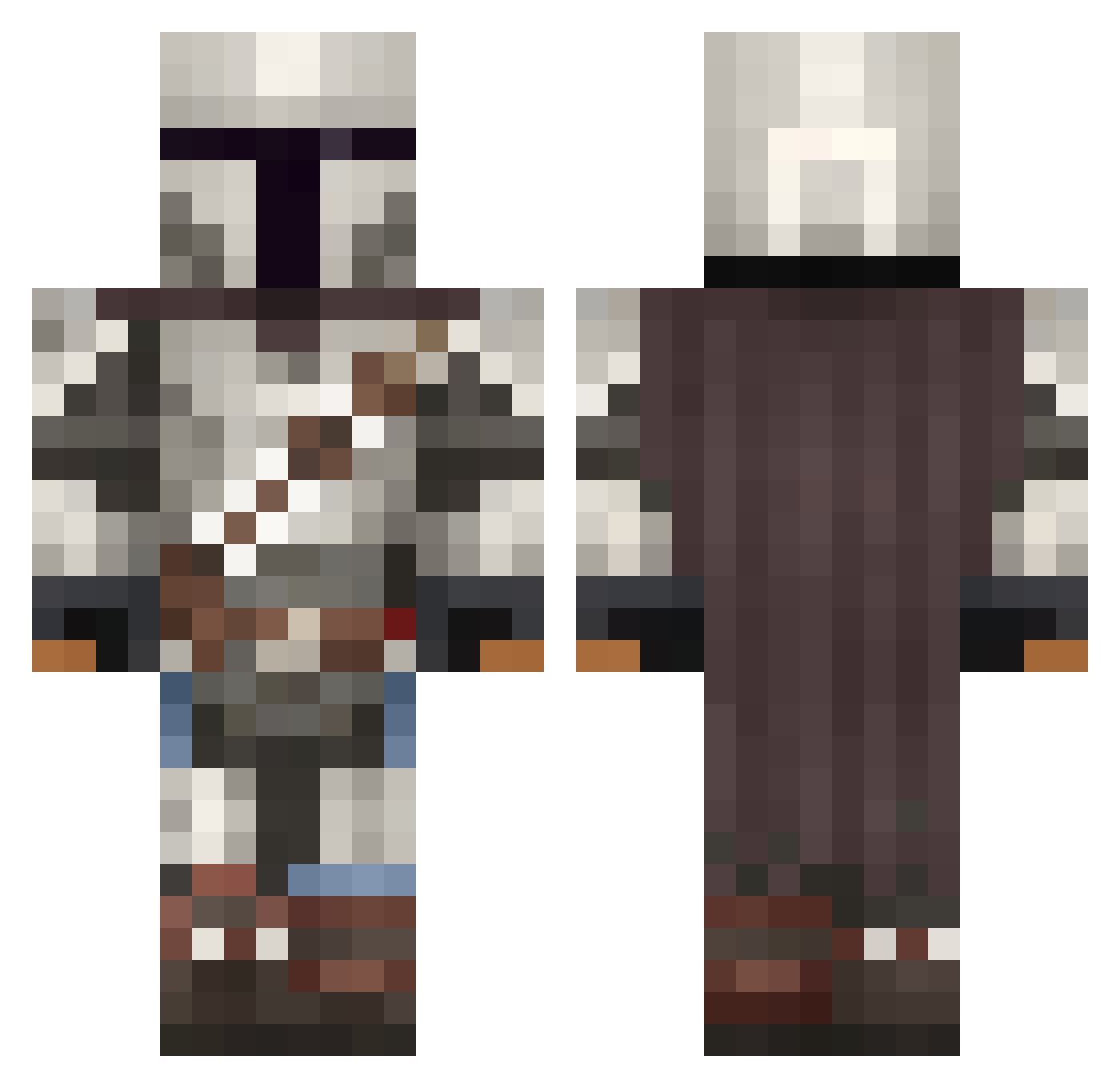
Current Minecraft skin of the player erlolencho, loaded from the official Mojang API. Rotate the 3D model with your mouse or finger, then download the skin as a PNG file and use it in Minecraft: Bedrock Edition or Java Edition for free. When erlolencho changes their skin, this page updates automatically and the old skin stays in the history below.
Other players with this skin (1094)
erlolencho was the 472nd player we have seen with this skin, first spotted on 17.09.2026. The same skin was seen on these players. Open a nickname to see their current skin and skin history.
 SilentStorm1991 BLACKPANTHER2009 NIK_FURY Heorhelm Torben29556 ParsnipWombat BustaJiv69 Joshbonn23 everestski pippofilip23 King_Jacky reece1boss uwuvuwuwuuw Kaeptn_Barul SamWhite135 FelipeZanettini KillerVeebs glengineer139 thermalnerd Zerok97 jsthtm JacobTheBuilder2 Ricardio7 Worgy RobBobCornCob42 WhiteChocolate26 Loki2142 RoyalLarris jeff1235 ApexMB TheBloodMan11 Double_Metro louisloi MoleMountain Art_o_War garbbogc GavTrav CrownMeKing19 Minestorm0194 AlecMe14 ProTaxEvader Blandyyyy DarkMoul9 SteinGoo Lini_1304 TotableGinger62 HERQQLES Varelactic0 MandaFlo1 AlexxUrd YTMonstaR Afrobungie choleriix THUG100 LinhHawkseiUwU BoontjieBoer DreadVince MasterBlivs frankfurt8 MarcusAntonious
More The Mandalorian Minecraft skins
See all 620 The Mandalorian skins
How to install the erlolencho skin
- Press the Download button above to save the skin as a PNG file.
- Minecraft: Bedrock Edition (PE): open the Dressing Room from the main menu (or tap your character → Edit Character), go to Classic Skins → Owned, press the + (new skin) button, choose the downloaded PNG and pick the Classic (Steve) model. Works on PC and mobile; consoles cannot import custom skins.
- Minecraft: Java Edition: open the Minecraft Launcher, go to the Skins tab, click New Skin, load the PNG, pick the Classic (Steve) model and press Save & Use. You can also upload it at minecraft.net → Profile → Change Skin.
The skin does not show up after import - what should I do?
Restart Minecraft and open the Dressing Room again - imported skins sometimes appear only after a restart. Also make sure you selected the imported skin and picked the Classic (Steve) model.
Which model should I choose, Classic or Slim?
This skin is designed for the Classic (Steve) model. If you pick the wrong model, the arms of the skin will look stretched or squeezed.
Is the skin of erlolencho free to download?
Yes. Press Download, save the PNG file and use it in Minecraft: Bedrock Edition or Java Edition - no payment or registration needed. The skin also works on multiplayer servers and Realms.
More skins
Looking for more? Go back to all Minecraft skins and check the top skins of the week, month and all time, or find any player's skin by nickname.