
enus2002 - Minecraft Skins & Skin History
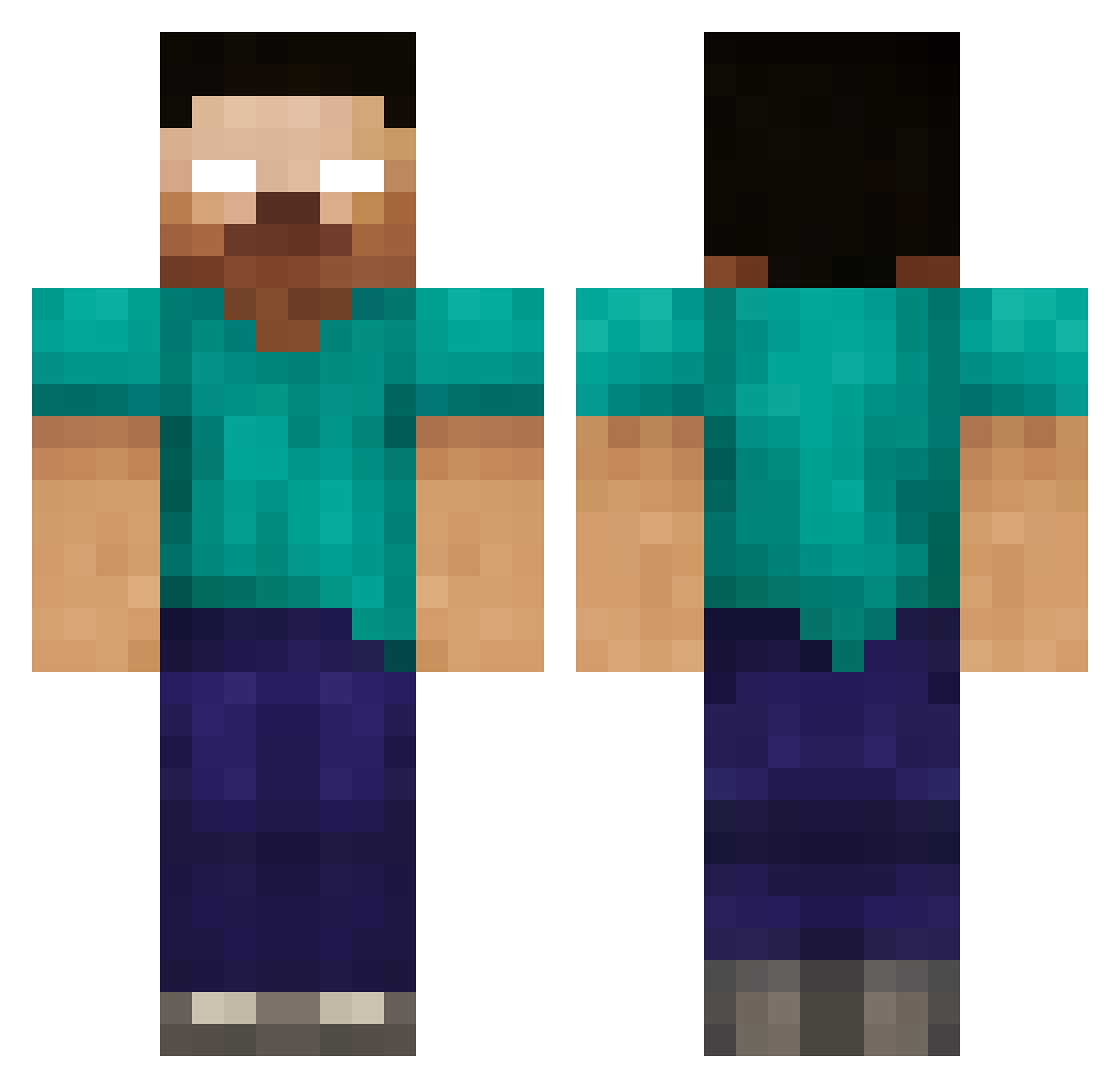
Current Minecraft skin of the player enus2002, loaded from the official Mojang API. Rotate the 3D model with your mouse or finger, then download the skin as a PNG file and use it in Minecraft: Bedrock Edition or Java Edition for free. When enus2002 changes their skin, this page updates automatically and the old skin stays in the history below.
Other players with this skin (235)
enus2002 was the 101st player we have seen with this skin, first spotted on 24.09.2026. The same skin was seen on these players. Open a nickname to see their current skin and skin history.
 Skull_Crusher233 Vespin3 Bttal123456789 Jorge1099 navy123456 championhabit1 lucario1221 Lienhoeft eli7315 LegoLiam2004 isaiahthekingg Robbiegalloway xPR3STON yazed999_ KevinLP001 Krawallberger Travbuscus Kal_Elbrine kobkids AndoMarsh Hipdawg24 mandymandarijn AscendantSpear JOmaster64 Oetzi123456789 superc08 MarcusJD4 Kappera EnsamSvenne Cafferman TKDkicker Minekid_ Brown_swag dilver KiD_A7X dannyhawaii King_nivlac siak1234 zombieguybob arinooo defenafire BIGchickens200 fiendtiger73 Jhandi11 GeneralCollin PigPick MLWolfgirl Mazz04 Nexus408 Felixtillman Ryan247 jordanhosang CloteGM Elijah90 dreamturtle210 QKcN noahlieb12 UBsHoward sillygirl118 willv7
More Herobrine Minecraft skins
How to install the enus2002 skin
- Press the Download button above to save the skin as a PNG file.
- Minecraft: Bedrock Edition (PE): open the Dressing Room from the main menu (or tap your character → Edit Character), go to Classic Skins → Owned, press the + (new skin) button, choose the downloaded PNG and pick the Classic (Steve) model. Works on PC and mobile; consoles cannot import custom skins.
- Minecraft: Java Edition: open the Minecraft Launcher, go to the Skins tab, click New Skin, load the PNG, pick the Classic (Steve) model and press Save & Use. You can also upload it at minecraft.net → Profile → Change Skin.
The skin does not show up after import - what should I do?
Restart Minecraft and open the Dressing Room again - imported skins sometimes appear only after a restart. Also make sure you selected the imported skin and picked the Classic (Steve) model.
Which model should I choose, Classic or Slim?
This skin is designed for the Classic (Steve) model. If you pick the wrong model, the arms of the skin will look stretched or squeezed.
Is the skin of enus2002 free to download?
Yes. Press Download, save the PNG file and use it in Minecraft: Bedrock Edition or Java Edition - no payment or registration needed. The skin also works on multiplayer servers and Realms.
More skins
Looking for more? Go back to all Minecraft skins and check the top skins of the week, month and all time, or find any player's skin by nickname.