
enriq420 - Minecraft Skins & Skin History
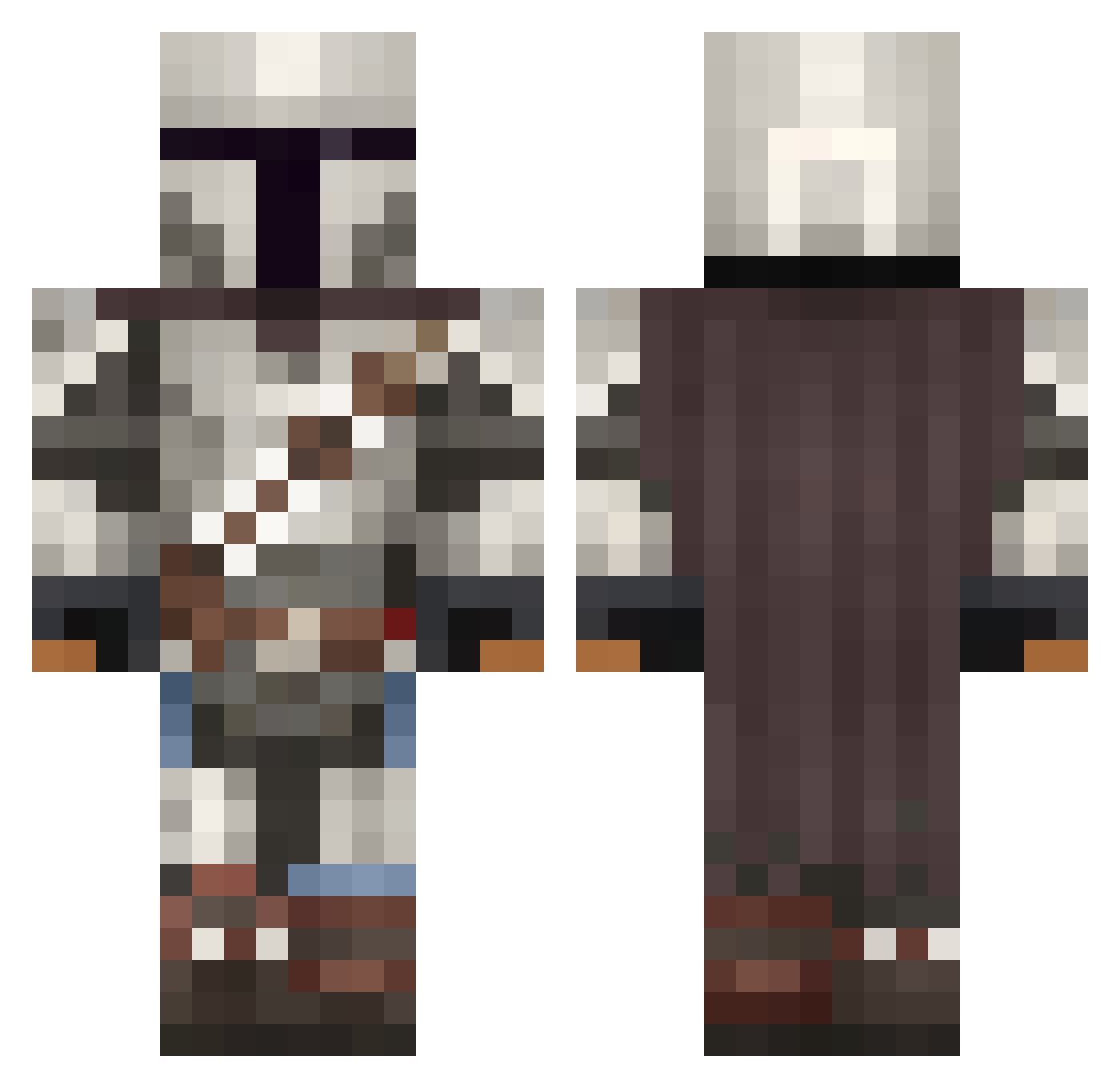
Current Minecraft skin of the player enriq420, loaded from the official Mojang API. Rotate the 3D model with your mouse or finger, then download the skin as a PNG file and use it in Minecraft: Bedrock Edition or Java Edition for free. When enriq420 changes their skin, this page updates automatically and the old skin stays in the history below.
Other players with this skin (1092)
enriq420 was the 142nd player we have seen with this skin, first spotted on 08.08.2026. The same skin was seen on these players. Open a nickname to see their current skin and skin history.
 Sizzy752 glow2015 Joaogador Brandylupo SpeakingCode1229
 durumkafa Pablo_Hidalgo Kit47 CharlotteAnna MrHandsomeDude beidiwang DrunkLarry Darknight59809 Tea_And_Tea SoulDarko KampfKnoppers kaluniverse Thecam2001 TheGreatMort Mandokan ChickenLover127 PeppyJeppy CaptainNoNeck shiny_aegislash DillyDude8 snack_dragon Ramalcame Alpha0265 cambree_ Darktech69 Pizzaboy858 Latexlasse01 Airon98 SmilingBuddah TokarevSVK MonsterChino XLR8Slowly Niza83 mattverycool lawlor4 MaybeArti MasterJenk95 L3Bob KingDeku1000 Frosty_Wolfy SquidLoyalty Spinacina101 colt191140 SithDrummer53 FlyingMan311 oLordie Yungcranee Janopix YWblade Stormwinds RedWing222 Darth_Spidy GuyF_23 SmokeyOni TheSlyFox85
More The Mandalorian Minecraft skins
See all 619 The Mandalorian skins
How to install the enriq420 skin
- Press the Download button above to save the skin as a PNG file.
- Minecraft: Bedrock Edition (PE): open the Dressing Room from the main menu (or tap your character → Edit Character), go to Classic Skins → Owned, press the + (new skin) button, choose the downloaded PNG and pick the Classic (Steve) model. Works on PC and mobile; consoles cannot import custom skins.
- Minecraft: Java Edition: open the Minecraft Launcher, go to the Skins tab, click New Skin, load the PNG, pick the Classic (Steve) model and press Save & Use. You can also upload it at minecraft.net → Profile → Change Skin.
The skin does not show up after import - what should I do?
Restart Minecraft and open the Dressing Room again - imported skins sometimes appear only after a restart. Also make sure you selected the imported skin and picked the Classic (Steve) model.
Which model should I choose, Classic or Slim?
This skin is designed for the Classic (Steve) model. If you pick the wrong model, the arms of the skin will look stretched or squeezed.
Is the skin of enriq420 free to download?
Yes. Press Download, save the PNG file and use it in Minecraft: Bedrock Edition or Java Edition - no payment or registration needed. The skin also works on multiplayer servers and Realms.
More skins
Looking for more? Go back to all Minecraft skins and check the top skins of the week, month and all time, or find any player's skin by nickname.