
elrickmin - Minecraft Skins & Skin History
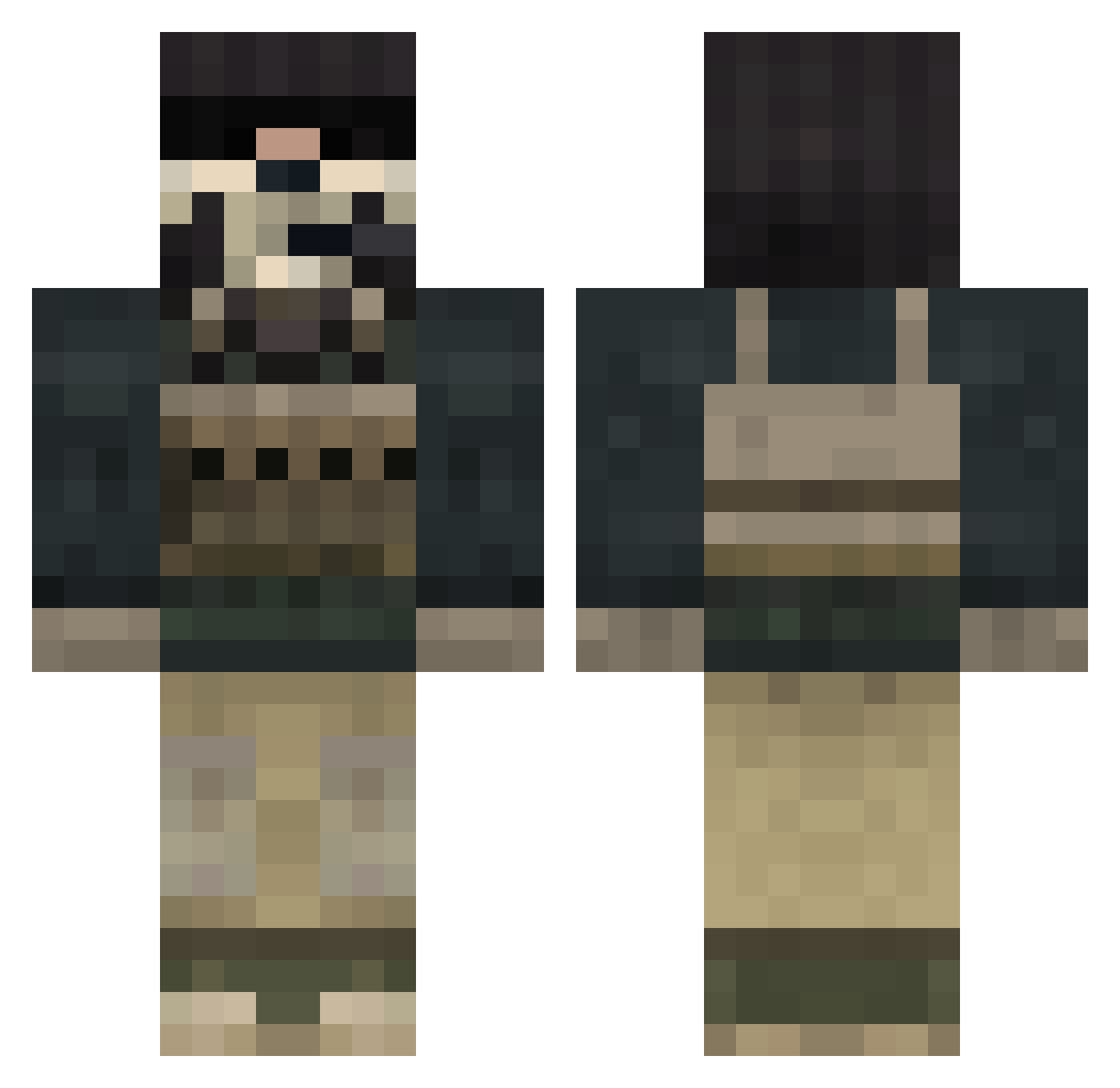
Current Minecraft skin of the player elrickmin, loaded from the official Mojang API. Rotate the 3D model with your mouse or finger, then download the skin as a PNG file and use it in Minecraft: Bedrock Edition or Java Edition for free. When elrickmin changes their skin, this page updates automatically and the old skin stays in the history below.
Other players with this skin (833)
elrickmin was the 107th player we have seen with this skin, first spotted on 10.08.2026. The same skin was seen on these players. Open a nickname to see their current skin and skin history.
 stryner cerpper blade654 FriesAndSalt daddy1896 Reesezen Optima_ Will250802 jay22574 VTC ElectricMayhem Fattman2007 rraul95 CrimsonGhostX5 WoodyGMT paddypower1997 KING_GING of_Monster _Minecrafty_ Koschti killedxd W4rplg nathan9876 2001zion pickman8 diavik100 NoWay28 ebenboon cdiggitydog0420 MinecraftBoy59 tjmacho XxwargamesxX slayermaster14 Ruler2117 B4stiii mokonofu zoom4409 miami_madness numnummy987 Joker121 lerequin20 patoncl TheNamesFlawless ClickthemHard 1234sean Ghosthunter005 C0rker megakai132 TheGameWolf PazifikHD VagueWarrior5 JanSoArmUndDumm rei1006 crazyStefano vikke988 punkydo93 jonahjimenez99 ford15 xEvOILuTioN IDCrisis0
More Call Of Duty Minecraft skins
See all 172 Call Of Duty skins
How to install the elrickmin skin
- Press the Download button above to save the skin as a PNG file.
- Minecraft: Bedrock Edition (PE): open the Dressing Room from the main menu (or tap your character → Edit Character), go to Classic Skins → Owned, press the + (new skin) button, choose the downloaded PNG and pick the Classic (Steve) model. Works on PC and mobile; consoles cannot import custom skins.
- Minecraft: Java Edition: open the Minecraft Launcher, go to the Skins tab, click New Skin, load the PNG, pick the Classic (Steve) model and press Save & Use. You can also upload it at minecraft.net → Profile → Change Skin.
The skin does not show up after import - what should I do?
Restart Minecraft and open the Dressing Room again - imported skins sometimes appear only after a restart. Also make sure you selected the imported skin and picked the Classic (Steve) model.
Which model should I choose, Classic or Slim?
This skin is designed for the Classic (Steve) model. If you pick the wrong model, the arms of the skin will look stretched or squeezed.
Is the skin of elrickmin free to download?
Yes. Press Download, save the PNG file and use it in Minecraft: Bedrock Edition or Java Edition - no payment or registration needed. The skin also works on multiplayer servers and Realms.
More skins
Looking for more? Go back to all Minecraft skins and check the top skins of the week, month and all time, or find any player's skin by nickname.