
efjh - Minecraft Skins & Skin History
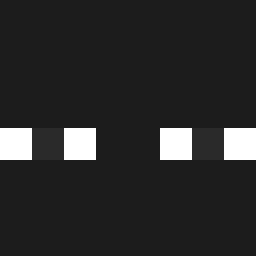
Current Minecraft skin of the player efjh, loaded from the official Mojang API. Rotate the 3D model with your mouse or finger, then download the skin as a PNG file and use it in Minecraft: Bedrock Edition or Java Edition for free. When efjh changes their skin, this page updates automatically and the old skin stays in the history below.

Other players with this skin (1196)
efjh was the 939th player we have seen with this skin, first spotted on 13.10.2026. The same skin was seen on these players. Open a nickname to see their current skin and skin history.
 WombatStew_ Winfy gago98 GD_Lover kinax41 KAMIKAZE728 CrypticMorals NRURU LERATDEGOUT59 Fruitnugget_ Papulec0109 _ParagonX_ Doornut luljamo danielgoesboIII JDeji iAmMeriik zeroyike miks3 long_fern Arkopex qamble winterwinterwint Byzum__4eBa1k JJangKOO99 Huxxa TheSuspect101 BearCrafter1 chiaen1210Tw _Nytrix_ KIMJENO_ GarbageGooober Redford531 hiagtw rainfallspeep P_rincess_ Datchan Magma2602 iblyl chimyy Zombie39939 oDraxy Siska311 FUYongDa yl123456789 AICE___ JefersonCaminhon _FLYING_FISH_ KuriyamaTan YUYQAQ Bblaroo Plant_Soda ChristianTSmith Manuel15500 LimLog_ _Myanko Nadju masterX1o BART_857 sigmaeel
How to install the efjh skin
- Press the Download button above to save the skin as a PNG file.
- Minecraft: Bedrock Edition (PE): open the Dressing Room from the main menu (or tap your character → Edit Character), go to Classic Skins → Owned, press the + (new skin) button, choose the downloaded PNG and pick the Classic (Steve) model. Works on PC and mobile; consoles cannot import custom skins.
- Minecraft: Java Edition: open the Minecraft Launcher, go to the Skins tab, click New Skin, load the PNG, pick the Classic (Steve) model and press Save & Use. You can also upload it at minecraft.net → Profile → Change Skin.
The skin does not show up after import - what should I do?
Restart Minecraft and open the Dressing Room again - imported skins sometimes appear only after a restart. Also make sure you selected the imported skin and picked the Classic (Steve) model.
Which model should I choose, Classic or Slim?
This skin is designed for the Classic (Steve) model. If you pick the wrong model, the arms of the skin will look stretched or squeezed.
Is the skin of efjh free to download?
Yes. Press Download, save the PNG file and use it in Minecraft: Bedrock Edition or Java Edition - no payment or registration needed. The skin also works on multiplayer servers and Realms.
More skins
Looking for more? Go back to all Minecraft skins and check the top skins of the week, month and all time, or find any player's skin by nickname.