
doralolo - Minecraft Skins & Skin History
Current Minecraft skin of the player doralolo, loaded from the official Mojang API. Rotate the 3D model with your mouse or finger, then download the skin as a PNG file and use it in Minecraft: Bedrock Edition or Java Edition for free. When doralolo changes their skin, this page updates automatically and the old skin stays in the history below.
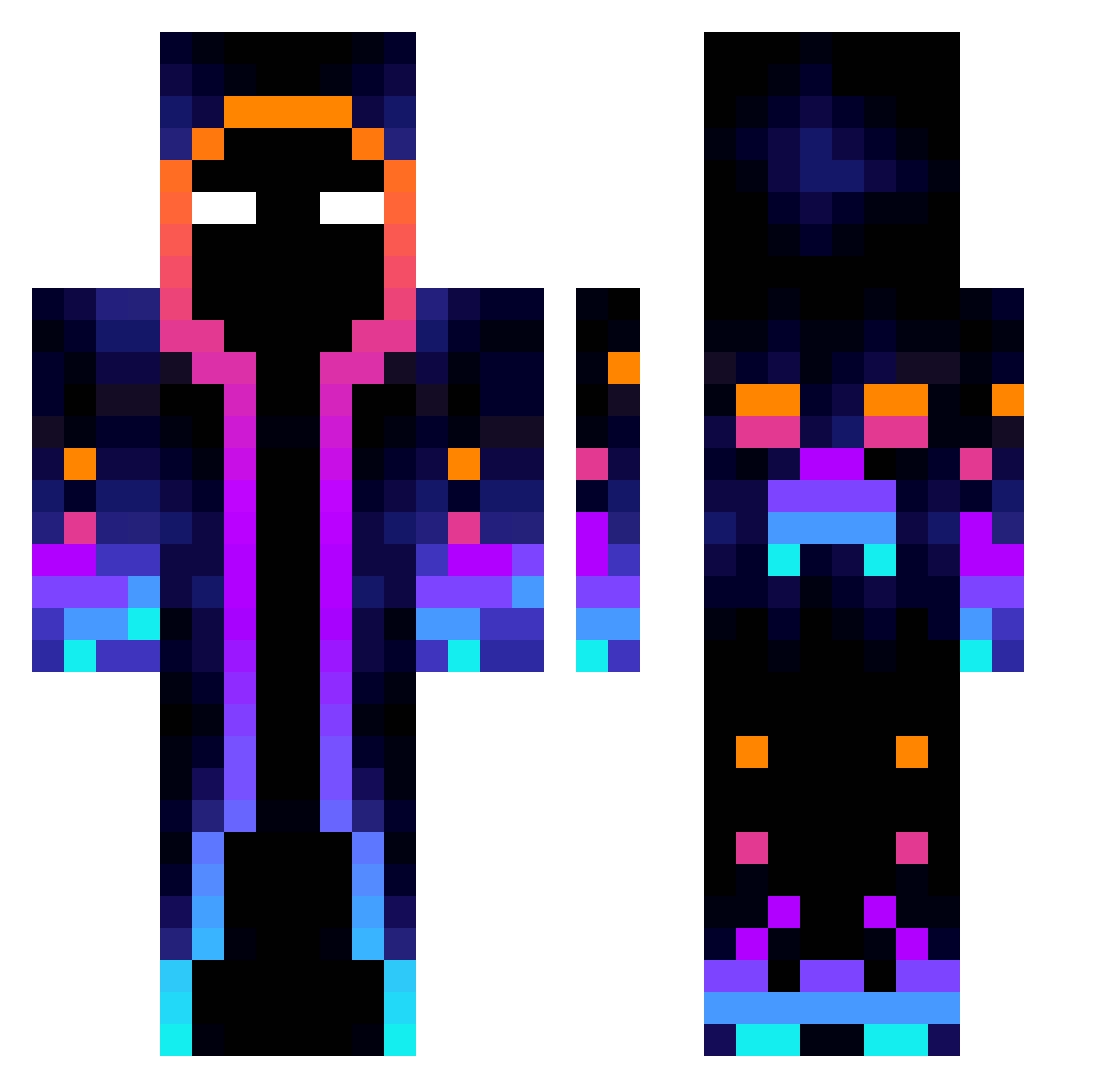
Other players with this skin (817)
doralolo was the 738th player we have seen with this skin, first spotted on 25.10.2026. The same skin was seen on these players. Open a nickname to see their current skin and skin history.
 Hagitaro221 TylzSomeone salem0310 Kryhan Dini_2023 pinkfloydmoney lzzsg TechnoWizard210 arovux NBNATIONx MerkabaNine M3SS3N Bancito Mater1o SakuraChen666 JM11M3R NonYee Mqttiq LIMURS ConnectixnLost Matusa009 Motte44 Windmercy IsoDes GodOfRoots Mattheone007 BOOM_BANG Maximin401 Wiatru Sincker Dantelini suminglll Ksawery_918 Sayukoi kasperleison SoulPlatinum _ToRnAdOs_ ADNDA24309 LucasSchuck Yopppenheimer Aceituna22 ZachATTKK PROSAS5260 Rakedo 000011111 Franiom2011 Kupcu8194 henston03 obbobbob demo0o Thor_THksdfsl214 Nubs008 Kubix5216 ChuckNasty1302 Herobrain83370 Calcetinesrojos G0LDALTS_PbwEvF SnaKlyos HeineckBr Orsarok
More Galaxy Minecraft skins
How to install the doralolo skin
- Press the Download button above to save the skin as a PNG file.
- Minecraft: Bedrock Edition (PE): open the Dressing Room from the main menu (or tap your character → Edit Character), go to Classic Skins → Owned, press the + (new skin) button, choose the downloaded PNG and pick the Classic (Steve) model. Works on PC and mobile; consoles cannot import custom skins.
- Minecraft: Java Edition: open the Minecraft Launcher, go to the Skins tab, click New Skin, load the PNG, pick the Classic (Steve) model and press Save & Use. You can also upload it at minecraft.net → Profile → Change Skin.
The skin does not show up after import - what should I do?
Restart Minecraft and open the Dressing Room again - imported skins sometimes appear only after a restart. Also make sure you selected the imported skin and picked the Classic (Steve) model.
Which model should I choose, Classic or Slim?
This skin is designed for the Classic (Steve) model. If you pick the wrong model, the arms of the skin will look stretched or squeezed.
Is the skin of doralolo free to download?
Yes. Press Download, save the PNG file and use it in Minecraft: Bedrock Edition or Java Edition - no payment or registration needed. The skin also works on multiplayer servers and Realms.
More skins
Looking for more? Go back to all Minecraft skins and check the top skins of the week, month and all time, or find any player's skin by nickname.