
dohyun_0625 - Minecraft Skins & Skin History
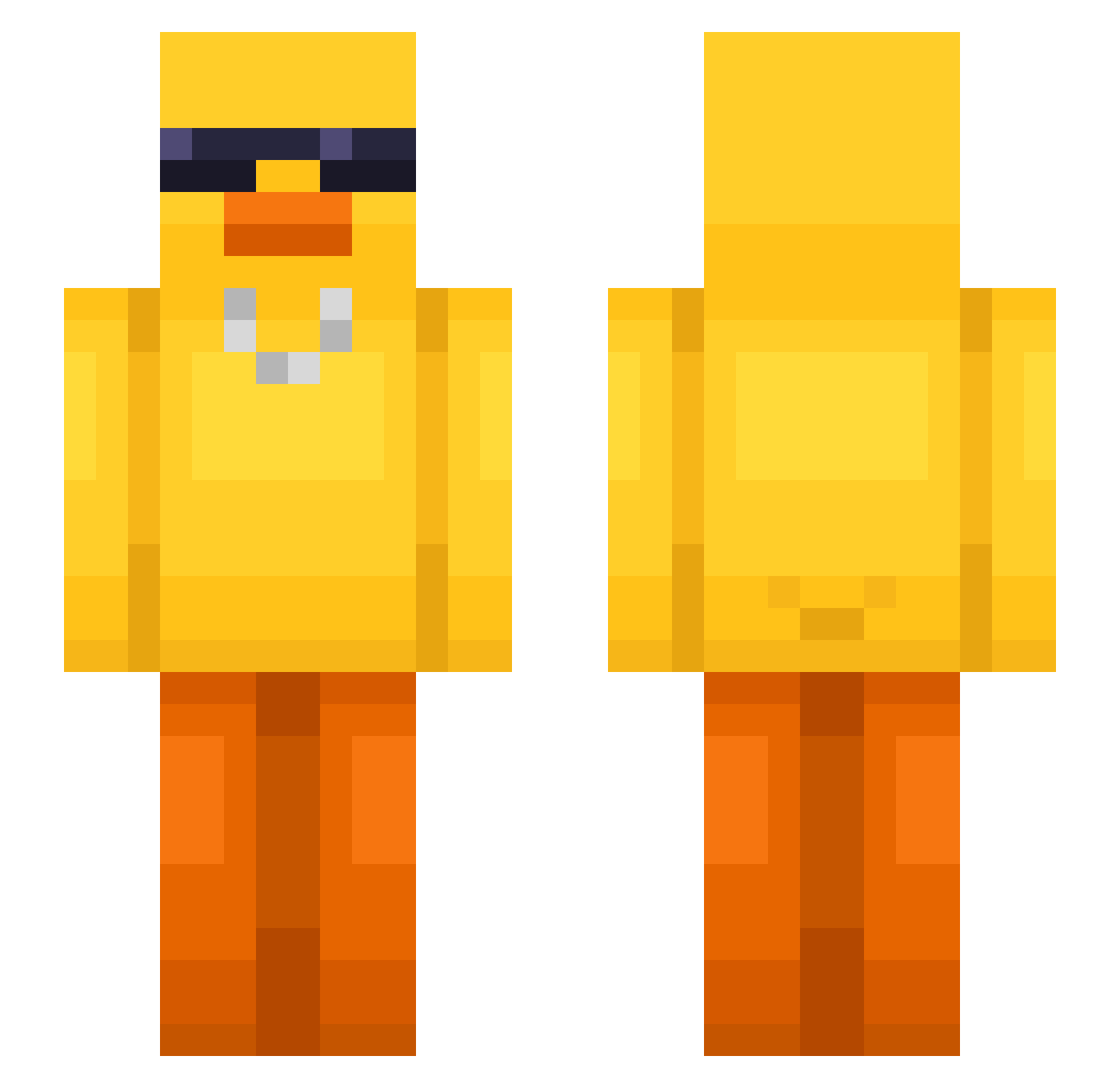
Current Minecraft skin of the player dohyun_0625, loaded from the official Mojang API. Rotate the 3D model with your mouse or finger, then download the skin as a PNG file and use it in Minecraft: Bedrock Edition or Java Edition for free. When dohyun_0625 changes their skin, this page updates automatically and the old skin stays in the history below.
Other players with this skin (631)
dohyun_0625 was the 242nd player we have seen with this skin, first spotted on 06.09.2026. The same skin was seen on these players. Open a nickname to see their current skin and skin history.
 dr0wsyracc00n TomBOTTT YOcub3d plain_chriss idontwantobefood ElGordoDrakon sbucks JISANG_R Eilvan Patrykos03 SportySplash312 KozzTR patatepoilmaudit NorthrnMoose KeithVDB MCBLUREY D1tt0_LiQ sorebeatle25666 Caua_Max UberForgotUpdate LordMussington Lindellkorven yukongs Muhamman jney8 SzczekajRandomie TheaH02 sara00111 majaaln _Gallus_ CrazyWarlus Hamtol2 rlaalstjd1013 hoizza__ MrToaast Meruem69 takoneko2260 Zzero1 MieszkoMontana vhyeonv Windrey Annaly DEVIL5948 w6w6w6111 ggabriel008 Cveto4ek94 DXXYUIO Redgiraffe353 _4e4a TitoCurro BBILF jk0528 morgs_02 ExpertGolden lhyyds1 Lycory_ errno4077 MX_WU dungmin_ Zehdie
More Chain Minecraft skins
How to install the dohyun_0625 skin
- Press the Download button above to save the skin as a PNG file.
- Minecraft: Bedrock Edition (PE): open the Dressing Room from the main menu (or tap your character → Edit Character), go to Classic Skins → Owned, press the + (new skin) button, choose the downloaded PNG and pick the Slim (Alex) model. Works on PC and mobile; consoles cannot import custom skins.
- Minecraft: Java Edition: open the Minecraft Launcher, go to the Skins tab, click New Skin, load the PNG, pick the Slim (Alex) model and press Save & Use. You can also upload it at minecraft.net → Profile → Change Skin.
The skin does not show up after import - what should I do?
Restart Minecraft and open the Dressing Room again - imported skins sometimes appear only after a restart. Also make sure you selected the imported skin and picked the Slim (Alex) model.
Which model should I choose, Classic or Slim?
This skin is designed for the Slim (Alex) model. If you pick the wrong model, the arms of the skin will look stretched or squeezed.
Is the skin of dohyun_0625 free to download?
Yes. Press Download, save the PNG file and use it in Minecraft: Bedrock Edition or Java Edition - no payment or registration needed. The skin also works on multiplayer servers and Realms.
More skins
Looking for more? Go back to all Minecraft skins and check the top skins of the week, month and all time, or find any player's skin by nickname.