
dodgypineapple - Minecraft Skins & Skin History
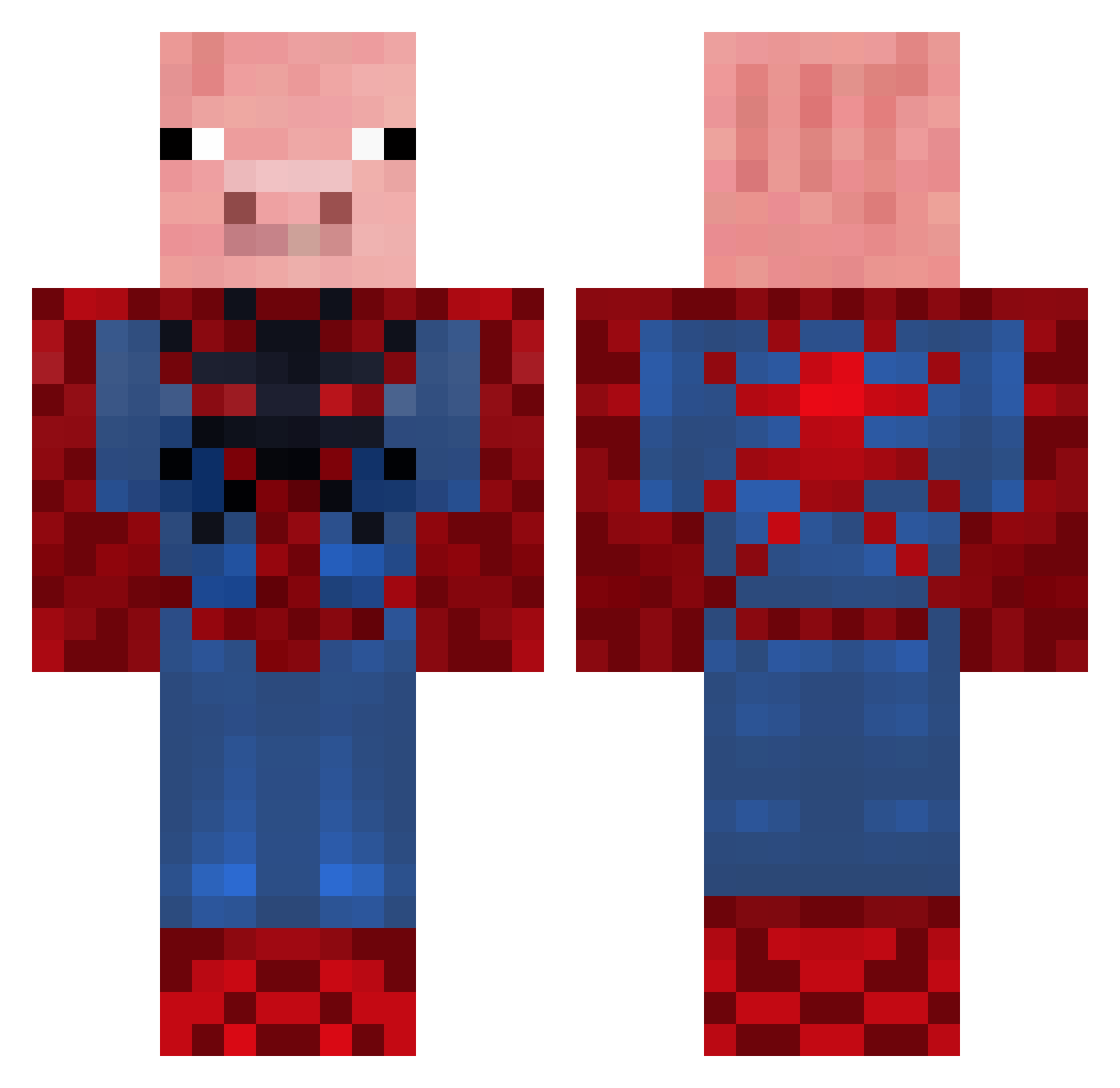
Current Minecraft skin of the player dodgypineapple, loaded from the official Mojang API. Rotate the 3D model with your mouse or finger, then download the skin as a PNG file and use it in Minecraft: Bedrock Edition or Java Edition for free. When dodgypineapple changes their skin, this page updates automatically and the old skin stays in the history below.
Other players with this skin (655)
dodgypineapple was the 275th player we have seen with this skin, first spotted on 11.09.2026. The same skin was seen on these players. Open a nickname to see their current skin and skin history.
 pvelez Die_Glatze parhar97 NatDoesStuff U_Pless ReSeBy Bujelly minimazzas envy143 Millz5588 ThomsenCargo girthitron madril1209 AWaffleCopter Covert1994 Mr_crazy103 TheSavagePig pringels56 SexGod louis01150 Parky_2 Icemonster07 LeNoobDuPc hellsxguns treedog23 paymount beamonbros asjkl icleanfruit funinthebun3 JakelKing Bello3902 jstar88 jackandpaddy Diabeto20 wazzer321 Pigs_A_Plenty backwoodburner DeadMotionz Teslajoe masterchrisnl Daniel_mikutin1_ commandoNchief SeshRogan HarryCairns1 Death_Dragon44 Turtle_Bird llgoddard CalluMb243 arvidmaier Owen_Peter LANDRY7 rialisis DanTheFoster Leoag10 MrCreepers baudin BrandonMorales Drogenjunky parkerseare
More Pig Minecraft skins
How to install the dodgypineapple skin
- Press the Download button above to save the skin as a PNG file.
- Minecraft: Bedrock Edition (PE): open the Dressing Room from the main menu (or tap your character → Edit Character), go to Classic Skins → Owned, press the + (new skin) button, choose the downloaded PNG and pick the Classic (Steve) model. Works on PC and mobile; consoles cannot import custom skins.
- Minecraft: Java Edition: open the Minecraft Launcher, go to the Skins tab, click New Skin, load the PNG, pick the Classic (Steve) model and press Save & Use. You can also upload it at minecraft.net → Profile → Change Skin.
The skin does not show up after import - what should I do?
Restart Minecraft and open the Dressing Room again - imported skins sometimes appear only after a restart. Also make sure you selected the imported skin and picked the Classic (Steve) model.
Which model should I choose, Classic or Slim?
This skin is designed for the Classic (Steve) model. If you pick the wrong model, the arms of the skin will look stretched or squeezed.
Is the skin of dodgypineapple free to download?
Yes. Press Download, save the PNG file and use it in Minecraft: Bedrock Edition or Java Edition - no payment or registration needed. The skin also works on multiplayer servers and Realms.
More skins
Looking for more? Go back to all Minecraft skins and check the top skins of the week, month and all time, or find any player's skin by nickname.