
djrips2004 - Minecraft Skins & Skin History
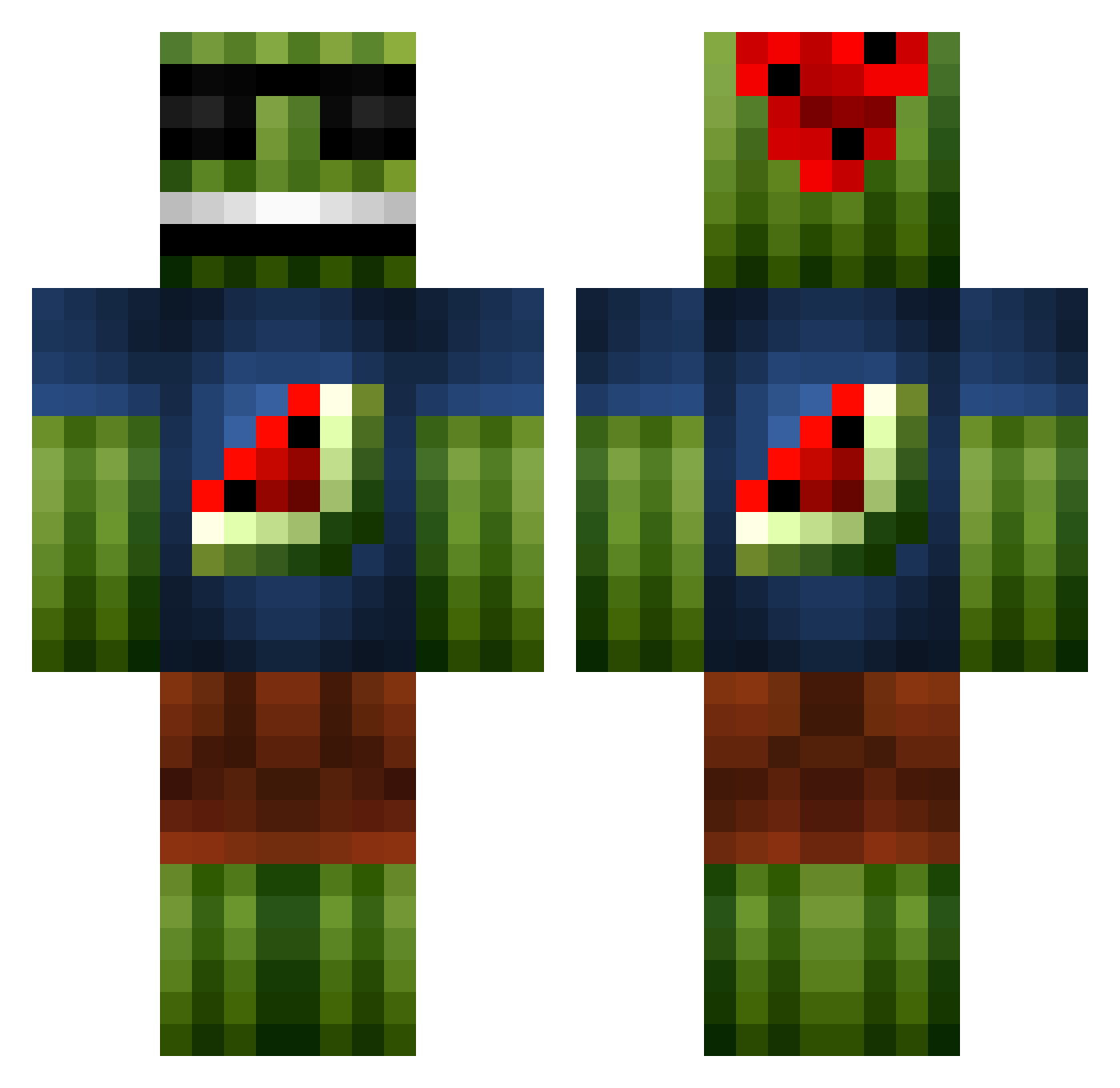
Current Minecraft skin of the player djrips2004, loaded from the official Mojang API. Rotate the 3D model with your mouse or finger, then download the skin as a PNG file and use it in Minecraft: Bedrock Edition or Java Edition for free. When djrips2004 changes their skin, this page updates automatically and the old skin stays in the history below.
Other players with this skin (1101)
djrips2004 was the 175th player we have seen with this skin, first spotted on 12.08.2026. The same skin was seen on these players. Open a nickname to see their current skin and skin history.
 swifter8888 cowlover128 Unicornbut masterXman NicktheNickle FluffyMelonz 007Jasper007 Rejkas tomcraft afdjks_2 micheletric MrKJ96 Frank_Destructor Ilosar Waitwolf Mac0203 ElOliverSykes hopegirl77 Toastxr bornet2 Juan_Kin TIBOR101 Rambo2626 CatoSon simonb0404 Nikan_123 pepemelon TehPwnaz Sivvix Optimalgold10 Warren_Bros simply98 yorm8e melon_man200 IIdelta21 MikeLaw ErMatador JuulHugo kvarma5 Paikas SkinTeck miti03 ReAL_LoRiS TacoMelone NoahPKP COUP_D_ETAT maxxeyy Charlie1479 sushisuish Anilquid0r melonsmasher1000 AJinLV snakeink Mojomulla alimahmoud TeamHorny ceddi2000 Kevin10918 crazy_kid_101 McCoolMelon
More Watermelon Minecraft skins
How to install the djrips2004 skin
- Press the Download button above to save the skin as a PNG file.
- Minecraft: Bedrock Edition (PE): open the Dressing Room from the main menu (or tap your character → Edit Character), go to Classic Skins → Owned, press the + (new skin) button, choose the downloaded PNG and pick the Classic (Steve) model. Works on PC and mobile; consoles cannot import custom skins.
- Minecraft: Java Edition: open the Minecraft Launcher, go to the Skins tab, click New Skin, load the PNG, pick the Classic (Steve) model and press Save & Use. You can also upload it at minecraft.net → Profile → Change Skin.
The skin does not show up after import - what should I do?
Restart Minecraft and open the Dressing Room again - imported skins sometimes appear only after a restart. Also make sure you selected the imported skin and picked the Classic (Steve) model.
Which model should I choose, Classic or Slim?
This skin is designed for the Classic (Steve) model. If you pick the wrong model, the arms of the skin will look stretched or squeezed.
Is the skin of djrips2004 free to download?
Yes. Press Download, save the PNG file and use it in Minecraft: Bedrock Edition or Java Edition - no payment or registration needed. The skin also works on multiplayer servers and Realms.
More skins
Looking for more? Go back to all Minecraft skins and check the top skins of the week, month and all time, or find any player's skin by nickname.