
dinossaurinho - Minecraft Skins & Skin History
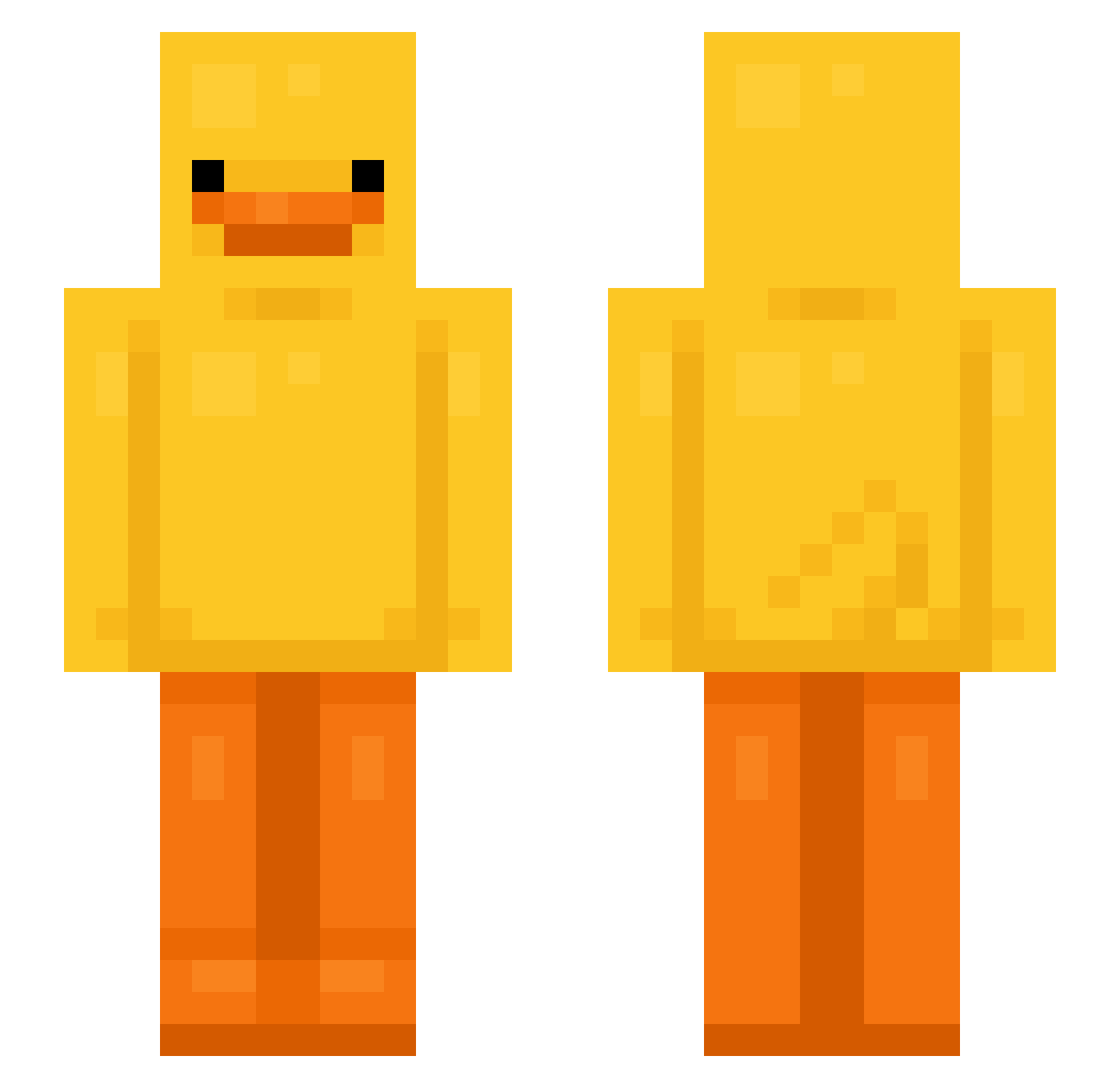
Current Minecraft skin of the player dinossaurinho, loaded from the official Mojang API. Rotate the 3D model with your mouse or finger, then download the skin as a PNG file and use it in Minecraft: Bedrock Edition or Java Edition for free. When dinossaurinho changes their skin, this page updates automatically and the old skin stays in the history below.
Other players with this skin (629)
dinossaurinho was the 82nd player we have seen with this skin, first spotted on 05.08.2026. The same skin was seen on these players. Open a nickname to see their current skin and skin history.
 Phlvn LAAAANKYFISHY Banool duck Owlz2099 Matbouflo Buschy0 MilkGoneSour Sanuh Oriduck_E GoldOwl5 cassy0506 Patatin12 ht0313 Billybell42 Idiotic_Killer Ayasakura OrOnutt caseysaurus Twan2102 Ehrenthaler rianGOD080 pires1714 jeannotlapin2 BenjaminThe4th 3bread AivaAtria Kryx99 MintChocolateeee Boobine champi231 TwojaMamusiav zoemiklosovic Cukratko rlaalswl_104
 coilx09 Felledino Liz1_a MsGunju Exotic_01 Xleoxz1211 ku_pi__ The_Short_Kid1 KrabbyAbby2016 Refuel1 norbsiub H8er ITZSOULx SeungHoney telameech
 CrypticInfusion HotBaguette Zaptos2013 PIO0gamer Clara_AA AwesomeBuddy Suprxss PapillonMauve1 sosoBG79 RoiHenoos
More Bird Minecraft skins
How to install the dinossaurinho skin
- Press the Download button above to save the skin as a PNG file.
- Minecraft: Bedrock Edition (PE): open the Dressing Room from the main menu (or tap your character → Edit Character), go to Classic Skins → Owned, press the + (new skin) button, choose the downloaded PNG and pick the Slim (Alex) model. Works on PC and mobile; consoles cannot import custom skins.
- Minecraft: Java Edition: open the Minecraft Launcher, go to the Skins tab, click New Skin, load the PNG, pick the Slim (Alex) model and press Save & Use. You can also upload it at minecraft.net → Profile → Change Skin.
The skin does not show up after import - what should I do?
Restart Minecraft and open the Dressing Room again - imported skins sometimes appear only after a restart. Also make sure you selected the imported skin and picked the Slim (Alex) model.
Which model should I choose, Classic or Slim?
This skin is designed for the Slim (Alex) model. If you pick the wrong model, the arms of the skin will look stretched or squeezed.
Is the skin of dinossaurinho free to download?
Yes. Press Download, save the PNG file and use it in Minecraft: Bedrock Edition or Java Edition - no payment or registration needed. The skin also works on multiplayer servers and Realms.
More skins
Looking for more? Go back to all Minecraft skins and check the top skins of the week, month and all time, or find any player's skin by nickname.