
destroyer0909 - Minecraft Skins & Skin History
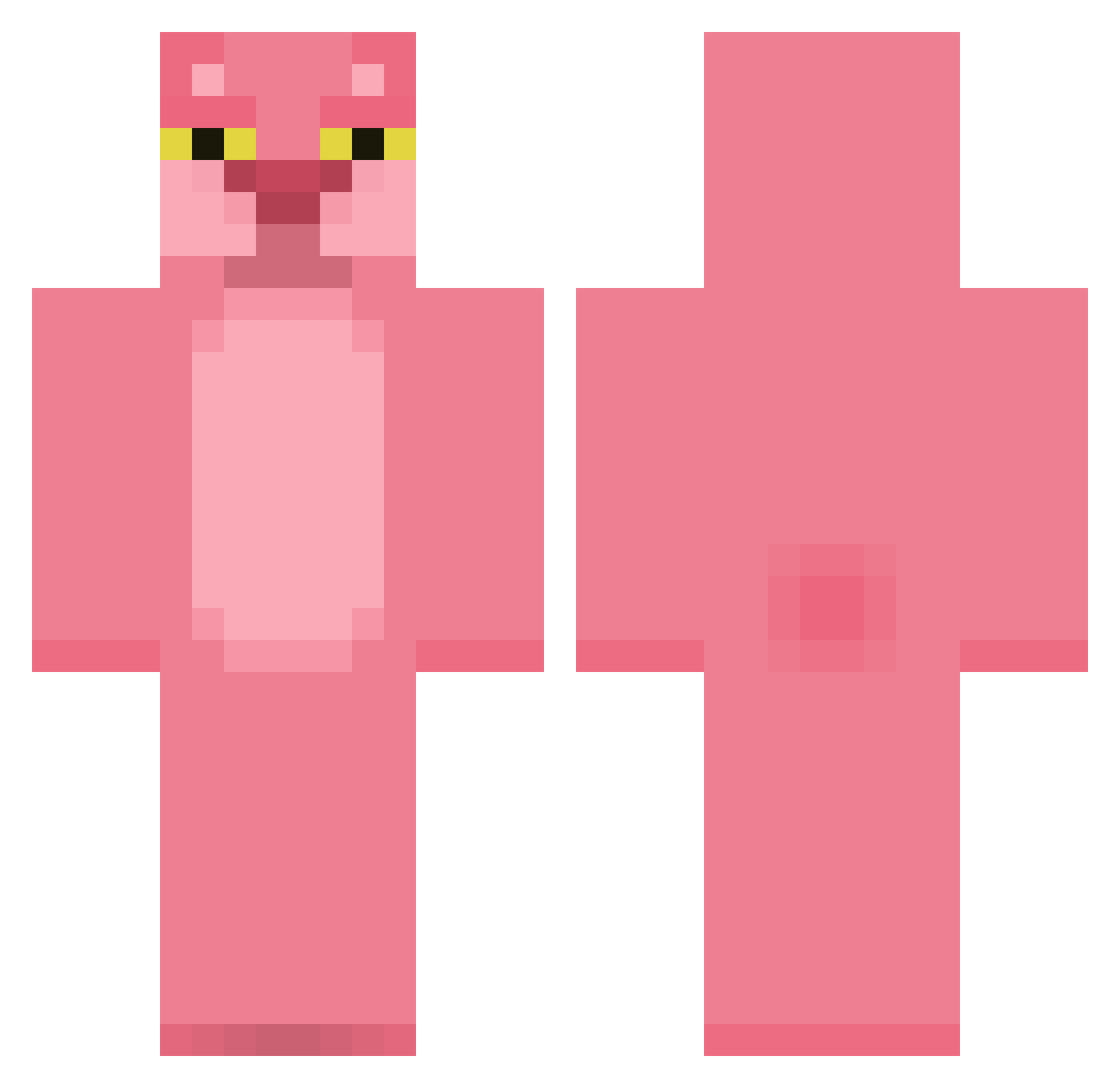
Current Minecraft skin of the player destroyer0909, loaded from the official Mojang API. Rotate the 3D model with your mouse or finger, then download the skin as a PNG file and use it in Minecraft: Bedrock Edition or Java Edition for free. When destroyer0909 changes their skin, this page updates automatically and the old skin stays in the history below.
Other players with this skin (412)
destroyer0909 was the 275th player we have seen with this skin, first spotted on 03.10.2026. The same skin was seen on these players. Open a nickname to see their current skin and skin history.
 Uism otto_lee ZiggyArv r0olove rousku_123 krcullen1 CharlieMXN shalom123 Michellemm RANO_O nschandler Yooon danbw9 karabounga Hellophant Jingiftw mtv900 Clyde710 Ziska14 Kezakoide Gaeko_ Mrnounoudu03 rinie frankgallagher69 Timisawinner herbert3g pihvipihvi Seivor clay_patterson kristian0789 marcuse33 MrTickleChips space_coop E_Glue Xallts Moatl kareokeboy5 Salt0218 Dr_Madmat slick_moose Monstermist DonQuijote1994 LibVision YoooHU 123freya finnsad mikes1122 SafeSexPayChecks MuDDSL1DE TheWaterfaller TinkaMis FiltmannenB Morty_ Katagon69 MCBatts4 seoye0n vincyy LikaHerpDERP zzzdh Sectus
More The Pink Panther Minecraft skins
See all 147 The Pink Panther skins
How to install the destroyer0909 skin
- Press the Download button above to save the skin as a PNG file.
- Minecraft: Bedrock Edition (PE): open the Dressing Room from the main menu (or tap your character → Edit Character), go to Classic Skins → Owned, press the + (new skin) button, choose the downloaded PNG and pick the Classic (Steve) model. Works on PC and mobile; consoles cannot import custom skins.
- Minecraft: Java Edition: open the Minecraft Launcher, go to the Skins tab, click New Skin, load the PNG, pick the Classic (Steve) model and press Save & Use. You can also upload it at minecraft.net → Profile → Change Skin.
The skin does not show up after import - what should I do?
Restart Minecraft and open the Dressing Room again - imported skins sometimes appear only after a restart. Also make sure you selected the imported skin and picked the Classic (Steve) model.
Which model should I choose, Classic or Slim?
This skin is designed for the Classic (Steve) model. If you pick the wrong model, the arms of the skin will look stretched or squeezed.
Is the skin of destroyer0909 free to download?
Yes. Press Download, save the PNG file and use it in Minecraft: Bedrock Edition or Java Edition - no payment or registration needed. The skin also works on multiplayer servers and Realms.
More skins
Looking for more? Go back to all Minecraft skins and check the top skins of the week, month and all time, or find any player's skin by nickname.