
deadeyedelta - Minecraft Skins & Skin History
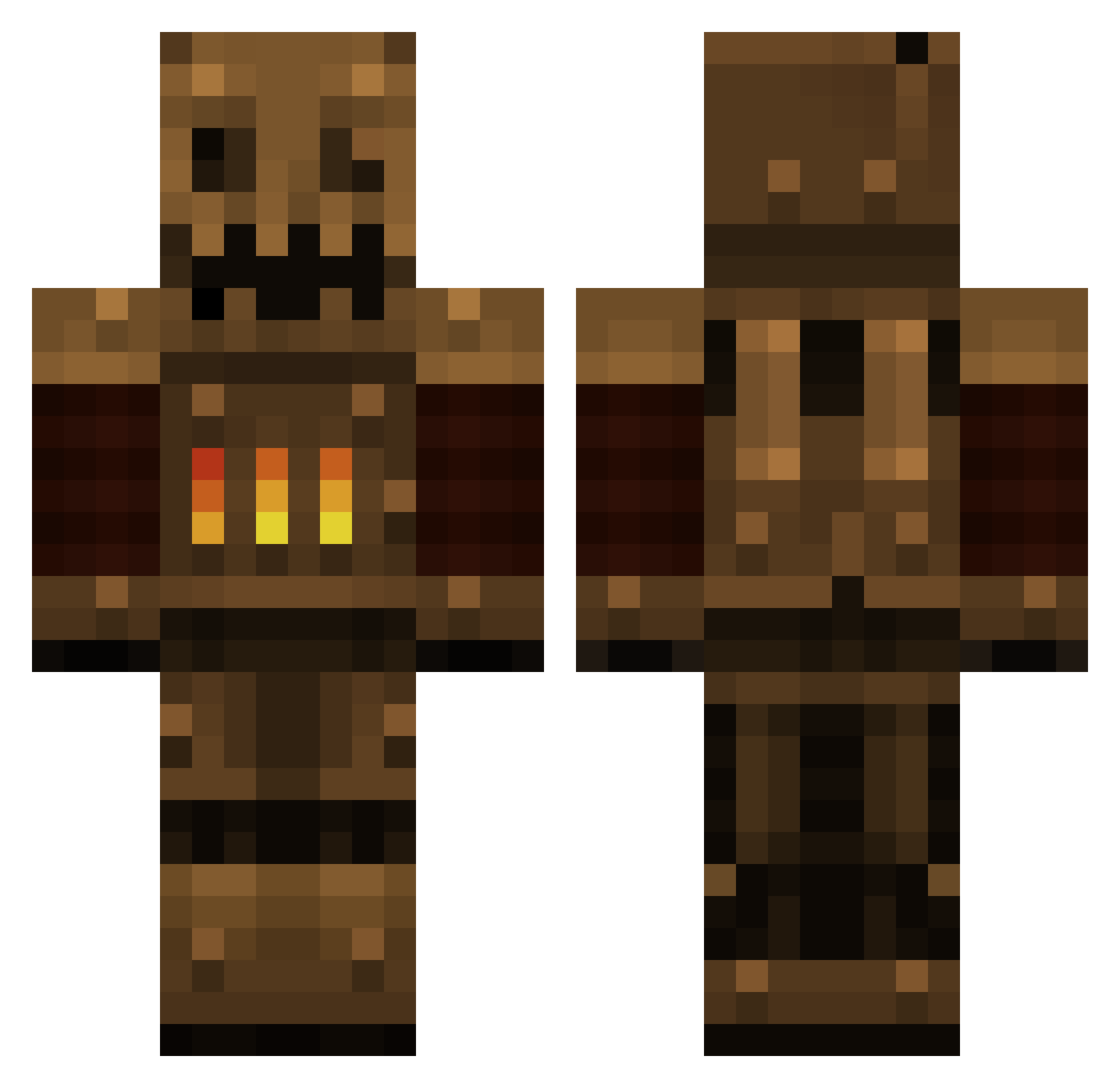
Current Minecraft skin of the player deadeyedelta, loaded from the official Mojang API. Rotate the 3D model with your mouse or finger, then download the skin as a PNG file and use it in Minecraft: Bedrock Edition or Java Edition for free. When deadeyedelta changes their skin, this page updates automatically and the old skin stays in the history below.
Other players with this skin (384)
deadeyedelta was the 318th player we have seen with this skin, first spotted on 08.10.2026. The same skin was seen on these players. Open a nickname to see their current skin and skin history.
 Kleetle skullfisher falloutIII Preau _Sylo_ Cave102 Joe7joe7 Xaldert Tromso21 waxzce1 ToxicWaffle irishsheep123 Mishy13x LittlePossum Leoloup2000 sirsmall OG_BattleRoyale booondogle Poony Tyranno_Z Dagan93 XxDracokillerxX sirusirusirusiru adikesem123 Ripin3 piggie_maco23 Yrochima skelo5611 jonasmortier Ajax1027 Ratok Inkognit0 Suizeigo TheFunwithagun GenerallyAwful Famasking DanielGigantic cincfinland Dropreich gigy7123 RangerrDanger Hominivorax slizaro mdr402 coolabhik6 BuboNulus _MaNamezJeff_ joshmoomoo KiDxOnxKrAcK crazyguyonst RonPleum Zelny7 ktmrider111 Waleed_965 CedrictheRed liquidcactus Tomcmk RustyBrain tekken2324 LeadDust
More Scarecrow Minecraft skins
How to install the deadeyedelta skin
- Press the Download button above to save the skin as a PNG file.
- Minecraft: Bedrock Edition (PE): open the Dressing Room from the main menu (or tap your character → Edit Character), go to Classic Skins → Owned, press the + (new skin) button, choose the downloaded PNG and pick the Classic (Steve) model. Works on PC and mobile; consoles cannot import custom skins.
- Minecraft: Java Edition: open the Minecraft Launcher, go to the Skins tab, click New Skin, load the PNG, pick the Classic (Steve) model and press Save & Use. You can also upload it at minecraft.net → Profile → Change Skin.
The skin does not show up after import - what should I do?
Restart Minecraft and open the Dressing Room again - imported skins sometimes appear only after a restart. Also make sure you selected the imported skin and picked the Classic (Steve) model.
Which model should I choose, Classic or Slim?
This skin is designed for the Classic (Steve) model. If you pick the wrong model, the arms of the skin will look stretched or squeezed.
Is the skin of deadeyedelta free to download?
Yes. Press Download, save the PNG file and use it in Minecraft: Bedrock Edition or Java Edition - no payment or registration needed. The skin also works on multiplayer servers and Realms.
More skins
Looking for more? Go back to all Minecraft skins and check the top skins of the week, month and all time, or find any player's skin by nickname.