
dannapito - Minecraft Skins & Skin History
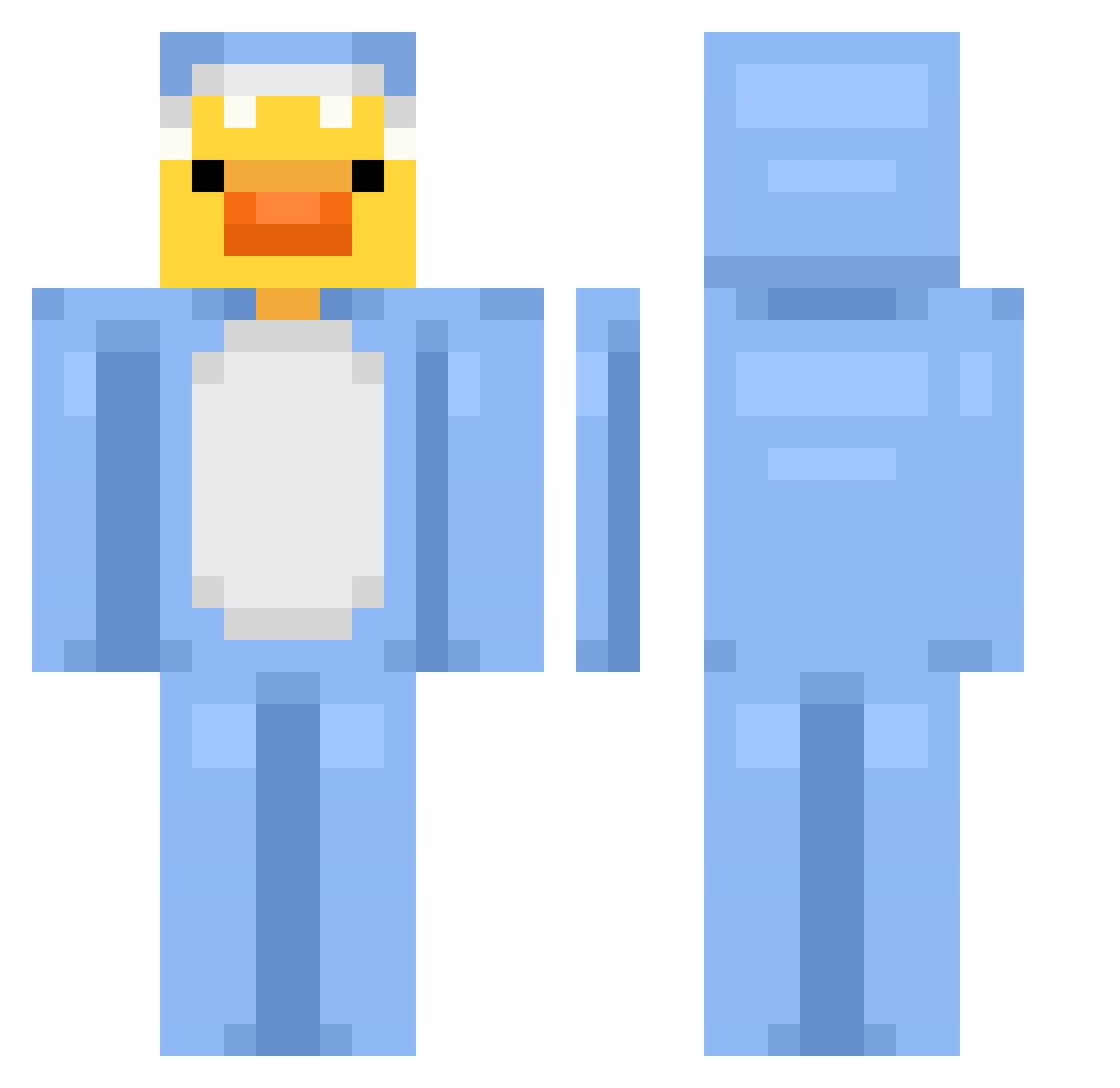
Current Minecraft skin of the player dannapito, loaded from the official Mojang API. Rotate the 3D model with your mouse or finger, then download the skin as a PNG file and use it in Minecraft: Bedrock Edition or Java Edition for free. When dannapito changes their skin, this page updates automatically and the old skin stays in the history below.
Other players with this skin (677)
dannapito was the 607th player we have seen with this skin, first spotted on 13.10.2026. The same skin was seen on these players. Open a nickname to see their current skin and skin history.
 cider_mint SpdrMonkey135 ikedajun evilboyy cider_mint11 PONONG on9on9on99 Metabeans zosiasamosia204 bellsthequeen elysaen accrod JustPaulo _ViktorX ItzTaxFreeMan Jayden_1125 for1person marc1it Alexi248 FrostyPuma71656 Kupfer10 pizzabtsprim patorap hamdna ElCajonKid skio123 rollo19 Sp_1_xayz cris000002 jabe387 ShaddowStorm123 Cozuma brnlna ToastyBuns09 Paciottakiller sajmnnajmnsky Sophiestar777 FlyLilika i_bowbow banditalgaib imHayami sanwishdewebito ddddddamian Ru_gyeom03111 ThatKoreanSK Lilimek dryflyjedi cesco32 Mion33 devinissussyligm Misses_P Anniversum Jose_Lax Anne_G Candido_22 violet2024 CinderySquid2 pyroXQr KursedBear W4R1AT_T
More Onesie Minecraft skins
How to install the dannapito skin
- Press the Download button above to save the skin as a PNG file.
- Minecraft: Bedrock Edition (PE): open the Dressing Room from the main menu (or tap your character → Edit Character), go to Classic Skins → Owned, press the + (new skin) button, choose the downloaded PNG and pick the Classic (Steve) model. Works on PC and mobile; consoles cannot import custom skins.
- Minecraft: Java Edition: open the Minecraft Launcher, go to the Skins tab, click New Skin, load the PNG, pick the Classic (Steve) model and press Save & Use. You can also upload it at minecraft.net → Profile → Change Skin.
The skin does not show up after import - what should I do?
Restart Minecraft and open the Dressing Room again - imported skins sometimes appear only after a restart. Also make sure you selected the imported skin and picked the Classic (Steve) model.
Which model should I choose, Classic or Slim?
This skin is designed for the Classic (Steve) model. If you pick the wrong model, the arms of the skin will look stretched or squeezed.
Is the skin of dannapito free to download?
Yes. Press Download, save the PNG file and use it in Minecraft: Bedrock Edition or Java Edition - no payment or registration needed. The skin also works on multiplayer servers and Realms.
More skins
Looking for more? Go back to all Minecraft skins and check the top skins of the week, month and all time, or find any player's skin by nickname.