
d72m_ - Minecraft Skins & Skin History
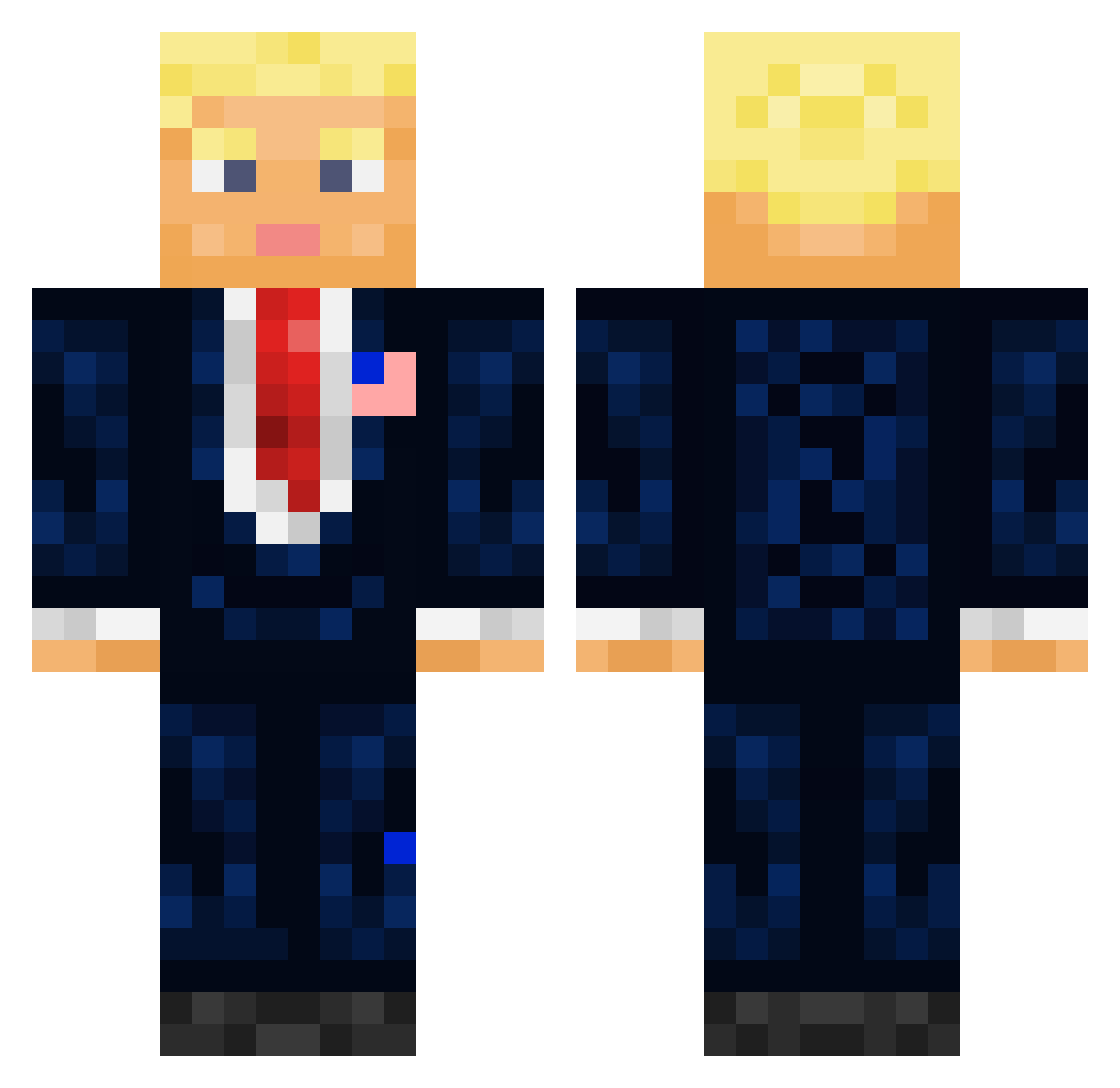
Current Minecraft skin of the player d72m_, loaded from the official Mojang API. Rotate the 3D model with your mouse or finger, then download the skin as a PNG file and use it in Minecraft: Bedrock Edition or Java Edition for free. When d72m_ changes their skin, this page updates automatically and the old skin stays in the history below.
Other players with this skin (709)
d72m_ was the 97th player we have seen with this skin, first spotted on 10.08.2026. The same skin was seen on these players. Open a nickname to see their current skin and skin history.
 Karl823 ProjjjDRAGON _President_Trump IvanTheGreat9 Bambosz_I AlpacaPrincess7 ItsAverageOkay Deraller_echte_ ycx6666666666 jppcosta Timsaay Walquise Noah232323 EL3ASKR NapoTotalGeek Nuunux SHOwMeDAMoney
 Schatzjaeger_2 sexercist Orange_Crocs tpsej17 Sokka420 ABBANDIT bananatruck7 plausibleUnders E2v VariaaaL XannyPacquiao666 SMaddin96 Minecraft_Midson ceratium78 likeummmmmmm GGBoyisme Thicktree21 Lamasticorne HARUBra Itchiey Trendgamers Captian_Rex BoStOnFaNOrtiz1 GUZEL0102 Joe_Rogan69420 Breezy_Waffles LoveIndians flawxmusic dopeclem Lucasv8 Weeeeeeedblaster Perseuso jackskully22 Ski_Mask0 neperis jigglejoe Davaduu Duhracell Zenith2503 MrWavy22 ELIASDAGREEK SamuelOrigins9 AnettaCZ
More President Minecraft skins
How to install the d72m_ skin
- Press the Download button above to save the skin as a PNG file.
- Minecraft: Bedrock Edition (PE): open the Dressing Room from the main menu (or tap your character → Edit Character), go to Classic Skins → Owned, press the + (new skin) button, choose the downloaded PNG and pick the Classic (Steve) model. Works on PC and mobile; consoles cannot import custom skins.
- Minecraft: Java Edition: open the Minecraft Launcher, go to the Skins tab, click New Skin, load the PNG, pick the Classic (Steve) model and press Save & Use. You can also upload it at minecraft.net → Profile → Change Skin.
The skin does not show up after import - what should I do?
Restart Minecraft and open the Dressing Room again - imported skins sometimes appear only after a restart. Also make sure you selected the imported skin and picked the Classic (Steve) model.
Which model should I choose, Classic or Slim?
This skin is designed for the Classic (Steve) model. If you pick the wrong model, the arms of the skin will look stretched or squeezed.
Is the skin of d72m_ free to download?
Yes. Press Download, save the PNG file and use it in Minecraft: Bedrock Edition or Java Edition - no payment or registration needed. The skin also works on multiplayer servers and Realms.
More skins
Looking for more? Go back to all Minecraft skins and check the top skins of the week, month and all time, or find any player's skin by nickname.