
cy2160 - Minecraft Skins & Skin History
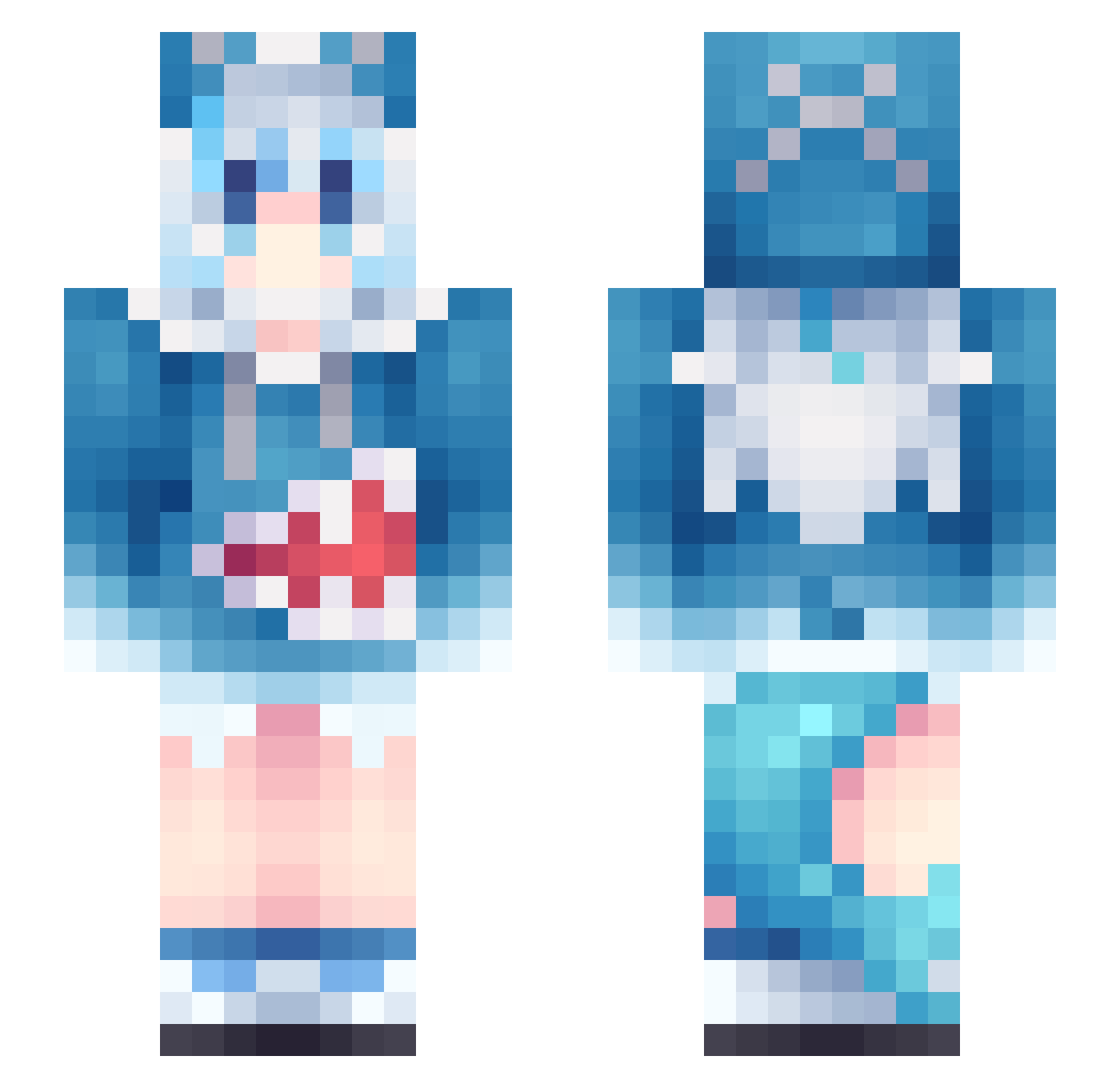
Current Minecraft skin of the player cy2160, loaded from the official Mojang API. Rotate the 3D model with your mouse or finger, then download the skin as a PNG file and use it in Minecraft: Bedrock Edition or Java Edition for free. When cy2160 changes their skin, this page updates automatically and the old skin stays in the history below.
Other players with this skin (1136)
cy2160 was the 369th player we have seen with this skin, first spotted on 01.09.2026. The same skin was seen on these players. Open a nickname to see their current skin and skin history.
 HIGHERSON123 adamacon xxYouki sdfgwert xFiGurEx Bonk00
 LumiTomato Ryzuria Senaruto dongzhi0 Shiro_PvP CHAITAWAT Jinju124 Asta480 mayonnaise001 CrimsonKimono Weiyi_Hobe Dezker_E ttabori yuyouou soLo_Solo_ wqm11 1Temta1 seiun_sky915 gaoxuan BooMint LY_SL lurenjia2333 Qi77_ cfgnm77 wendongua glorious__Trauma tupapijunin CMAX2005 TinyPerson117 D_A_D_V_E_Y PAkOaul1011 egetaken Magdaros_ ASM808 MooshiMochi Cinalt3 Ikchiyurai ALBioNixxe Uorfi NekoLover56 mguro11 gxc258 Sck1pi Bananakin2310 Woodman_93227 iMilitary caohanrui xiaoluo1111 picklesandcream slowsnail773 NosferatuZodd12 KLbazy Myth1971 rularula
More Gawr Gura Minecraft skins
How to install the cy2160 skin
- Press the Download button above to save the skin as a PNG file.
- Minecraft: Bedrock Edition (PE): open the Dressing Room from the main menu (or tap your character → Edit Character), go to Classic Skins → Owned, press the + (new skin) button, choose the downloaded PNG and pick the Slim (Alex) model. Works on PC and mobile; consoles cannot import custom skins.
- Minecraft: Java Edition: open the Minecraft Launcher, go to the Skins tab, click New Skin, load the PNG, pick the Slim (Alex) model and press Save & Use. You can also upload it at minecraft.net → Profile → Change Skin.
The skin does not show up after import - what should I do?
Restart Minecraft and open the Dressing Room again - imported skins sometimes appear only after a restart. Also make sure you selected the imported skin and picked the Slim (Alex) model.
Which model should I choose, Classic or Slim?
This skin is designed for the Slim (Alex) model. If you pick the wrong model, the arms of the skin will look stretched or squeezed.
Is the skin of cy2160 free to download?
Yes. Press Download, save the PNG file and use it in Minecraft: Bedrock Edition or Java Edition - no payment or registration needed. The skin also works on multiplayer servers and Realms.
More skins
Looking for more? Go back to all Minecraft skins and check the top skins of the week, month and all time, or find any player's skin by nickname.