
clear3 - Minecraft Skins & Skin History
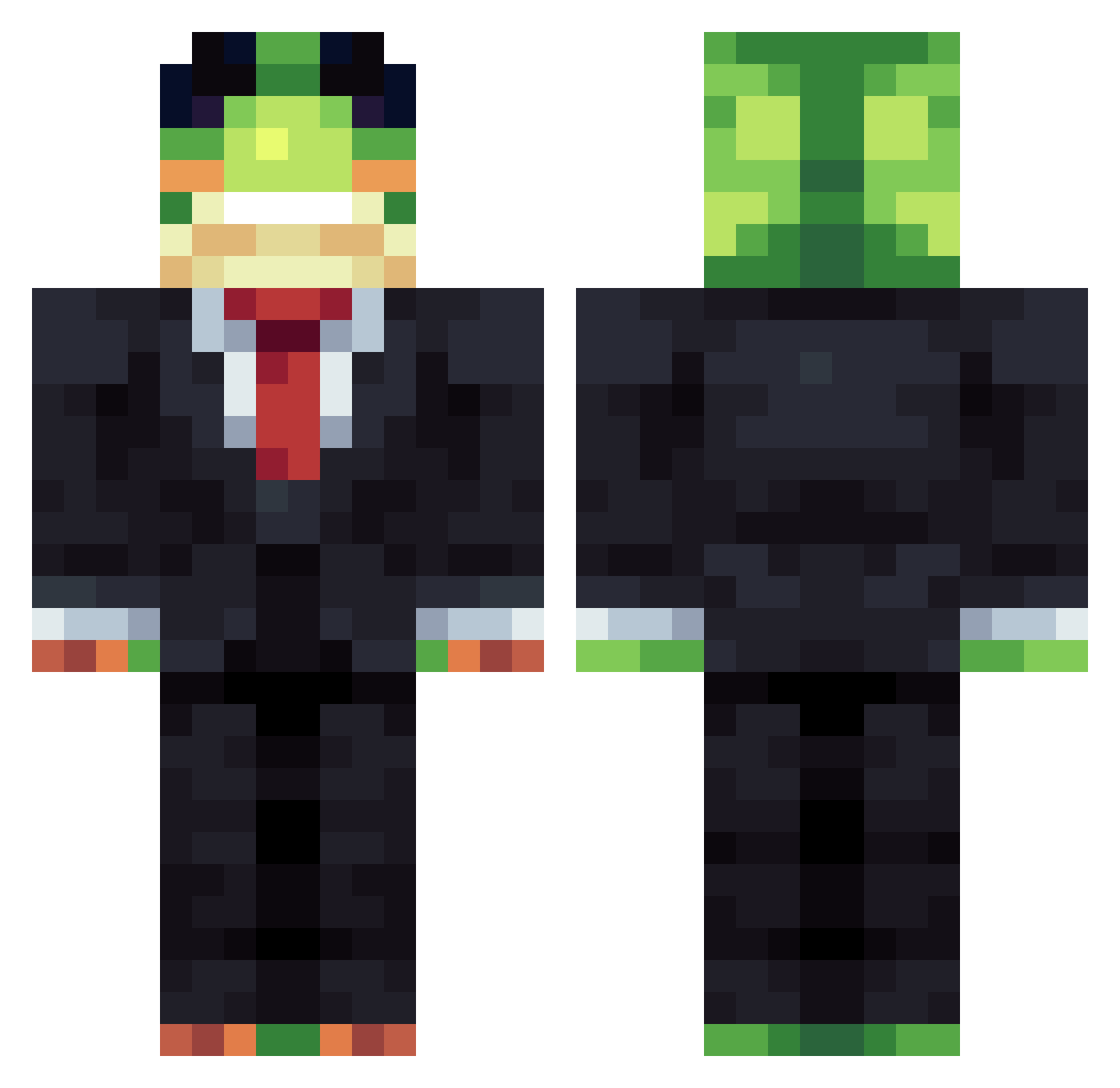
Current Minecraft skin of the player clear3, loaded from the official Mojang API. Rotate the 3D model with your mouse or finger, then download the skin as a PNG file and use it in Minecraft: Bedrock Edition or Java Edition for free. When clear3 changes their skin, this page updates automatically and the old skin stays in the history below.
Other players with this skin (1404)
clear3 was the 722nd player we have seen with this skin, first spotted on 22.09.2026. The same skin was seen on these players. Open a nickname to see their current skin and skin history.
 esp4_ MrMime0923 alfiebong tomuson35 willthebeast555 ney1111 lenny9747 satlom2014 Zoumparos Enchantedbisham Crafter_Pediano1 Dzejgoda misdreavus888 Carlitos_90 loookitsdiddydj planA20 AceMD GURNIWAZ xXV4MPXx rogue69123 alornathan neomaxx16 _7hf x_Proninja_x32 DexterPL shadowmere080 DonkeyFoo opo6871 Creamypiper cratos112 Bioherm Aliyzz vitqry AndersHin MinusVibe wjdtnenqkr starawberry Tost_pl4 Muscularjorge gabetheME3MElord Marinetie_Gurki s16ART Saki9z Gadzinus2137 mertxd2 LiLDige1 wihor Just_Qc el_tula_grande Its_Nyra Spe3edyYy misurigui GAME750U Lanstruy NiceBoyYa nogueirinha007 deadshot0428 HopeKaputt shoechef Peluc
More Frog Minecraft skins
How to install the clear3 skin
- Press the Download button above to save the skin as a PNG file.
- Minecraft: Bedrock Edition (PE): open the Dressing Room from the main menu (or tap your character → Edit Character), go to Classic Skins → Owned, press the + (new skin) button, choose the downloaded PNG and pick the Classic (Steve) model. Works on PC and mobile; consoles cannot import custom skins.
- Minecraft: Java Edition: open the Minecraft Launcher, go to the Skins tab, click New Skin, load the PNG, pick the Classic (Steve) model and press Save & Use. You can also upload it at minecraft.net → Profile → Change Skin.
The skin does not show up after import - what should I do?
Restart Minecraft and open the Dressing Room again - imported skins sometimes appear only after a restart. Also make sure you selected the imported skin and picked the Classic (Steve) model.
Which model should I choose, Classic or Slim?
This skin is designed for the Classic (Steve) model. If you pick the wrong model, the arms of the skin will look stretched or squeezed.
Is the skin of clear3 free to download?
Yes. Press Download, save the PNG file and use it in Minecraft: Bedrock Edition or Java Edition - no payment or registration needed. The skin also works on multiplayer servers and Realms.
More skins
Looking for more? Go back to all Minecraft skins and check the top skins of the week, month and all time, or find any player's skin by nickname.