
chickengod234 - Minecraft Skins & Skin History
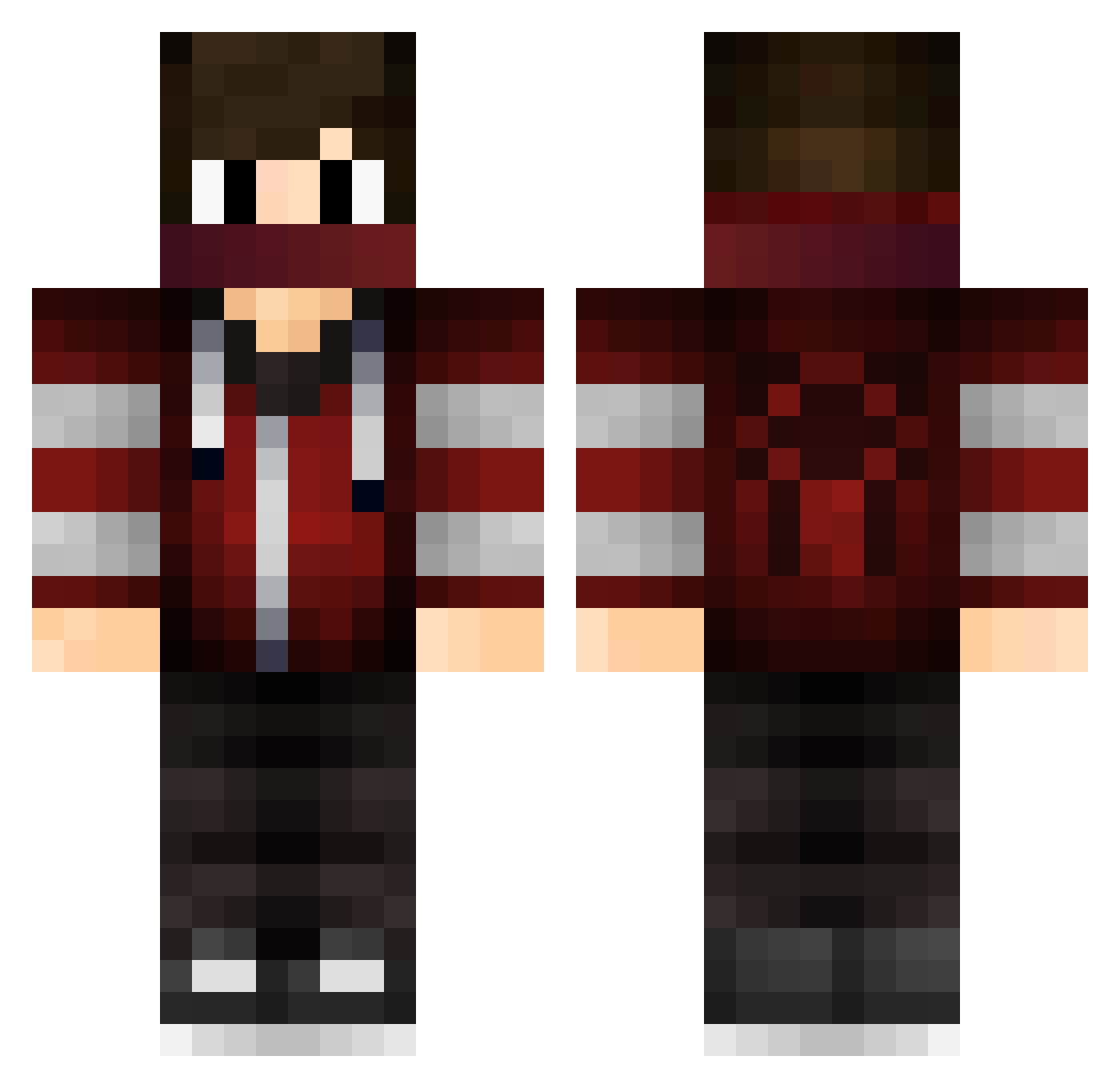
Current Minecraft skin of the player chickengod234, loaded from the official Mojang API. Rotate the 3D model with your mouse or finger, then download the skin as a PNG file and use it in Minecraft: Bedrock Edition or Java Edition for free. When chickengod234 changes their skin, this page updates automatically and the old skin stays in the history below.
Other players with this skin (127)
chickengod234 was the 23rd player we have seen with this skin, first spotted on 14.08.2026. The same skin was seen on these players. Open a nickname to see their current skin and skin history.
 xZoner FAK3TAXI Purplepoo1 JustJesse2 OGbussta_ tarazu Batuhan7 west06 HaKoo233 mimo1503 Ripshift mhkuas STEVE2006C jonpet18 MGamer039 V0ssie Overhatted Razza12345678901 redheads121 holymotherDK TColton LWonderboy minecraftboy1121 ThijmenMJ GoudlokjeJonge AaronMalik113 Zelactik minimanthegreat Slashzel xHvid DrDSR Doobly_ DontDoitDude7 TheoBiceps gulle_n Sandiman pooperscooper98 Coolboy62 Kornstyla_ spearth Foufout S_Wavey SumoJames Drachenherz15 Grovis1 raddenurinxx BlackThunder4 cafred Lucke_05 ThuggishCap Oriamsito xiao_Lin_233 xXTitanCrafterXx NachitorYT ErikTheMiner udKay jmaster678 Noury111 VikingTorTele Brutalknight
More Mask Minecraft skins
How to install the chickengod234 skin
- Press the Download button above to save the skin as a PNG file.
- Minecraft: Bedrock Edition (PE): open the Dressing Room from the main menu (or tap your character → Edit Character), go to Classic Skins → Owned, press the + (new skin) button, choose the downloaded PNG and pick the Classic (Steve) model. Works on PC and mobile; consoles cannot import custom skins.
- Minecraft: Java Edition: open the Minecraft Launcher, go to the Skins tab, click New Skin, load the PNG, pick the Classic (Steve) model and press Save & Use. You can also upload it at minecraft.net → Profile → Change Skin.
The skin does not show up after import - what should I do?
Restart Minecraft and open the Dressing Room again - imported skins sometimes appear only after a restart. Also make sure you selected the imported skin and picked the Classic (Steve) model.
Which model should I choose, Classic or Slim?
This skin is designed for the Classic (Steve) model. If you pick the wrong model, the arms of the skin will look stretched or squeezed.
Is the skin of chickengod234 free to download?
Yes. Press Download, save the PNG file and use it in Minecraft: Bedrock Edition or Java Edition - no payment or registration needed. The skin also works on multiplayer servers and Realms.
More skins
Looking for more? Go back to all Minecraft skins and check the top skins of the week, month and all time, or find any player's skin by nickname.