
chen_xin211 - Minecraft Skins & Skin History
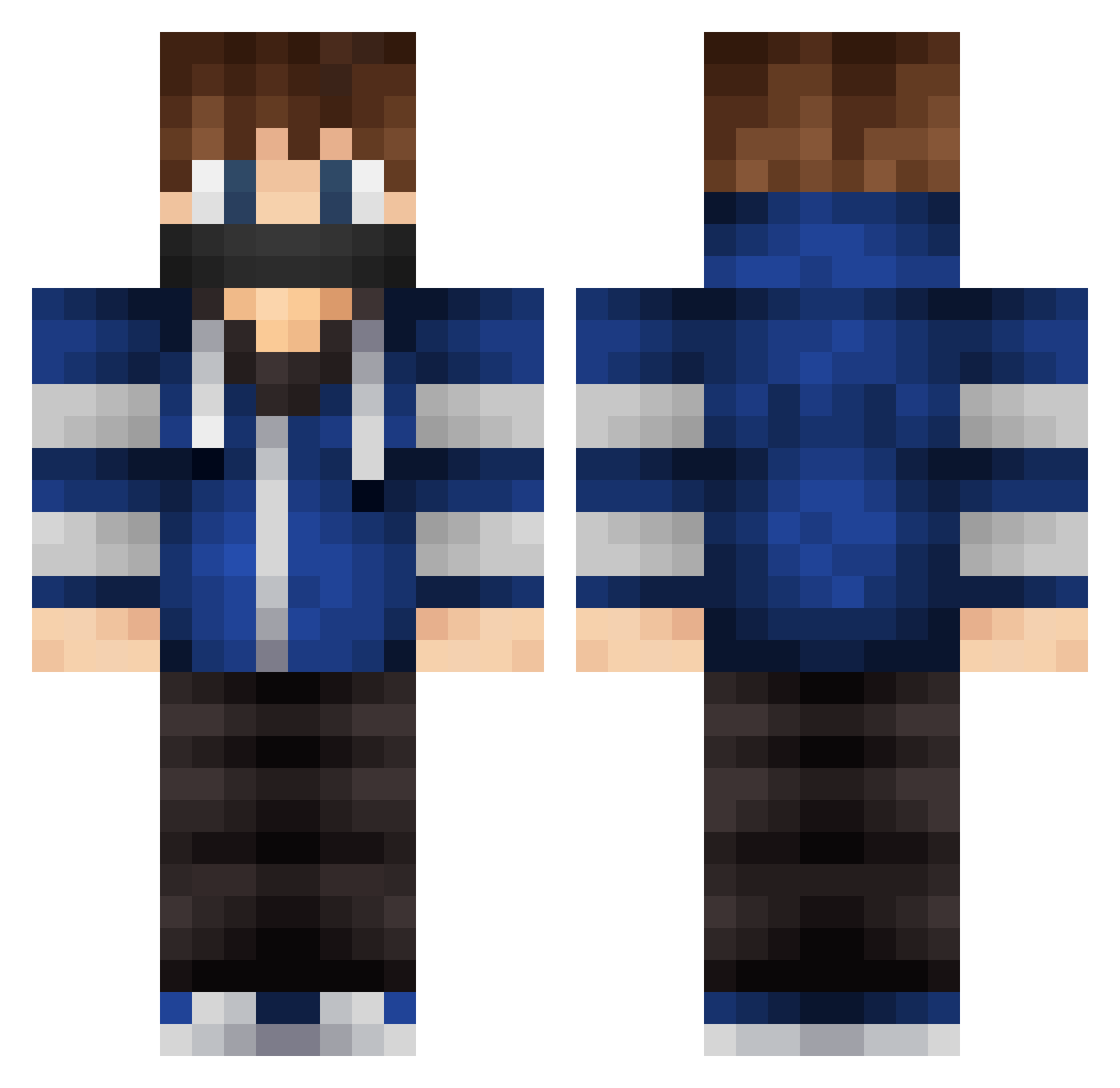
Current Minecraft skin of the player chen_xin211, loaded from the official Mojang API. Rotate the 3D model with your mouse or finger, then download the skin as a PNG file and use it in Minecraft: Bedrock Edition or Java Edition for free. When chen_xin211 changes their skin, this page updates automatically and the old skin stays in the history below.
Other players with this skin (292)
chen_xin211 was the 234th player we have seen with this skin, first spotted on 20.10.2026. The same skin was seen on these players. Open a nickname to see their current skin and skin history.
 GoldenGlider95 Romero_dwg TypoTasher WapseFlapse syoha1104 MrClassic Azazellio2 Xerukal juancho781 xRomero3 Pro_Miner12 colinjb09 MondeeGaming yMiguelbrOFC minecraft_Afeng Liam_09 BlackSoulEsp__ Ozolio ZOSR Warner1006823 Maxv1205 FIXY001 SUNZIJIN FSstriker123 Podorozhnyk_0 Ruita03 TeckO778 Zurneth mushou1111 Norval428 Tymonor Da_at SEA_0508 Lost_Echo29 Hummerakrobat99 CludeR4 hockeymaddie37 JoystickNoFunAcc Fdominik533 Robotking535 FingerWind AreYouOG MrBayoy Cintek radio_kid12 bulbash23 Arnau1504 jompie08 eeeee212 FoieGrasMan VenomSwatX arctic1_8 Kam1Sora Migael166 3L0Y jongchan07 Kartix_007 jonejola LimaxGG LazySif
More Mask Minecraft skins
How to install the chen_xin211 skin
- Press the Download button above to save the skin as a PNG file.
- Minecraft: Bedrock Edition (PE): open the Dressing Room from the main menu (or tap your character → Edit Character), go to Classic Skins → Owned, press the + (new skin) button, choose the downloaded PNG and pick the Classic (Steve) model. Works on PC and mobile; consoles cannot import custom skins.
- Minecraft: Java Edition: open the Minecraft Launcher, go to the Skins tab, click New Skin, load the PNG, pick the Classic (Steve) model and press Save & Use. You can also upload it at minecraft.net → Profile → Change Skin.
The skin does not show up after import - what should I do?
Restart Minecraft and open the Dressing Room again - imported skins sometimes appear only after a restart. Also make sure you selected the imported skin and picked the Classic (Steve) model.
Which model should I choose, Classic or Slim?
This skin is designed for the Classic (Steve) model. If you pick the wrong model, the arms of the skin will look stretched or squeezed.
Is the skin of chen_xin211 free to download?
Yes. Press Download, save the PNG file and use it in Minecraft: Bedrock Edition or Java Edition - no payment or registration needed. The skin also works on multiplayer servers and Realms.
More skins
Looking for more? Go back to all Minecraft skins and check the top skins of the week, month and all time, or find any player's skin by nickname.