
chefbeppy - Minecraft Skins & Skin History
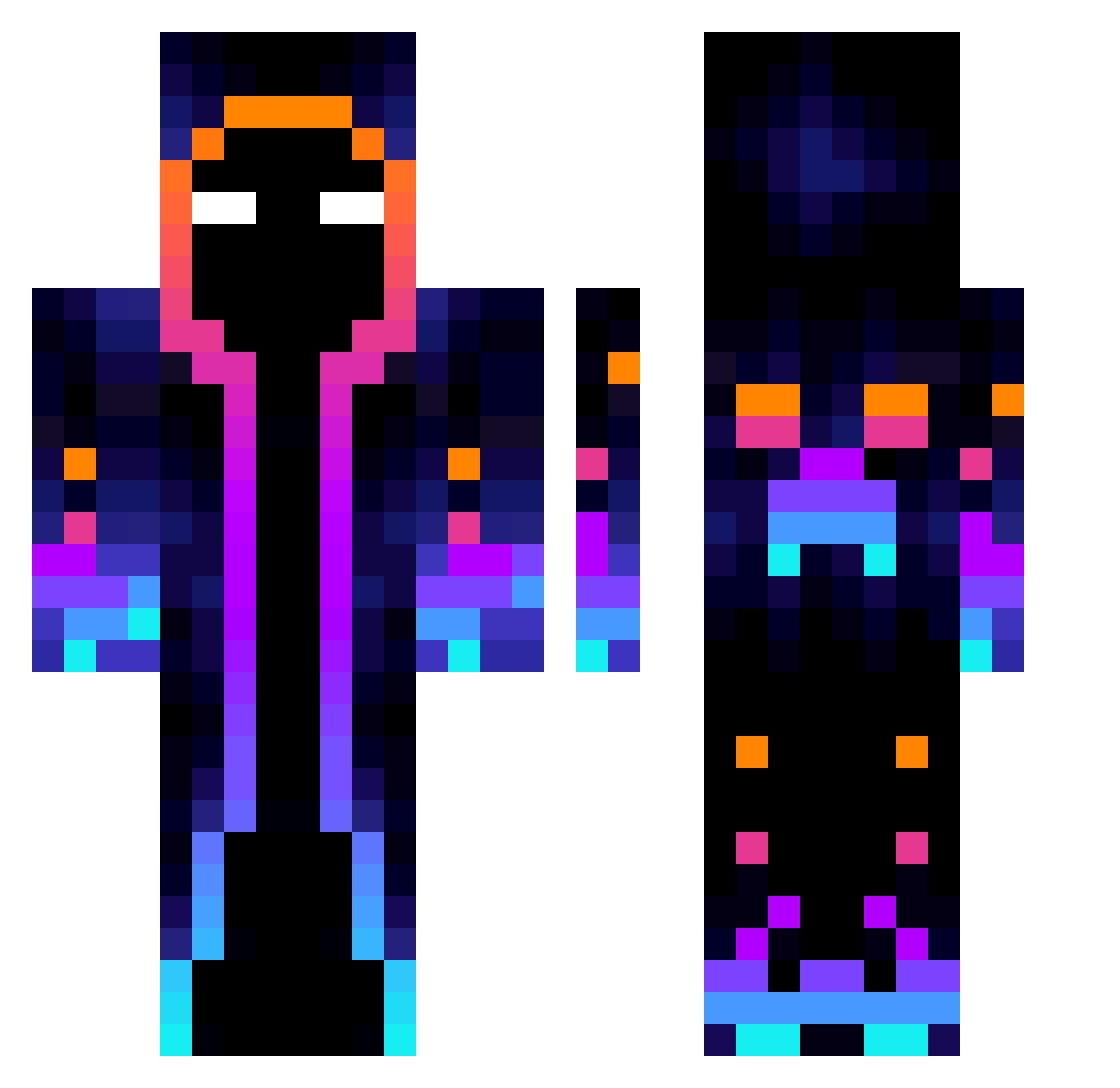
Current Minecraft skin of the player chefbeppy, loaded from the official Mojang API. Rotate the 3D model with your mouse or finger, then download the skin as a PNG file and use it in Minecraft: Bedrock Edition or Java Edition for free. When chefbeppy changes their skin, this page updates automatically and the old skin stays in the history below.
Other players with this skin (49)
chefbeppy was the 26th player we have seen with this skin, first spotted on 14.09.2026. The same skin was seen on these players. Open a nickname to see their current skin and skin history.
 Azzarray Bobby783 ELSpindrix MrButt117 LuoVoidCat Kamikaze4 DoctorDragon1 Aschtek RAVENSPIDER Gucio021 V1BE619 Jofo32 CLEANSHOTTS95 AtomicLimits 69WildWolf69 Nik095 ShinyMarshal HopeNotFound Fuoco88
 Charkos4163 mkastl Rift735 SvddeNDeath3954 Sam_363 han123084 Lucbr1 crimsononi93 Dragaera BehindertOida CrgNiklas CrowSamsara kingerlingers Anotherkiddo Instantstar Adolfus_Knitller Corai02 ItsEystreemPro ShadowMax31 Felix4545 SpaceManGamingYT AndrzejPaleta _Petapete_ MrCriss1 Wikicamellos lopas123985759 LillBuck MijaJuanito sanea19 yoday59
More Galaxy Minecraft skins
How to install the chefbeppy skin
- Press the Download button above to save the skin as a PNG file.
- Minecraft: Bedrock Edition (PE): open the Dressing Room from the main menu (or tap your character → Edit Character), go to Classic Skins → Owned, press the + (new skin) button, choose the downloaded PNG and pick the Classic (Steve) model. Works on PC and mobile; consoles cannot import custom skins.
- Minecraft: Java Edition: open the Minecraft Launcher, go to the Skins tab, click New Skin, load the PNG, pick the Classic (Steve) model and press Save & Use. You can also upload it at minecraft.net → Profile → Change Skin.
The skin does not show up after import - what should I do?
Restart Minecraft and open the Dressing Room again - imported skins sometimes appear only after a restart. Also make sure you selected the imported skin and picked the Classic (Steve) model.
Which model should I choose, Classic or Slim?
This skin is designed for the Classic (Steve) model. If you pick the wrong model, the arms of the skin will look stretched or squeezed.
Is the skin of chefbeppy free to download?
Yes. Press Download, save the PNG file and use it in Minecraft: Bedrock Edition or Java Edition - no payment or registration needed. The skin also works on multiplayer servers and Realms.
More skins
Looking for more? Go back to all Minecraft skins and check the top skins of the week, month and all time, or find any player's skin by nickname.