
chaeyoungiscool - Minecraft Skins & Skin History
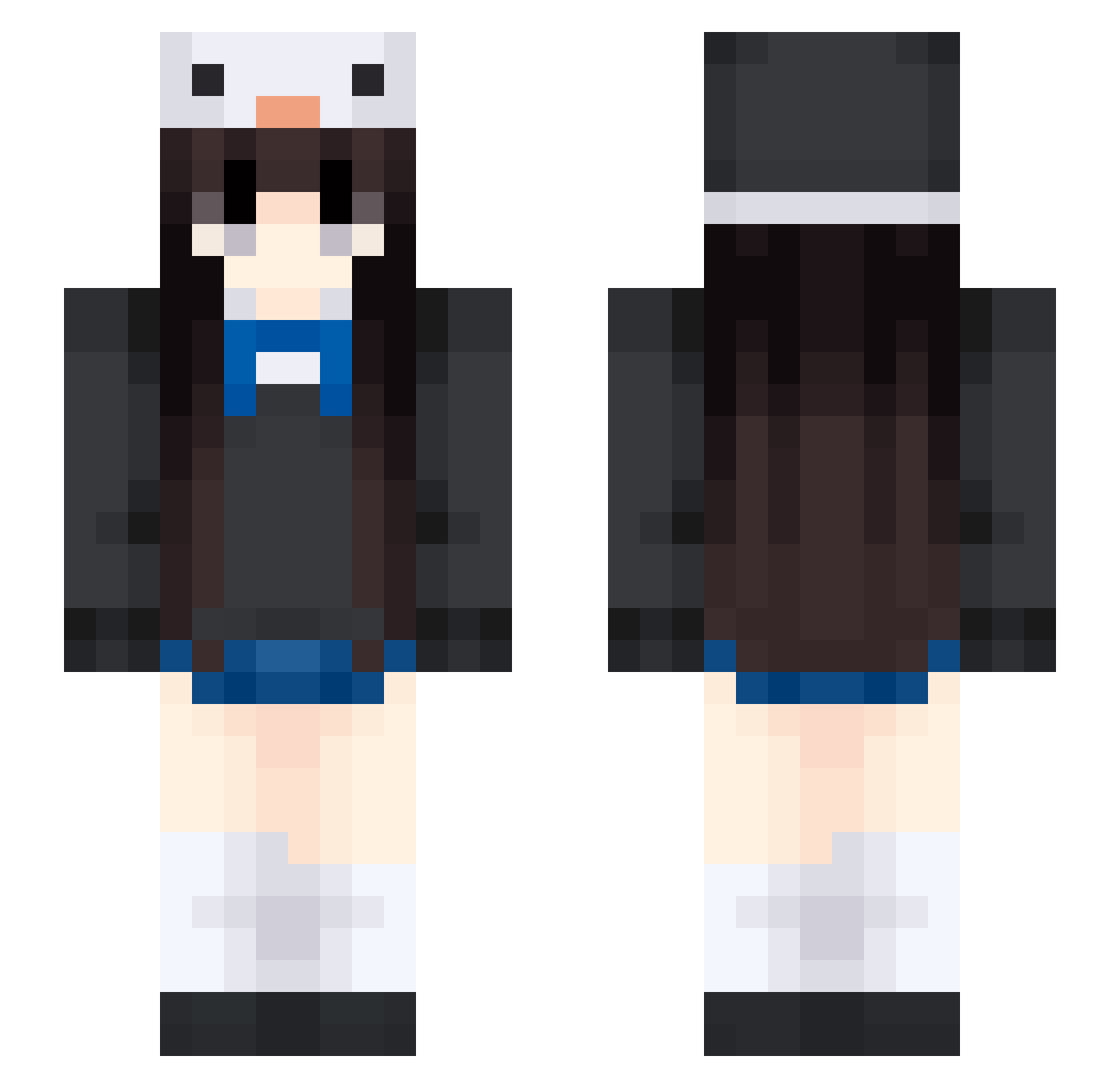
Current Minecraft skin of the player chaeyoungiscool, loaded from the official Mojang API. Rotate the 3D model with your mouse or finger, then download the skin as a PNG file and use it in Minecraft: Bedrock Edition or Java Edition for free. When chaeyoungiscool changes their skin, this page updates automatically and the old skin stays in the history below.
Other players with this skin (453)
chaeyoungiscool was the 353rd player we have seen with this skin, first spotted on 11.10.2026. The same skin was seen on these players. Open a nickname to see their current skin and skin history.
 zosiaxyz JoeeJoee 9fIU Alexis21heart stormandwillow10 gazzi9999 steamsj oceaneyes78 ikifvv mariemocha andreaaag15 F3rchitag Ainowa14 millitaaq whalepoetry xin050629 neyoomi angelsdoll tuyuuuuu d_nany sTaTerSE yoyes64 ORDEKOR neptuneluna1 your_Emile vedcreep Bai123_ kyky0121 areeeu haeppy2 gg9o0 Clau_1623 _Su_u zero1111111111 heidisux Schio Lonlyknight WHHS LW2ji Deathify Kxaoi mirunq RTkevin xiaowang110 laosiqing HazelMoore AIDlyt Superstar_fall Combor karmaplayer44 bqrkyy huashenger zulay01 haonanshou7 J0D3N CrazyShakespeare Yoshimaruuuuu daddyg1rI zalvie Josefa_king
More Penguin Hat Minecraft skins
How to install the chaeyoungiscool skin
- Press the Download button above to save the skin as a PNG file.
- Minecraft: Bedrock Edition (PE): open the Dressing Room from the main menu (or tap your character → Edit Character), go to Classic Skins → Owned, press the + (new skin) button, choose the downloaded PNG and pick the Slim (Alex) model. Works on PC and mobile; consoles cannot import custom skins.
- Minecraft: Java Edition: open the Minecraft Launcher, go to the Skins tab, click New Skin, load the PNG, pick the Slim (Alex) model and press Save & Use. You can also upload it at minecraft.net → Profile → Change Skin.
The skin does not show up after import - what should I do?
Restart Minecraft and open the Dressing Room again - imported skins sometimes appear only after a restart. Also make sure you selected the imported skin and picked the Slim (Alex) model.
Which model should I choose, Classic or Slim?
This skin is designed for the Slim (Alex) model. If you pick the wrong model, the arms of the skin will look stretched or squeezed.
Is the skin of chaeyoungiscool free to download?
Yes. Press Download, save the PNG file and use it in Minecraft: Bedrock Edition or Java Edition - no payment or registration needed. The skin also works on multiplayer servers and Realms.
More skins
Looking for more? Go back to all Minecraft skins and check the top skins of the week, month and all time, or find any player's skin by nickname.