
buthead35 - Minecraft Skins & Skin History
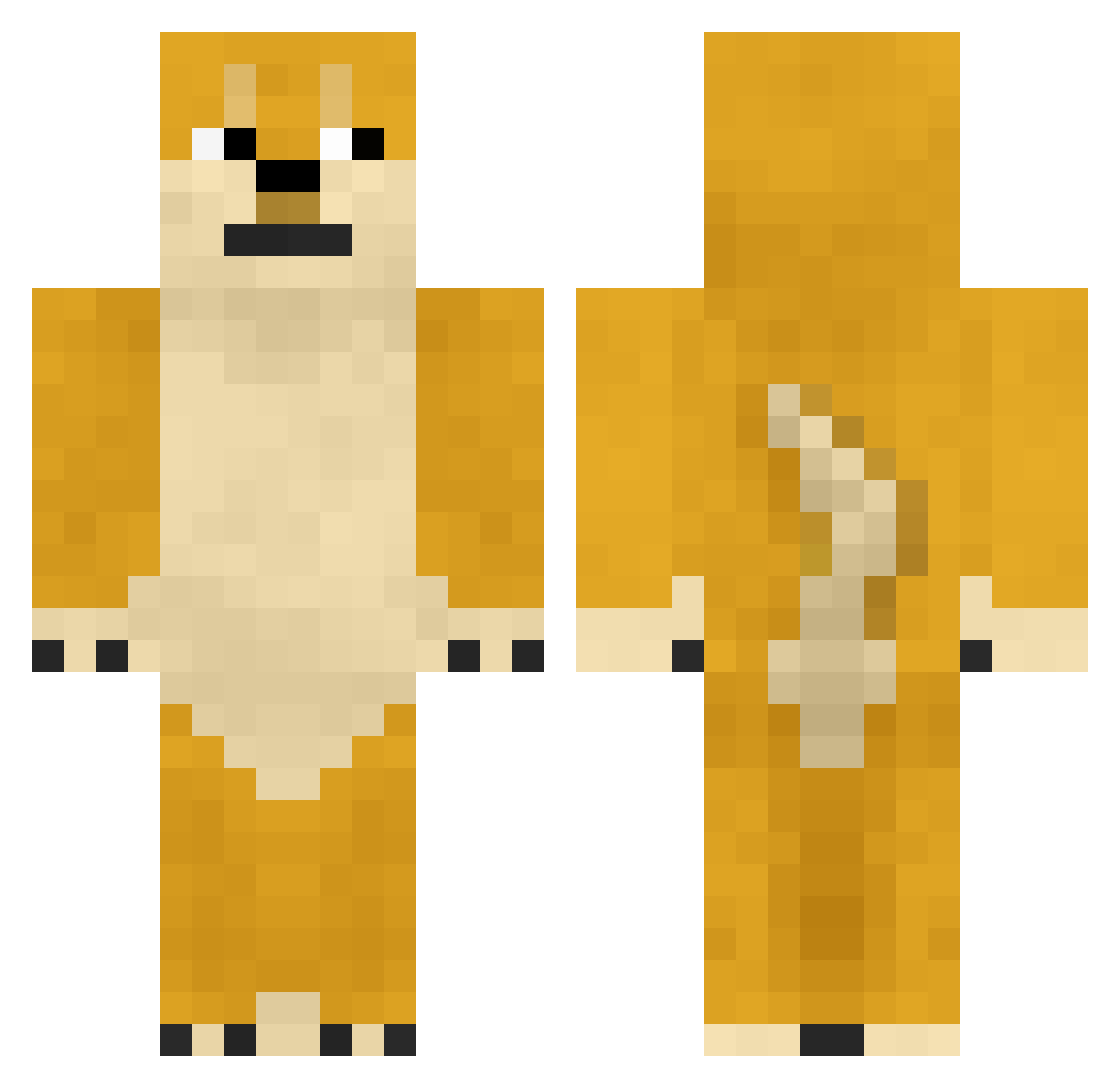
Current Minecraft skin of the player buthead35, loaded from the official Mojang API. Rotate the 3D model with your mouse or finger, then download the skin as a PNG file and use it in Minecraft: Bedrock Edition or Java Edition for free. When buthead35 changes their skin, this page updates automatically and the old skin stays in the history below.
Other players with this skin (361)
buthead35 was the 105th player we have seen with this skin, first spotted on 20.08.2026. The same skin was seen on these players. Open a nickname to see their current skin and skin history.
 KeraunosX Nohara_Street XTirriaineN Kumatarn HIDEYOURFACE Sterility AncientGum saemchu MrsFlufferBottom diggleman ilikecandy08 Alone_X DragonBladerX5 Gyozike HuskyDoge98 megalosmaniac RainbowDash667 4RANG Boobaloo2007 white_shepard BillyTimoney RainbowBeets avation101 ThorJonas kissee Ganzzor ToXiCxDiMeNsIoN DKboy DarudeDoge lolpears Gay_Nico gusty24 MozillaFiredoge Obnoxious_boomer PermissionEx Eric_Glidwell Nesrac4233 cliffemu fascam kimcu XXLuiCalibre5xX DarkMagicianBob schuyler_walker1 PapaSlothy kkh5388 judson911 Zaratustra0190 anthxc maruan100 SIBA69 Osawe beenusmyguy SuperHotFire wichmm das_Niclas_ Snowy_milk iaio000 AnteroTaavetti GusslerBoys Hectormadg
More Internet Meme Minecraft skins
See all 117 Internet Meme skins
How to install the buthead35 skin
- Press the Download button above to save the skin as a PNG file.
- Minecraft: Bedrock Edition (PE): open the Dressing Room from the main menu (or tap your character → Edit Character), go to Classic Skins → Owned, press the + (new skin) button, choose the downloaded PNG and pick the Classic (Steve) model. Works on PC and mobile; consoles cannot import custom skins.
- Minecraft: Java Edition: open the Minecraft Launcher, go to the Skins tab, click New Skin, load the PNG, pick the Classic (Steve) model and press Save & Use. You can also upload it at minecraft.net → Profile → Change Skin.
The skin does not show up after import - what should I do?
Restart Minecraft and open the Dressing Room again - imported skins sometimes appear only after a restart. Also make sure you selected the imported skin and picked the Classic (Steve) model.
Which model should I choose, Classic or Slim?
This skin is designed for the Classic (Steve) model. If you pick the wrong model, the arms of the skin will look stretched or squeezed.
Is the skin of buthead35 free to download?
Yes. Press Download, save the PNG file and use it in Minecraft: Bedrock Edition or Java Edition - no payment or registration needed. The skin also works on multiplayer servers and Realms.
More skins
Looking for more? Go back to all Minecraft skins and check the top skins of the week, month and all time, or find any player's skin by nickname.