
brushtee - Minecraft Skins & Skin History
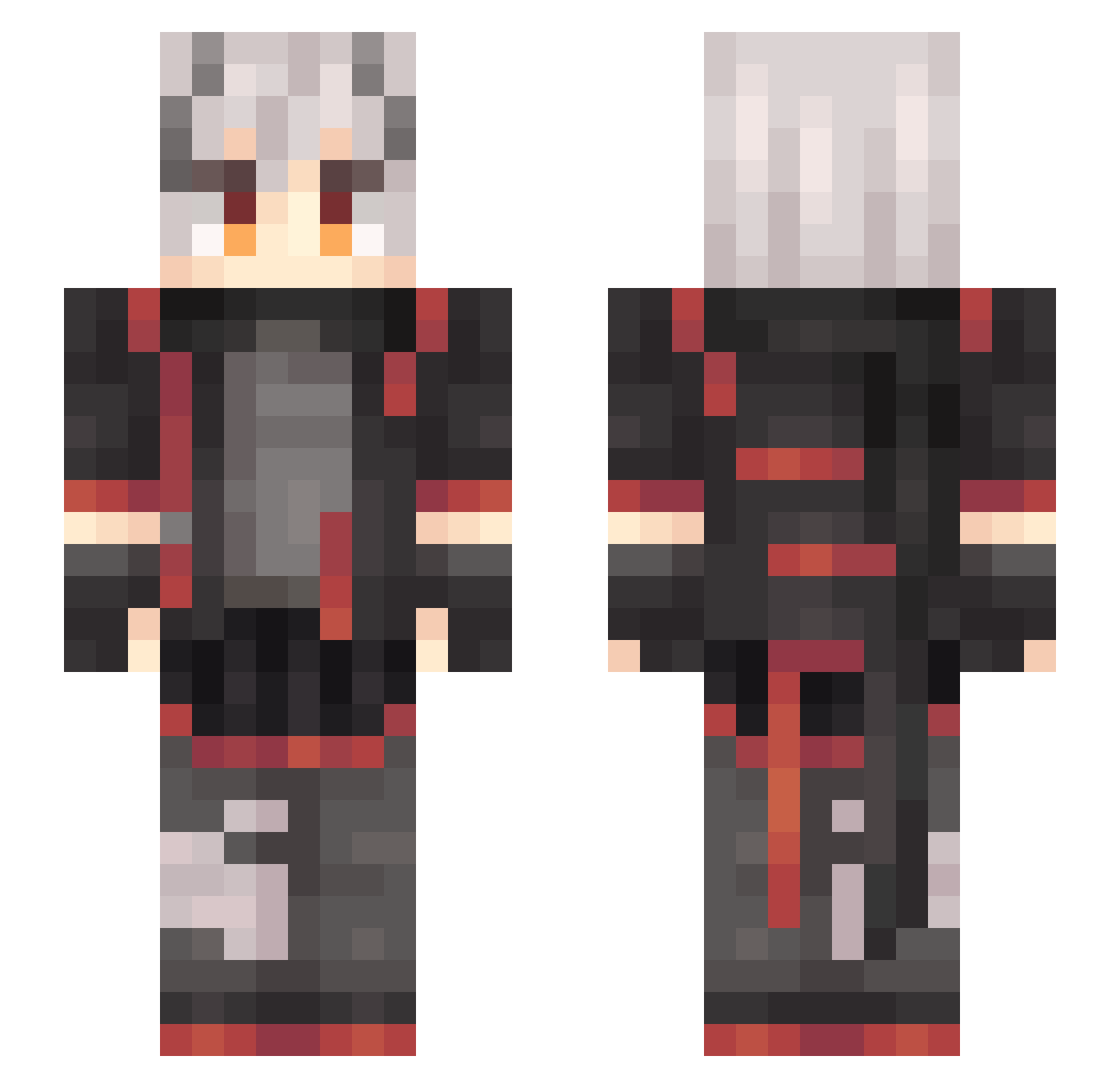
Current Minecraft skin of the player brushtee, loaded from the official Mojang API. Rotate the 3D model with your mouse or finger, then download the skin as a PNG file and use it in Minecraft: Bedrock Edition or Java Edition for free. When brushtee changes their skin, this page updates automatically and the old skin stays in the history below.
Other players with this skin (637)
brushtee was the 319th player we have seen with this skin, first spotted on 23.09.2026. The same skin was seen on these players. Open a nickname to see their current skin and skin history.
 qyl000 Tang_San xixiaoshenshi zzZhhh KIRIKO12 Shirp_V wuhuww JKRaks baidao SanLou yuxiaoyu1024 xcha525 fenggu5 Sourflour201 Zulkal Teraplaxy Sinon1145 ChenXi_Lon jkn555 wishdael OneGrass Platinum1442 passer_lu Nenjin Qian_Guo wtllr EvilSharkOvO RageTheHunter axiang123 AqourSoro Kusanagi1229 snjiegg Sasword Freudia6 Kuur1su DaXieZzz Velsaber Nymety XiaoSuDE zhyyhz baigeilol 01ivias DOUNAI111 Aprotinin MoodToof EaseCation SangeG Miko_Kana Mi_ng_ Helium07 DeViX23 Blood_Donors Craazy_Toaster zana241 VenularTempt kalanate Liskarmpowerbank banyu630 HOMOwei MoJiLan
More Cyberpunk Minecraft skins
How to install the brushtee skin
- Press the Download button above to save the skin as a PNG file.
- Minecraft: Bedrock Edition (PE): open the Dressing Room from the main menu (or tap your character → Edit Character), go to Classic Skins → Owned, press the + (new skin) button, choose the downloaded PNG and pick the Slim (Alex) model. Works on PC and mobile; consoles cannot import custom skins.
- Minecraft: Java Edition: open the Minecraft Launcher, go to the Skins tab, click New Skin, load the PNG, pick the Slim (Alex) model and press Save & Use. You can also upload it at minecraft.net → Profile → Change Skin.
The skin does not show up after import - what should I do?
Restart Minecraft and open the Dressing Room again - imported skins sometimes appear only after a restart. Also make sure you selected the imported skin and picked the Slim (Alex) model.
Which model should I choose, Classic or Slim?
This skin is designed for the Slim (Alex) model. If you pick the wrong model, the arms of the skin will look stretched or squeezed.
Is the skin of brushtee free to download?
Yes. Press Download, save the PNG file and use it in Minecraft: Bedrock Edition or Java Edition - no payment or registration needed. The skin also works on multiplayer servers and Realms.
More skins
Looking for more? Go back to all Minecraft skins and check the top skins of the week, month and all time, or find any player's skin by nickname.