
breaker5000 - Minecraft Skins & Skin History
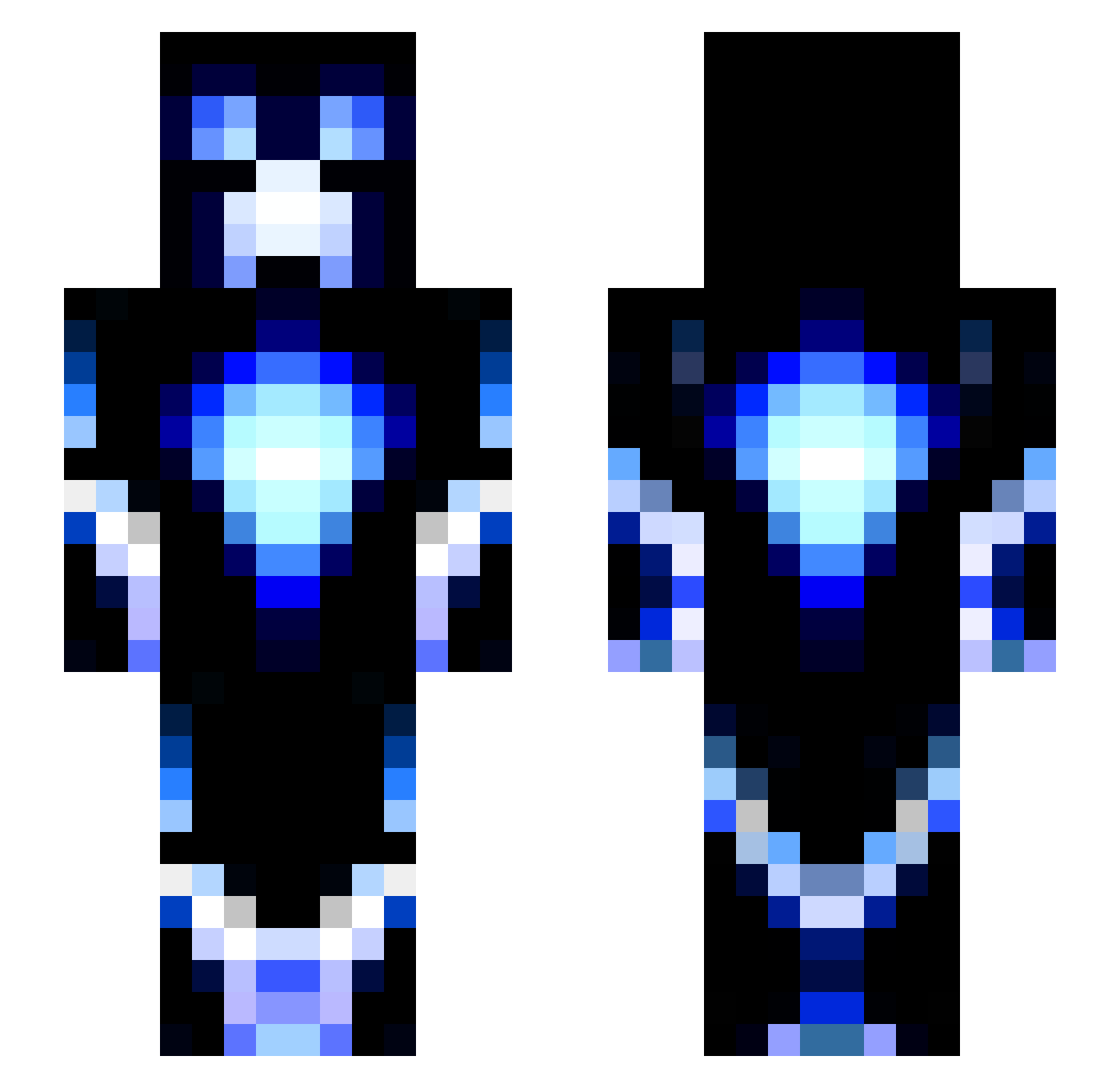
Current Minecraft skin of the player breaker5000, loaded from the official Mojang API. Rotate the 3D model with your mouse or finger, then download the skin as a PNG file and use it in Minecraft: Bedrock Edition or Java Edition for free. When breaker5000 changes their skin, this page updates automatically and the old skin stays in the history below.
Other players with this skin (115)
breaker5000 was the 24th player we have seen with this skin, first spotted on 11.08.2026. The same skin was seen on these players. Open a nickname to see their current skin and skin history.
 theCondor94 CalvinWasHere PerkyJerky954 Zinkidala Poglin Asbestosdemigod MAOMAOTU_ Jatold14 Hockeyjulle DumbBumbleBee jmyoung1 ChaiZD N30N1ights VansLouie SpectroPecha _douduo Elite999 TSchroeder1234 imarobot5678 Tmonk13 Pik2one Chardfuzz ApizelP Ancalagon_X tantanQAQ Shadowvortex_22 rraannddaa trackatru
 Slapu208 1_p1e tymeica ctrox02 ItsTheLenny CraftyDyl antot543 TheLight1218 nmbdude stinkiebread LUCIOASC Draxsos Mi_Feng Streetkiller37 JaceSorin fine1119922 XGLIB Bloodflower1994 Conc7pt_BlueFox sirlance17 Sebastian250917 Sniper1545 MarvR2004 Rubik_Rocket ZSL_545 FinerPhoenix889 TxMarcher04 rbeall001 bobbydidit9772 NWG2009 XenosNEE AITORA
More Glowing Minecraft skins
How to install the breaker5000 skin
- Press the Download button above to save the skin as a PNG file.
- Minecraft: Bedrock Edition (PE): open the Dressing Room from the main menu (or tap your character → Edit Character), go to Classic Skins → Owned, press the + (new skin) button, choose the downloaded PNG and pick the Slim (Alex) model. Works on PC and mobile; consoles cannot import custom skins.
- Minecraft: Java Edition: open the Minecraft Launcher, go to the Skins tab, click New Skin, load the PNG, pick the Slim (Alex) model and press Save & Use. You can also upload it at minecraft.net → Profile → Change Skin.
The skin does not show up after import - what should I do?
Restart Minecraft and open the Dressing Room again - imported skins sometimes appear only after a restart. Also make sure you selected the imported skin and picked the Slim (Alex) model.
Which model should I choose, Classic or Slim?
This skin is designed for the Slim (Alex) model. If you pick the wrong model, the arms of the skin will look stretched or squeezed.
Is the skin of breaker5000 free to download?
Yes. Press Download, save the PNG file and use it in Minecraft: Bedrock Edition or Java Edition - no payment or registration needed. The skin also works on multiplayer servers and Realms.
More skins
Looking for more? Go back to all Minecraft skins and check the top skins of the week, month and all time, or find any player's skin by nickname.