
rbeall001 - Minecraft Skins & Skin History
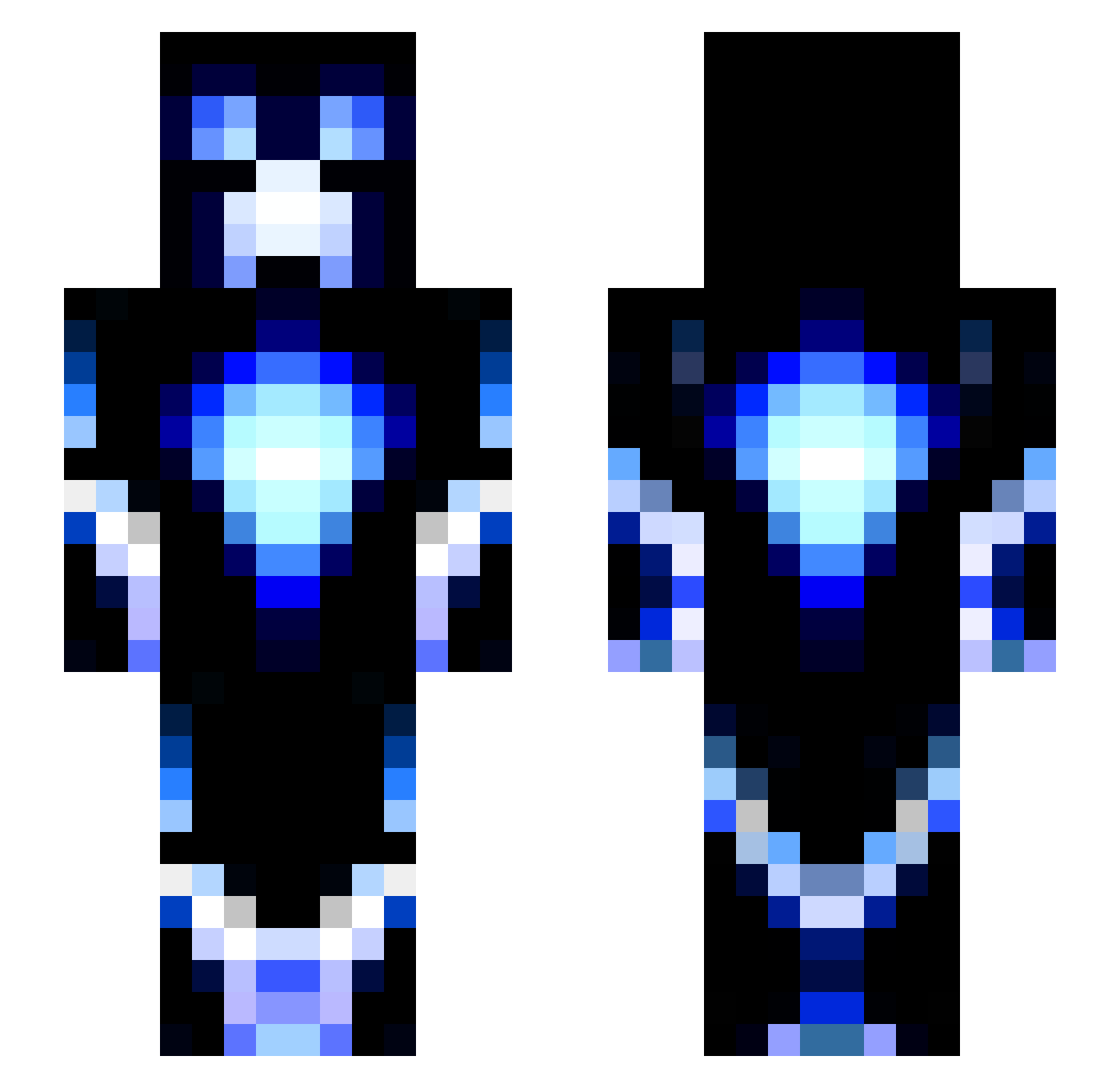
Current Minecraft skin of the player rbeall001, loaded from the official Mojang API. Rotate the 3D model with your mouse or finger, then download the skin as a PNG file and use it in Minecraft: Bedrock Edition or Java Edition for free. When rbeall001 changes their skin, this page updates automatically and the old skin stays in the history below.
Other players with this skin (115)
rbeall001 was the 57th player we have seen with this skin, first spotted on 16.09.2026. The same skin was seen on these players. Open a nickname to see their current skin and skin history.
 TxMarcher04 FinerPhoenix889 ZSL_545 bobbydidit9772 Rubik_Rocket NWG2009 XenosNEE AITORA MarvR2004 JosoGNB PolloM83 themessmaker PPPswd Rabbityeye VizeDestiny Specter3 Kitty181 pvpkiller108 w9dsd Sniper1545 Sebastian250917 Liam12354 sirlance17 Conc7pt_BlueFox Bloodflower1994 bonkbonkbonk0 swordcraft4571 xWallie2000x Streetkiller37 Mi_Feng Draxsos justboolinnn MalAdOsteo LUCIOASC stinkiebread antot543 ItsTheLenny ctrox02 SuperDood2929 YaYiDingZhen names_calc_bro
 Slapu208 Typlayz36 RyBoy77 SiXXT hendrik_T2001 trackatru Sanshyy voned007 rraannddaa TheBigBubba tantanQAQ Jackiner Ancalagon_X Appleman1111 Pik2one p4trickod BigBubbaaa Tmonk13 Lubie
More Glowing Minecraft skins
How to install the rbeall001 skin
- Press the Download button above to save the skin as a PNG file.
- Minecraft: Bedrock Edition (PE): open the Dressing Room from the main menu (or tap your character → Edit Character), go to Classic Skins → Owned, press the + (new skin) button, choose the downloaded PNG and pick the Slim (Alex) model. Works on PC and mobile; consoles cannot import custom skins.
- Minecraft: Java Edition: open the Minecraft Launcher, go to the Skins tab, click New Skin, load the PNG, pick the Slim (Alex) model and press Save & Use. You can also upload it at minecraft.net → Profile → Change Skin.
The skin does not show up after import - what should I do?
Restart Minecraft and open the Dressing Room again - imported skins sometimes appear only after a restart. Also make sure you selected the imported skin and picked the Slim (Alex) model.
Which model should I choose, Classic or Slim?
This skin is designed for the Slim (Alex) model. If you pick the wrong model, the arms of the skin will look stretched or squeezed.
Is the skin of rbeall001 free to download?
Yes. Press Download, save the PNG file and use it in Minecraft: Bedrock Edition or Java Edition - no payment or registration needed. The skin also works on multiplayer servers and Realms.
More skins
Looking for more? Go back to all Minecraft skins and check the top skins of the week, month and all time, or find any player's skin by nickname.