
braYX2 - Minecraft Skins & Skin History
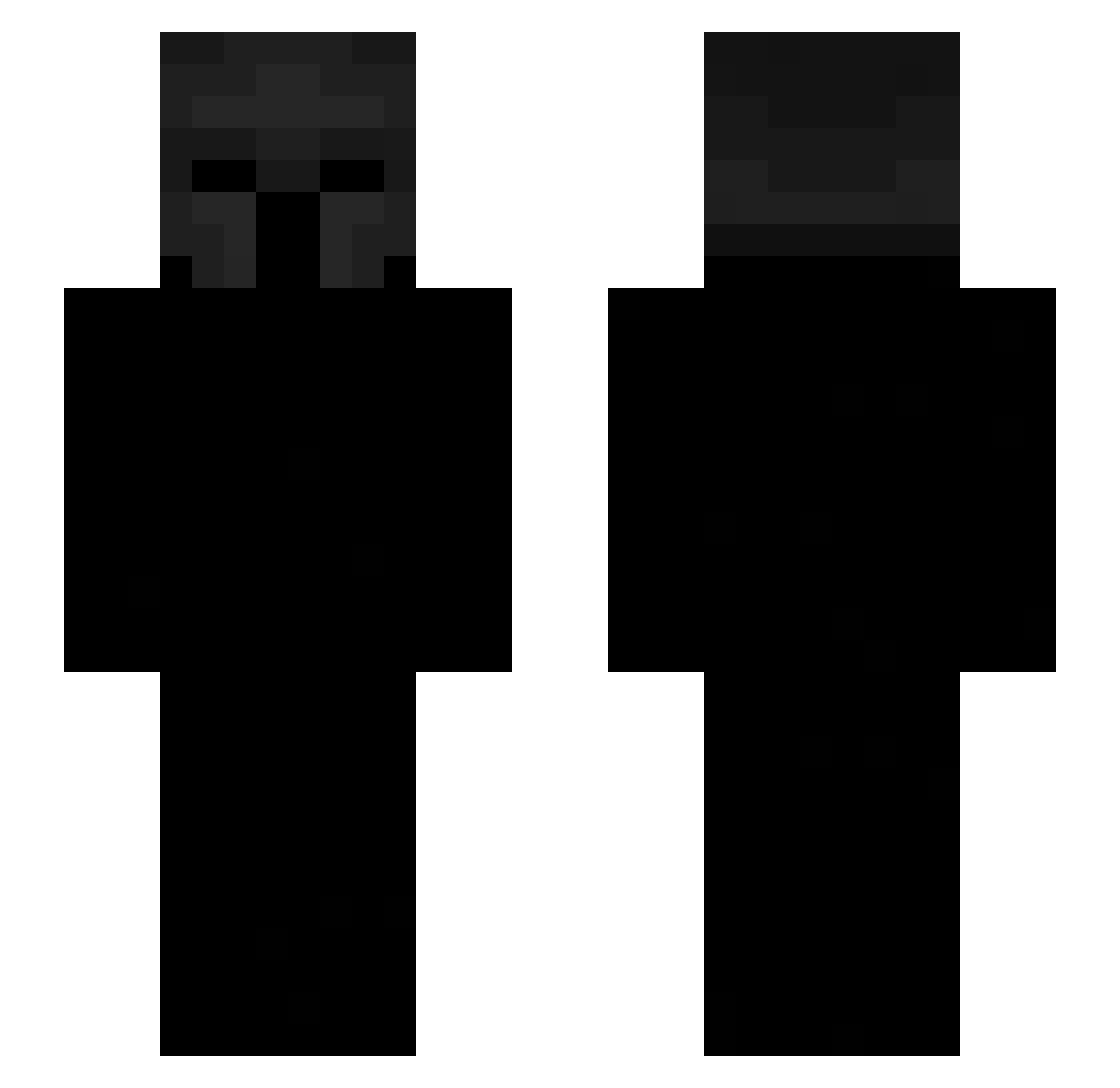
Current Minecraft skin of the player braYX2, loaded from the official Mojang API. Rotate the 3D model with your mouse or finger, then download the skin as a PNG file and use it in Minecraft: Bedrock Edition or Java Edition for free. When braYX2 changes their skin, this page updates automatically and the old skin stays in the history below.
Other players with this skin (535)
braYX2 was the 330th player we have seen with this skin, first spotted on 29.09.2026. The same skin was seen on these players. Open a nickname to see their current skin and skin history.
 bijjyfl TreeCutter101 Lowxst1 kmo_arthas ZumbiesGamers1 kOzLLI ToeNail256 Nabiela elpacasogamer HOPED7080 Kellerkindos1 PommesKick whicxh lvntro OldKing1314 Altylerix Dersimcan62 Lyzox_ZTX PolakPotrafi912 gaeyaleld freejcnlk AborMike ImYula fanumtaxer126 Degeneras nomerok1796 Master_o_o TomSpinsTheBlock Saveed Noodleheadboy25 shadowskiller2 bmw_enyojer viper_914 baridellacaye Moere_ anyeye 123yoavos Zaediex TH0MASSHELBY Man9ir PotatoPauli breznak_ AyoJvson Akgamer6429 gael_taladrid simone6688 ecrelic bjts M_K_C ArteikkLol SweetyPotatoBG Snyjosee Ahuja012 Johhn233 LT1VPLUSGOD6712 WhoFaytul D3rkBlade LinziWang Atrpet LP_OBSIDIANS
More Spartan Minecraft skins
How to install the braYX2 skin
- Press the Download button above to save the skin as a PNG file.
- Minecraft: Bedrock Edition (PE): open the Dressing Room from the main menu (or tap your character → Edit Character), go to Classic Skins → Owned, press the + (new skin) button, choose the downloaded PNG and pick the Slim (Alex) model. Works on PC and mobile; consoles cannot import custom skins.
- Minecraft: Java Edition: open the Minecraft Launcher, go to the Skins tab, click New Skin, load the PNG, pick the Slim (Alex) model and press Save & Use. You can also upload it at minecraft.net → Profile → Change Skin.
The skin does not show up after import - what should I do?
Restart Minecraft and open the Dressing Room again - imported skins sometimes appear only after a restart. Also make sure you selected the imported skin and picked the Slim (Alex) model.
Which model should I choose, Classic or Slim?
This skin is designed for the Slim (Alex) model. If you pick the wrong model, the arms of the skin will look stretched or squeezed.
Is the skin of braYX2 free to download?
Yes. Press Download, save the PNG file and use it in Minecraft: Bedrock Edition or Java Edition - no payment or registration needed. The skin also works on multiplayer servers and Realms.
More skins
Looking for more? Go back to all Minecraft skins and check the top skins of the week, month and all time, or find any player's skin by nickname.