
boradley - Minecraft Skins & Skin History
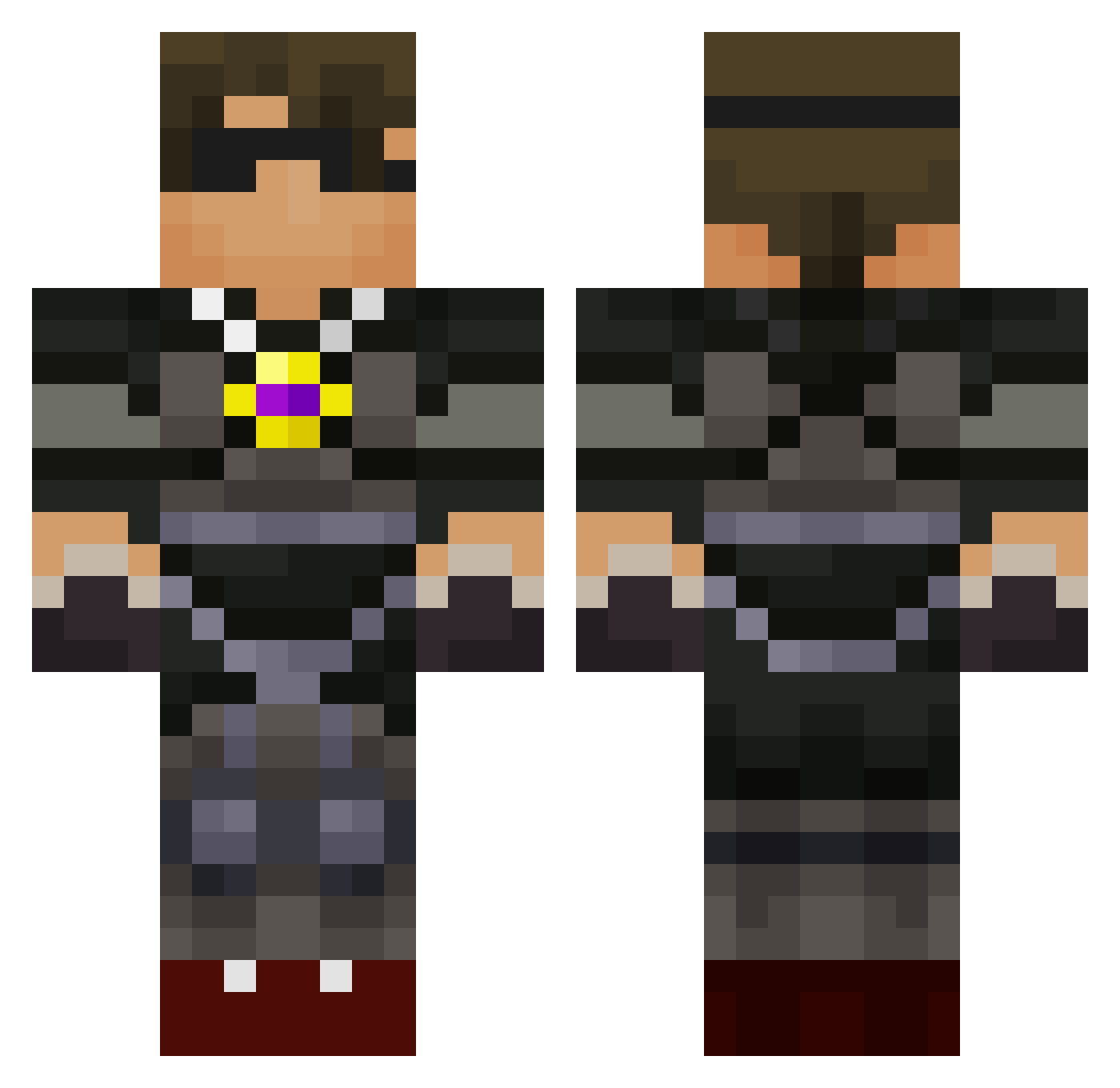
Current Minecraft skin of the player boradley, loaded from the official Mojang API. Rotate the 3D model with your mouse or finger, then download the skin as a PNG file and use it in Minecraft: Bedrock Edition or Java Edition for free. When boradley changes their skin, this page updates automatically and the old skin stays in the history below.
Other players with this skin (588)
boradley was the 139th player we have seen with this skin, first spotted on 16.08.2026. The same skin was seen on these players. Open a nickname to see their current skin and skin history.
 Zeroproof wibbi44 Thayrad123 jakeboy1224 JDKS8 LFD20 GREENLEMON55 kenanj1234 edanhynes St0rmK roboviper13 eel01 azleaneo tomahawkchop63 MoritzRASPI fluffe3y PythonKungen lillylynch Xavier1021 IDevI71 HugePancake69 dana999 Corbenwa BubsM NFLwarrior123 Ma5terConnor codyrobinon ha38ci zakery23 zombiekiller0225 everluvn74 myangelvictoria Bababooey77 shitdo laseghost zacharymp AdamKaos 26henry perersej HRH2002 jordanbirkitt butterblocks22 HarryMonk MC_Universe1 jbrock88 Andy557 Colethekid88 bluefighter04 JaxonThomas19 Blue_Dragon3 nuckster skydoes000 Parkour_Crafter urmumma23 T_jr CrazyDudeMC2 dylan1430 tyler7704 fluffy_one liamT9
More Necklace Minecraft skins
How to install the boradley skin
- Press the Download button above to save the skin as a PNG file.
- Minecraft: Bedrock Edition (PE): open the Dressing Room from the main menu (or tap your character → Edit Character), go to Classic Skins → Owned, press the + (new skin) button, choose the downloaded PNG and pick the Classic (Steve) model. Works on PC and mobile; consoles cannot import custom skins.
- Minecraft: Java Edition: open the Minecraft Launcher, go to the Skins tab, click New Skin, load the PNG, pick the Classic (Steve) model and press Save & Use. You can also upload it at minecraft.net → Profile → Change Skin.
The skin does not show up after import - what should I do?
Restart Minecraft and open the Dressing Room again - imported skins sometimes appear only after a restart. Also make sure you selected the imported skin and picked the Classic (Steve) model.
Which model should I choose, Classic or Slim?
This skin is designed for the Classic (Steve) model. If you pick the wrong model, the arms of the skin will look stretched or squeezed.
Is the skin of boradley free to download?
Yes. Press Download, save the PNG file and use it in Minecraft: Bedrock Edition or Java Edition - no payment or registration needed. The skin also works on multiplayer servers and Realms.
More skins
Looking for more? Go back to all Minecraft skins and check the top skins of the week, month and all time, or find any player's skin by nickname.