
bonesbeast - Minecraft Skins & Skin History
Current Minecraft skin of the player bonesbeast, loaded from the official Mojang API. Rotate the 3D model with your mouse or finger, then download the skin as a PNG file and use it in Minecraft: Bedrock Edition or Java Edition for free. When bonesbeast changes their skin, this page updates automatically and the old skin stays in the history below.
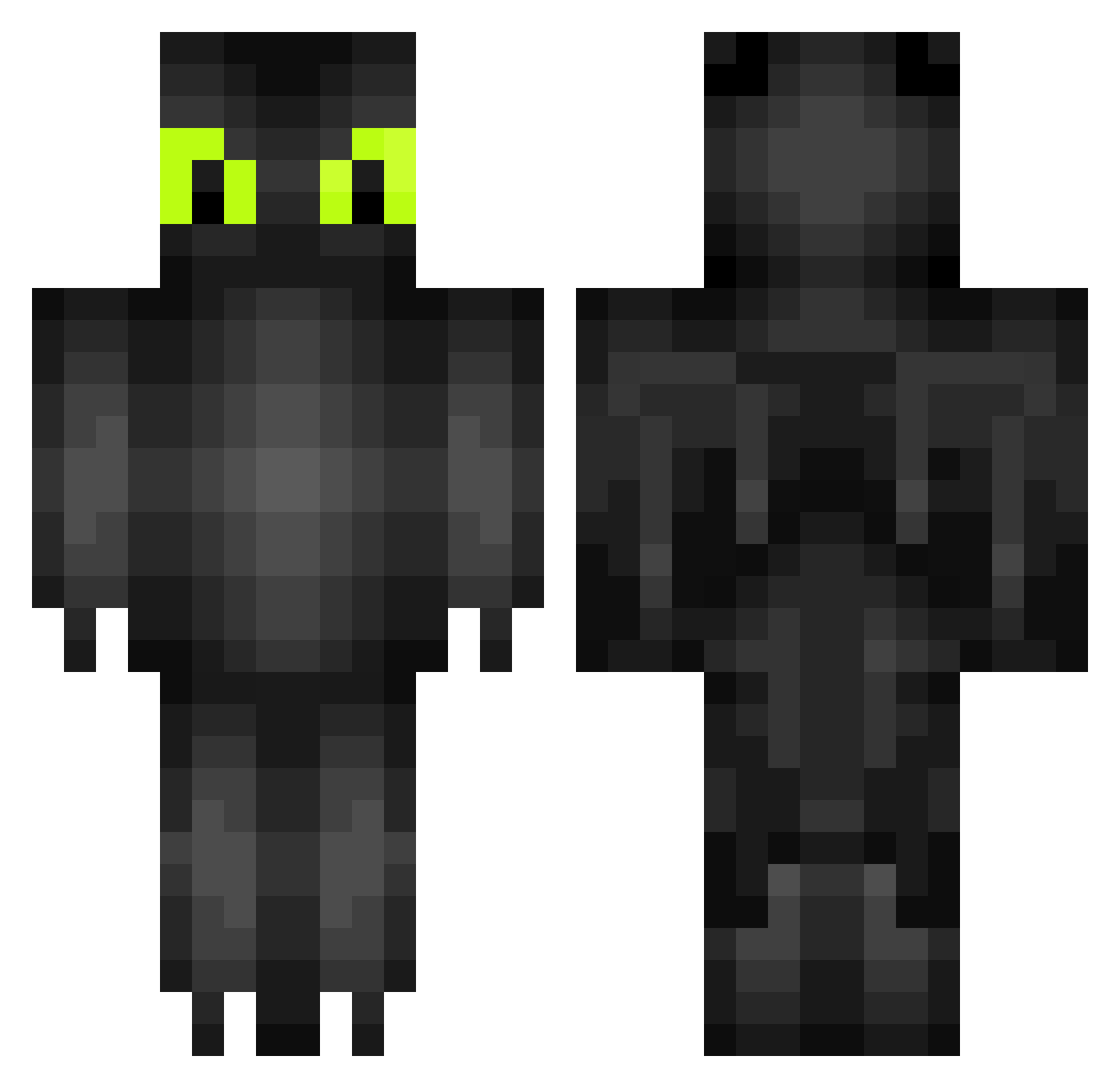
Other players with this skin (264)
bonesbeast was the 182nd player we have seen with this skin, first spotted on 06.10.2026. The same skin was seen on these players. Open a nickname to see their current skin and skin history.
 GCasey58 Valla melkebaker bryloman Minisille ommyer Winfast CCarlltheAwesome kiwigamer4 Kerly11 regeditDelaiff erikcmj MrRugo CantTouchMe KhaleeshaTV TheBigStain joweel Hidra_Graboid BearHoldinShark3 kooziguy boof5640 IchMagOhnezahn sapo3554 Shadowspear93 RemWRLD Scarbi88 DANTHEMANPIG Feuer1311 ShadowNic94 youngdragon000 WilliamsAviator Kylez_ RRG_01 Keshena_93 SwimmingPugfish ChipotleisLife The_Beard88 Kaliffer Griifi Moon_child13 Mio176 catgod87 sebasgamers lantana83 AussieM8 DradenDragon Plasticbaggy iNightfaller total_biach ThyGod96 azulvattimo DragonFriewall_ Lady_Greg Ghost97733 Lottelot DragonflyerYT emmaemla fatybombom Luca020108 lilrob9169
More Toothless Minecraft skins
How to install the bonesbeast skin
- Press the Download button above to save the skin as a PNG file.
- Minecraft: Bedrock Edition (PE): open the Dressing Room from the main menu (or tap your character → Edit Character), go to Classic Skins → Owned, press the + (new skin) button, choose the downloaded PNG and pick the Classic (Steve) model. Works on PC and mobile; consoles cannot import custom skins.
- Minecraft: Java Edition: open the Minecraft Launcher, go to the Skins tab, click New Skin, load the PNG, pick the Classic (Steve) model and press Save & Use. You can also upload it at minecraft.net → Profile → Change Skin.
The skin does not show up after import - what should I do?
Restart Minecraft and open the Dressing Room again - imported skins sometimes appear only after a restart. Also make sure you selected the imported skin and picked the Classic (Steve) model.
Which model should I choose, Classic or Slim?
This skin is designed for the Classic (Steve) model. If you pick the wrong model, the arms of the skin will look stretched or squeezed.
Is the skin of bonesbeast free to download?
Yes. Press Download, save the PNG file and use it in Minecraft: Bedrock Edition or Java Edition - no payment or registration needed. The skin also works on multiplayer servers and Realms.
More skins
Looking for more? Go back to all Minecraft skins and check the top skins of the week, month and all time, or find any player's skin by nickname.