
boneless_gamer62 - Minecraft Skins & Skin History
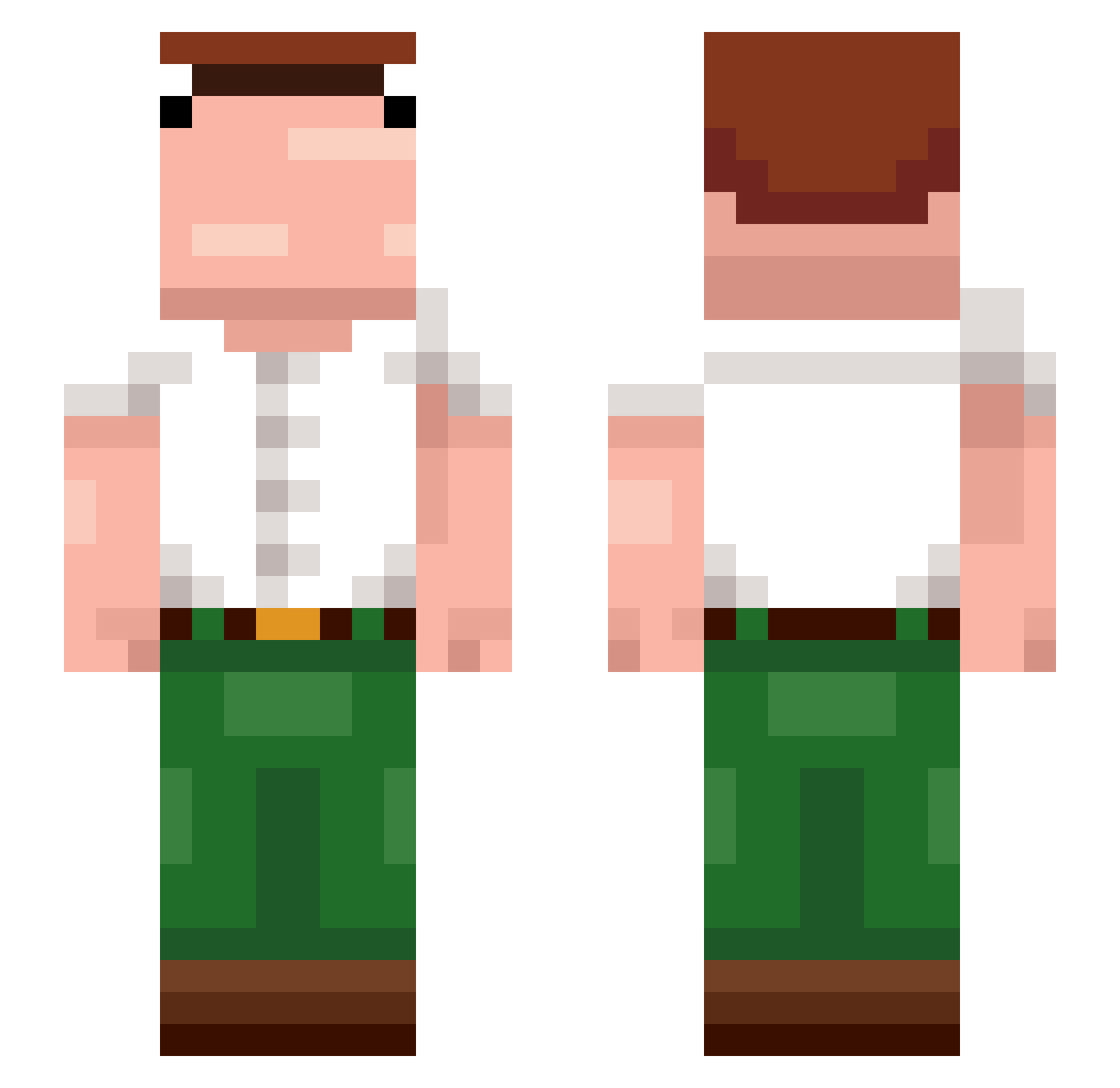
Current Minecraft skin of the player boneless_gamer62, loaded from the official Mojang API. Rotate the 3D model with your mouse or finger, then download the skin as a PNG file and use it in Minecraft: Bedrock Edition or Java Edition for free. When boneless_gamer62 changes their skin, this page updates automatically and the old skin stays in the history below.
Other players with this skin (374)
boneless_gamer62 was the 177th player we have seen with this skin, first spotted on 15.09.2026. The same skin was seen on these players. Open a nickname to see their current skin and skin history.
 vasternn alex924b Vohveliraut Chaskins1212 Fran_URU RLBOMBER ameeas FzueAchillez224 Mattw_ Demon10_0 ScottSkiles Flatbomber kgb12345 rai102 Lucaaze LegendarySex nr489 Taiki_Nulight ThatGuyFromOhio joppehi El_Memis jaehoon234 cfewfy Kamplos nicoluciani21 Mike_Ockiner Tron008 Apeolo vizinho13 rzga SFWATERMELON Sad_cat_1337 Jabotinho scherba MJ_CAPOLAT LackBlack alexander131001 Marsquakes Zefnn1 Khartoon21 LCKSY AyyyD217 KalloNaama Bulabog tyranny1 MertElFred0 OfficialWelderBG Psymatic Thomas67J nxvy1337 Jenas123 tengrillion szynn sparklingwatera AndrewDewitt r4ally G3niie ARyzathh buttmunch noahmatti08
More Peter Griffin Minecraft skins
See all 228 Peter Griffin skins
How to install the boneless_gamer62 skin
- Press the Download button above to save the skin as a PNG file.
- Minecraft: Bedrock Edition (PE): open the Dressing Room from the main menu (or tap your character → Edit Character), go to Classic Skins → Owned, press the + (new skin) button, choose the downloaded PNG and pick the Slim (Alex) model. Works on PC and mobile; consoles cannot import custom skins.
- Minecraft: Java Edition: open the Minecraft Launcher, go to the Skins tab, click New Skin, load the PNG, pick the Slim (Alex) model and press Save & Use. You can also upload it at minecraft.net → Profile → Change Skin.
The skin does not show up after import - what should I do?
Restart Minecraft and open the Dressing Room again - imported skins sometimes appear only after a restart. Also make sure you selected the imported skin and picked the Slim (Alex) model.
Which model should I choose, Classic or Slim?
This skin is designed for the Slim (Alex) model. If you pick the wrong model, the arms of the skin will look stretched or squeezed.
Is the skin of boneless_gamer62 free to download?
Yes. Press Download, save the PNG file and use it in Minecraft: Bedrock Edition or Java Edition - no payment or registration needed. The skin also works on multiplayer servers and Realms.
More skins
Looking for more? Go back to all Minecraft skins and check the top skins of the week, month and all time, or find any player's skin by nickname.