
bob174d - Minecraft Skins & Skin History
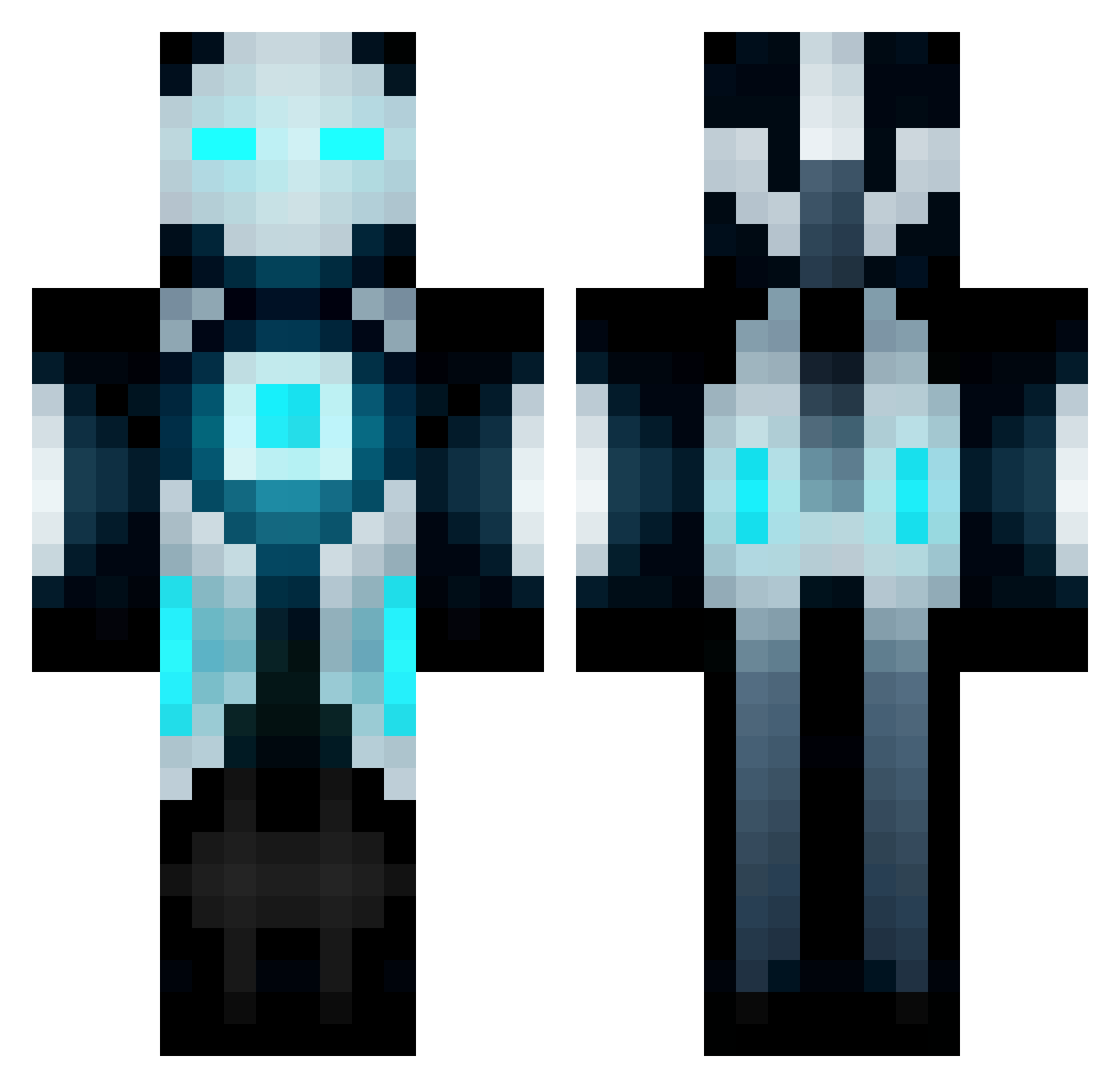
Current Minecraft skin of the player bob174d, loaded from the official Mojang API. Rotate the 3D model with your mouse or finger, then download the skin as a PNG file and use it in Minecraft: Bedrock Edition or Java Edition for free. When bob174d changes their skin, this page updates automatically and the old skin stays in the history below.
Other players with this skin (672)
bob174d was the 209th player we have seen with this skin, first spotted on 31.08.2026. The same skin was seen on these players. Open a nickname to see their current skin and skin history.
 NullError pvtevan99 Kirrow xXRIZZLA69Xx Neostriike MEVVA1 NexusVapour PC_Noob1 Teddy_of_Death flyinggoat7 funbucket212121 Rucotor L_Dowg TiffanyCobra BumblePuff7 themaster450 Johnny11Finger tojoe180 PutridShot TYPHOONNINJA123 Adam11455 junkunhee ddloads isak_super bugrann342 Cappa_e_Spada TheLazyBlue Fred_Pyun TheGreatMinimo stephen1100 ehchemteach Svenssons2 N_KILEY Samuah 512DMX minigale Daniel_vdH _Bubbl3_ landistan d0nn erikdeser xBlackgun Electron100 Jois2000 CFWL KingFred007 ArNoXx 8mil Arkiteks Chill0utboy jament87 SimplyToxic scrider400 Spamgod124 AnneAcraft BMD1004 Speedyspin Kuroneko91 Alfonsito99 Madagascar57
More Futuristic Minecraft skins
How to install the bob174d skin
- Press the Download button above to save the skin as a PNG file.
- Minecraft: Bedrock Edition (PE): open the Dressing Room from the main menu (or tap your character → Edit Character), go to Classic Skins → Owned, press the + (new skin) button, choose the downloaded PNG and pick the Classic (Steve) model. Works on PC and mobile; consoles cannot import custom skins.
- Minecraft: Java Edition: open the Minecraft Launcher, go to the Skins tab, click New Skin, load the PNG, pick the Classic (Steve) model and press Save & Use. You can also upload it at minecraft.net → Profile → Change Skin.
The skin does not show up after import - what should I do?
Restart Minecraft and open the Dressing Room again - imported skins sometimes appear only after a restart. Also make sure you selected the imported skin and picked the Classic (Steve) model.
Which model should I choose, Classic or Slim?
This skin is designed for the Classic (Steve) model. If you pick the wrong model, the arms of the skin will look stretched or squeezed.
Is the skin of bob174d free to download?
Yes. Press Download, save the PNG file and use it in Minecraft: Bedrock Edition or Java Edition - no payment or registration needed. The skin also works on multiplayer servers and Realms.
More skins
Looking for more? Go back to all Minecraft skins and check the top skins of the week, month and all time, or find any player's skin by nickname.