
bisyamon - Minecraft Skins & Skin History
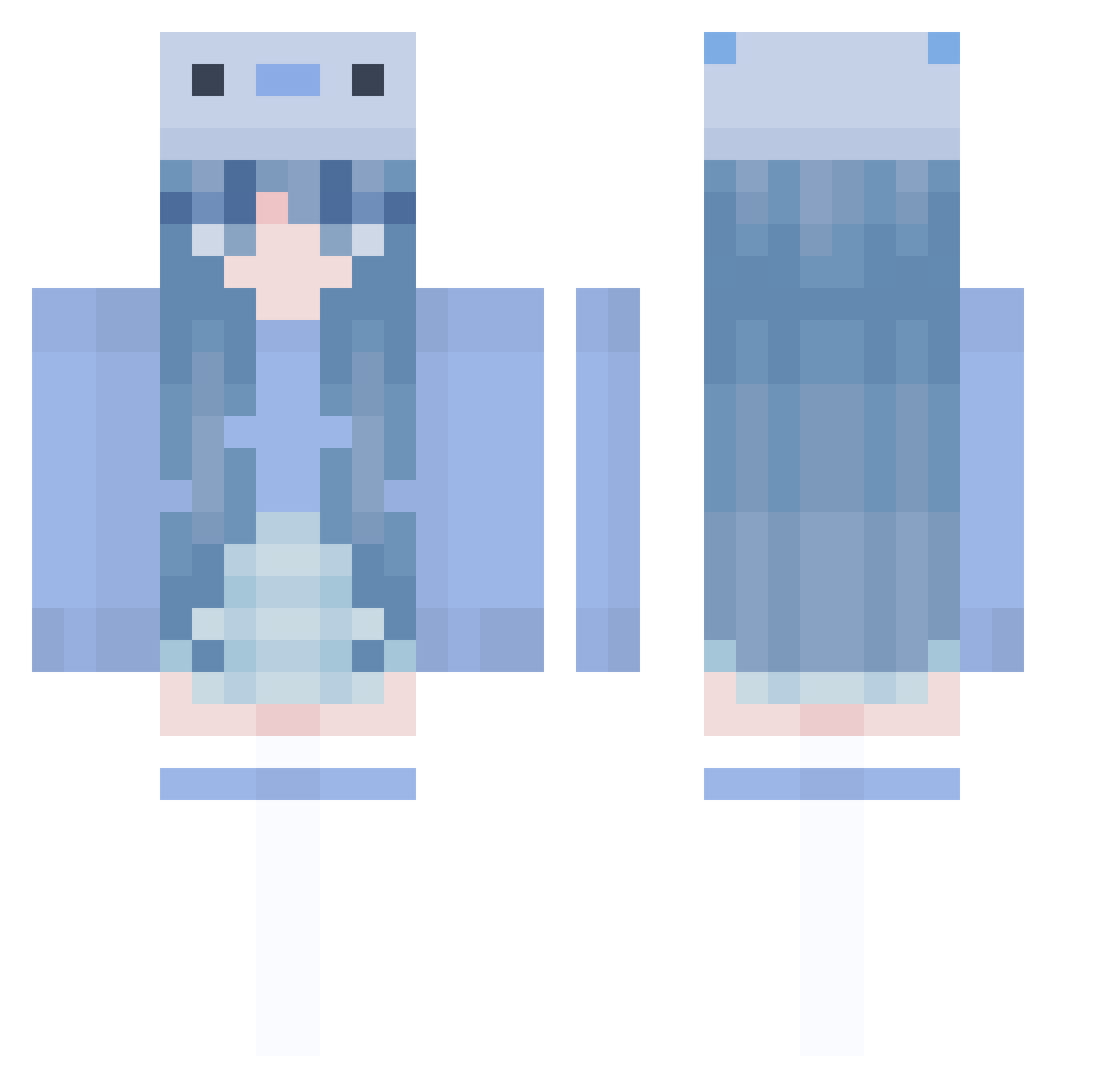
Current Minecraft skin of the player bisyamon, loaded from the official Mojang API. Rotate the 3D model with your mouse or finger, then download the skin as a PNG file and use it in Minecraft: Bedrock Edition or Java Edition for free. When bisyamon changes their skin, this page updates automatically and the old skin stays in the history below.
Other players with this skin (1005)
bisyamon was the 495th player we have seen with this skin, first spotted on 23.09.2026. The same skin was seen on these players. Open a nickname to see their current skin and skin history.
 er_ling PACO131 ScaleOfJudgement customCat999 I_LOVE_VAPE_V4 ClaireCat2010 Kezayi WuGugu Pi666a aphelion_1030 Chiyumiii Crazy93 Theelli0heyYTALT komeriu chuchohong baby_crafter9 CapslockSchaf mtbaan Mokamo13 PolishBoy__69 Tirukiha sseetd mea0w4ndq ItzMillie37 BluAspect VelvetWarrior qDwc KateeHeaven ForestTM9990 luaX18 Rosi01 suni_b115 Parks0737 Maluzinha2009 dajjang2 Hans_09 ManonOnAir0 Heart_IZ Leagai mochiikat yungtimaa lluvia245 suilun Isatoriaa amywp Arayong YonaSena sue__0 cheng_710 iiGxbix KOR_Rudin galchi112 Nightcase11 ROGUE12011 Bosman17 aleauri YOISHIAMI gamergirl8571 EmixDalia thePhlan
More Axolotl Minecraft skins
How to install the bisyamon skin
- Press the Download button above to save the skin as a PNG file.
- Minecraft: Bedrock Edition (PE): open the Dressing Room from the main menu (or tap your character → Edit Character), go to Classic Skins → Owned, press the + (new skin) button, choose the downloaded PNG and pick the Classic (Steve) model. Works on PC and mobile; consoles cannot import custom skins.
- Minecraft: Java Edition: open the Minecraft Launcher, go to the Skins tab, click New Skin, load the PNG, pick the Classic (Steve) model and press Save & Use. You can also upload it at minecraft.net → Profile → Change Skin.
The skin does not show up after import - what should I do?
Restart Minecraft and open the Dressing Room again - imported skins sometimes appear only after a restart. Also make sure you selected the imported skin and picked the Classic (Steve) model.
Which model should I choose, Classic or Slim?
This skin is designed for the Classic (Steve) model. If you pick the wrong model, the arms of the skin will look stretched or squeezed.
Is the skin of bisyamon free to download?
Yes. Press Download, save the PNG file and use it in Minecraft: Bedrock Edition or Java Edition - no payment or registration needed. The skin also works on multiplayer servers and Realms.
More skins
Looking for more? Go back to all Minecraft skins and check the top skins of the week, month and all time, or find any player's skin by nickname.