
bebs_1milon - Minecraft Skins & Skin History
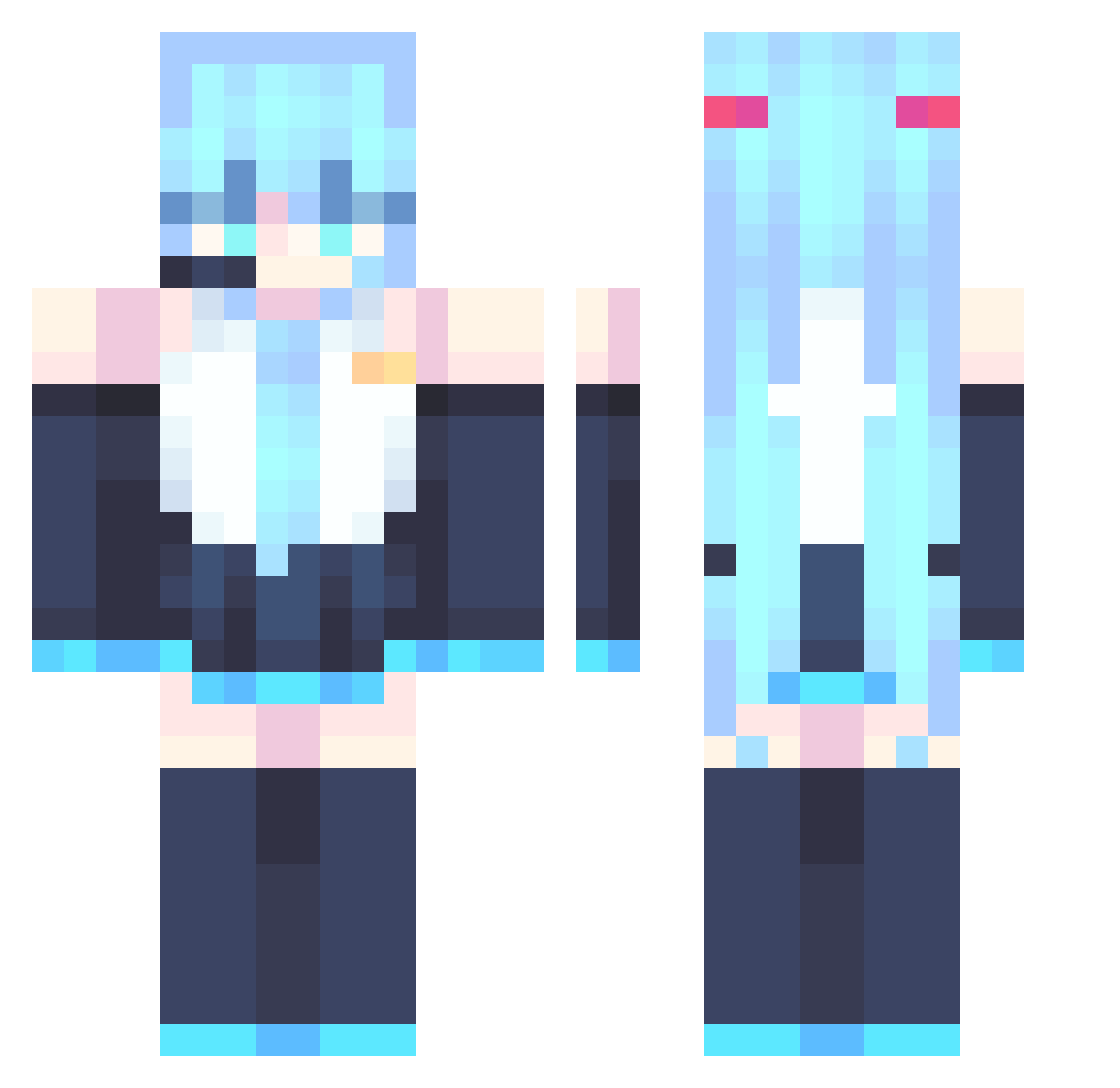
Current Minecraft skin of the player bebs_1milon, loaded from the official Mojang API. Rotate the 3D model with your mouse or finger, then download the skin as a PNG file and use it in Minecraft: Bedrock Edition or Java Edition for free. When bebs_1milon changes their skin, this page updates automatically and the old skin stays in the history below.
Other players with this skin (867)
bebs_1milon was the 315th player we have seen with this skin, first spotted on 02.09.2026. The same skin was seen on these players. Open a nickname to see their current skin and skin history.
 00gusgus00 Nerif21 Sparky_345 tjh1112 kky05 littlemenace69 Vendettah MEMZ66666 AstraCookie zhongyanzhimo bvgo qquuiicckk07 Ryzen_Edits Dei228 Dylan0208Pro IanNeko Duanlj mono_karlo Fihfuhco Sh4dow1229 Bi9rem Spectreed huanmeng086 Mephiles_X AlexW2368 McKitKatt JIA_human WER4426 ShadowKeep1 xunfs Luqey Andylub pipipipu0 Plumage487 GNExia001 HyperTV Nightingale_Cyan yuho18 Stephaniiie3539 CouThzi chengzzz MrQuickNut9 fiambre_juan fipsii123 Abstractfate SorryNamesMiku rj0721 ImOnMeteorClient DITYGilgamesh CHEMAAC Khbv _Coorpyss_
 lxnabunny Terrace HatsuneMiku008 Exilius09
 CYqvq TamaKiller YcaroVulgoAfonso Bocchi_QQ
More Hatsune Miku Minecraft skins
See all 894 Hatsune Miku skins
How to install the bebs_1milon skin
- Press the Download button above to save the skin as a PNG file.
- Minecraft: Bedrock Edition (PE): open the Dressing Room from the main menu (or tap your character → Edit Character), go to Classic Skins → Owned, press the + (new skin) button, choose the downloaded PNG and pick the Classic (Steve) model. Works on PC and mobile; consoles cannot import custom skins.
- Minecraft: Java Edition: open the Minecraft Launcher, go to the Skins tab, click New Skin, load the PNG, pick the Classic (Steve) model and press Save & Use. You can also upload it at minecraft.net → Profile → Change Skin.
The skin does not show up after import - what should I do?
Restart Minecraft and open the Dressing Room again - imported skins sometimes appear only after a restart. Also make sure you selected the imported skin and picked the Classic (Steve) model.
Which model should I choose, Classic or Slim?
This skin is designed for the Classic (Steve) model. If you pick the wrong model, the arms of the skin will look stretched or squeezed.
Is the skin of bebs_1milon free to download?
Yes. Press Download, save the PNG file and use it in Minecraft: Bedrock Edition or Java Edition - no payment or registration needed. The skin also works on multiplayer servers and Realms.
More skins
Looking for more? Go back to all Minecraft skins and check the top skins of the week, month and all time, or find any player's skin by nickname.