
banana_monkeys - Minecraft Skins & Skin History
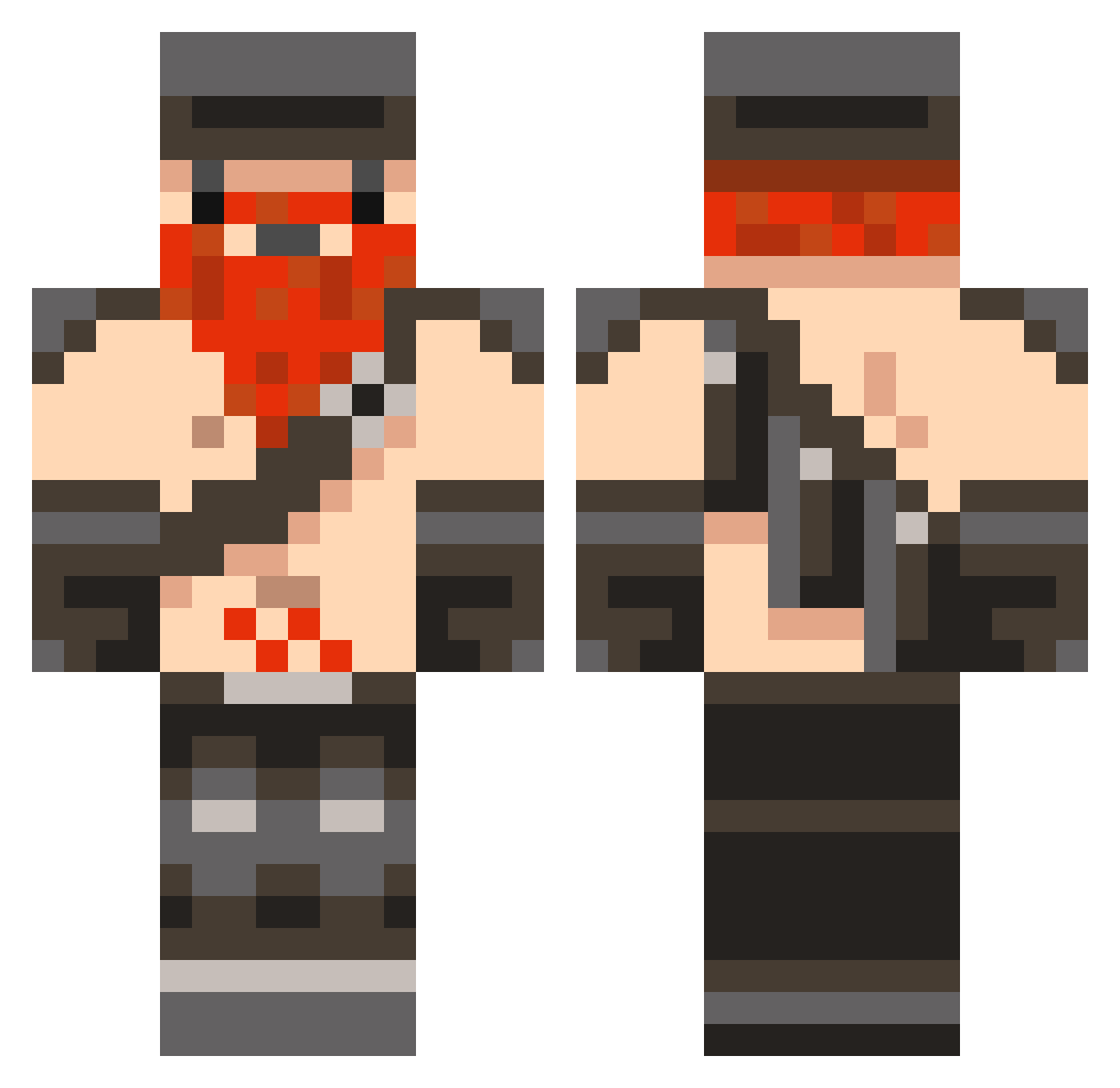
Current Minecraft skin of the player banana_monkeys, loaded from the official Mojang API. Rotate the 3D model with your mouse or finger, then download the skin as a PNG file and use it in Minecraft: Bedrock Edition or Java Edition for free. When banana_monkeys changes their skin, this page updates automatically and the old skin stays in the history below.
Other players with this skin (168)
banana_monkeys was the 77th player we have seen with this skin, first spotted on 15.09.2026. The same skin was seen on these players. Open a nickname to see their current skin and skin history.
 zeltac darkcrusher47 OPDCrazyhorse QQsummore101 Huntshot alexanderterh Vorkske Boltpower21 pandasanti HarvoHD electronstrike mepanda29 Xtriime zombitch01 declansinner lrblaze ClownFish_57 bradlyster JakeGee12 Shairer Viking_Might MapexGuy afterburner187 Shizaru_ zeroaustin blockman205 HawkBat Cailic Thadman17 gorlac TheBananaRama Zingiberis wolffe345 britishlove Camemberto maxfermayer redskins365 JamessssxD23 polishvkdrinker Cydonian29 James29o6 amidjan2 Tigerbalsam1998 john152001 slinx25 TopGunSlinger JohnathonBlack ThermalPierogi zqedfs Jelly_Bean Woozeranto ChestalT Reasxn Trufflemutt Ravidale CLAZA_21 Synse Gruenkreuz Noobzzz Heromatt12
More Dwarf Minecraft skins
How to install the banana_monkeys skin
- Press the Download button above to save the skin as a PNG file.
- Minecraft: Bedrock Edition (PE): open the Dressing Room from the main menu (or tap your character → Edit Character), go to Classic Skins → Owned, press the + (new skin) button, choose the downloaded PNG and pick the Classic (Steve) model. Works on PC and mobile; consoles cannot import custom skins.
- Minecraft: Java Edition: open the Minecraft Launcher, go to the Skins tab, click New Skin, load the PNG, pick the Classic (Steve) model and press Save & Use. You can also upload it at minecraft.net → Profile → Change Skin.
The skin does not show up after import - what should I do?
Restart Minecraft and open the Dressing Room again - imported skins sometimes appear only after a restart. Also make sure you selected the imported skin and picked the Classic (Steve) model.
Which model should I choose, Classic or Slim?
This skin is designed for the Classic (Steve) model. If you pick the wrong model, the arms of the skin will look stretched or squeezed.
Is the skin of banana_monkeys free to download?
Yes. Press Download, save the PNG file and use it in Minecraft: Bedrock Edition or Java Edition - no payment or registration needed. The skin also works on multiplayer servers and Realms.
More skins
Looking for more? Go back to all Minecraft skins and check the top skins of the week, month and all time, or find any player's skin by nickname.