
balavest - Minecraft Skins & Skin History
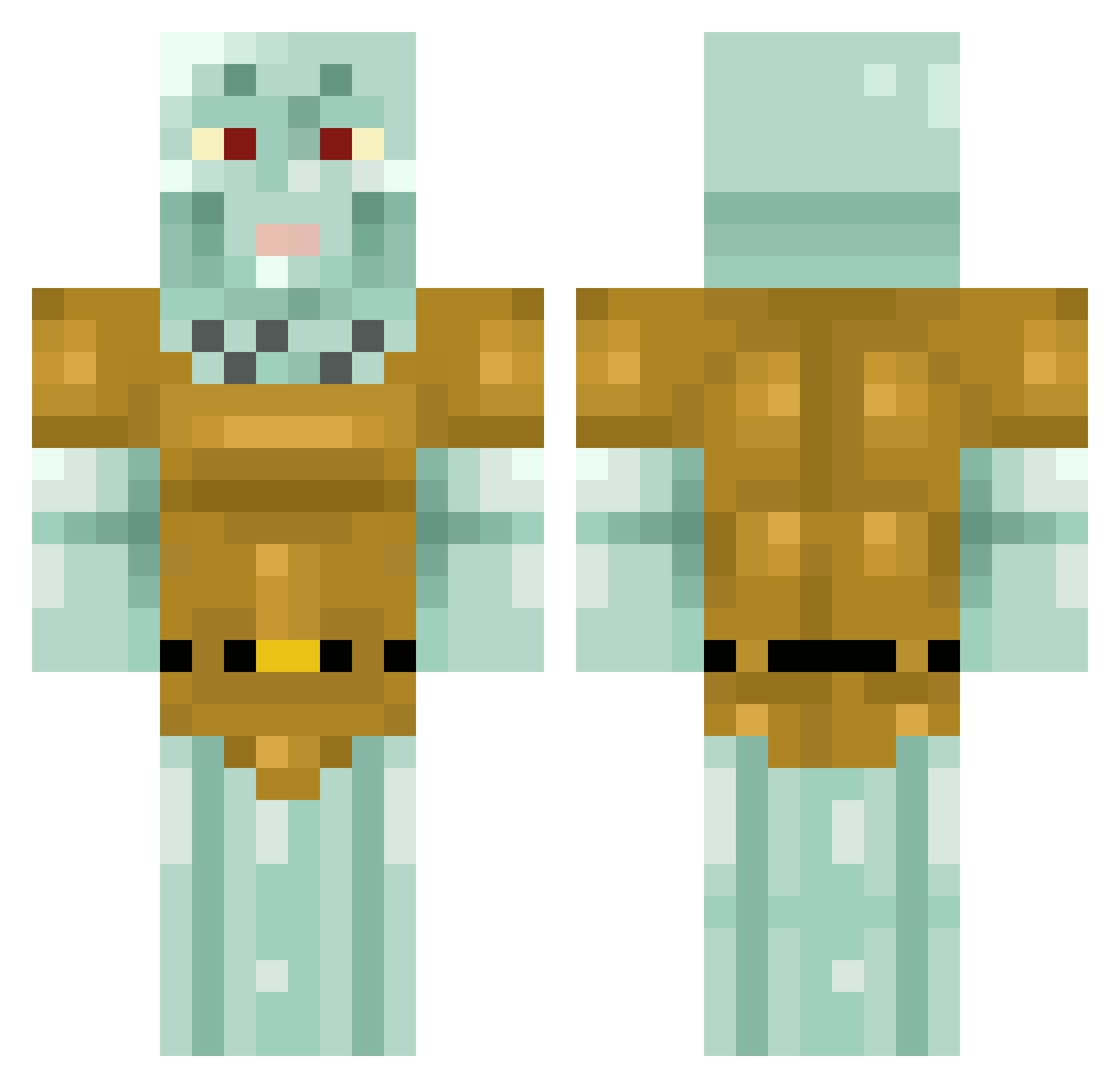
Current Minecraft skin of the player balavest, loaded from the official Mojang API. Rotate the 3D model with your mouse or finger, then download the skin as a PNG file and use it in Minecraft: Bedrock Edition or Java Edition for free. When balavest changes their skin, this page updates automatically and the old skin stays in the history below.
Other players with this skin (413)
balavest was the 373rd player we have seen with this skin, first spotted on 25.10.2026. The same skin was seen on these players. Open a nickname to see their current skin and skin history.
 03sjm SplishyFishyBoi Exohell Raybandz420 Phiiiia minnie0reos PinkTreees TRASHLEY_69 blwllxs SadTrainMan Ethanatorr Pixeldrew_ TomMin _amarize_ JChizk lanternfish1030 MR162 SamuelAl Getrekt529 yellowbeess EliHasAfros Fippian duduuhsk8 RaFirst Zappo7 Delicious_Flesh clover59 michaeltime PorousCheese350 KungFuCasey B0r3d0m3 CrunchyCurtis420 Constipado Trident_Baseball EYEF1SH Psycle4 miguelcarz RustySnippers ethanzent KuyaSquared Theunes 5alan_106 georgenewell123 squiddi02 Grusken19 NyaHang Ypotrope Ynirvg Hankt RoninWrecker Matyika130 ElramR SnortingGerald BerryBoy99 FelicianoElGato Cleirighh Buuntf toodleloo Madstinkz DaddyDevito
More Squidward Tentacles Minecraft skins
See all 88 Squidward Tentacles skins
How to install the balavest skin
- Press the Download button above to save the skin as a PNG file.
- Minecraft: Bedrock Edition (PE): open the Dressing Room from the main menu (or tap your character → Edit Character), go to Classic Skins → Owned, press the + (new skin) button, choose the downloaded PNG and pick the Classic (Steve) model. Works on PC and mobile; consoles cannot import custom skins.
- Minecraft: Java Edition: open the Minecraft Launcher, go to the Skins tab, click New Skin, load the PNG, pick the Classic (Steve) model and press Save & Use. You can also upload it at minecraft.net → Profile → Change Skin.
The skin does not show up after import - what should I do?
Restart Minecraft and open the Dressing Room again - imported skins sometimes appear only after a restart. Also make sure you selected the imported skin and picked the Classic (Steve) model.
Which model should I choose, Classic or Slim?
This skin is designed for the Classic (Steve) model. If you pick the wrong model, the arms of the skin will look stretched or squeezed.
Is the skin of balavest free to download?
Yes. Press Download, save the PNG file and use it in Minecraft: Bedrock Edition or Java Edition - no payment or registration needed. The skin also works on multiplayer servers and Realms.
More skins
Looking for more? Go back to all Minecraft skins and check the top skins of the week, month and all time, or find any player's skin by nickname.