
badoinkdoink - Minecraft Skins & Skin History
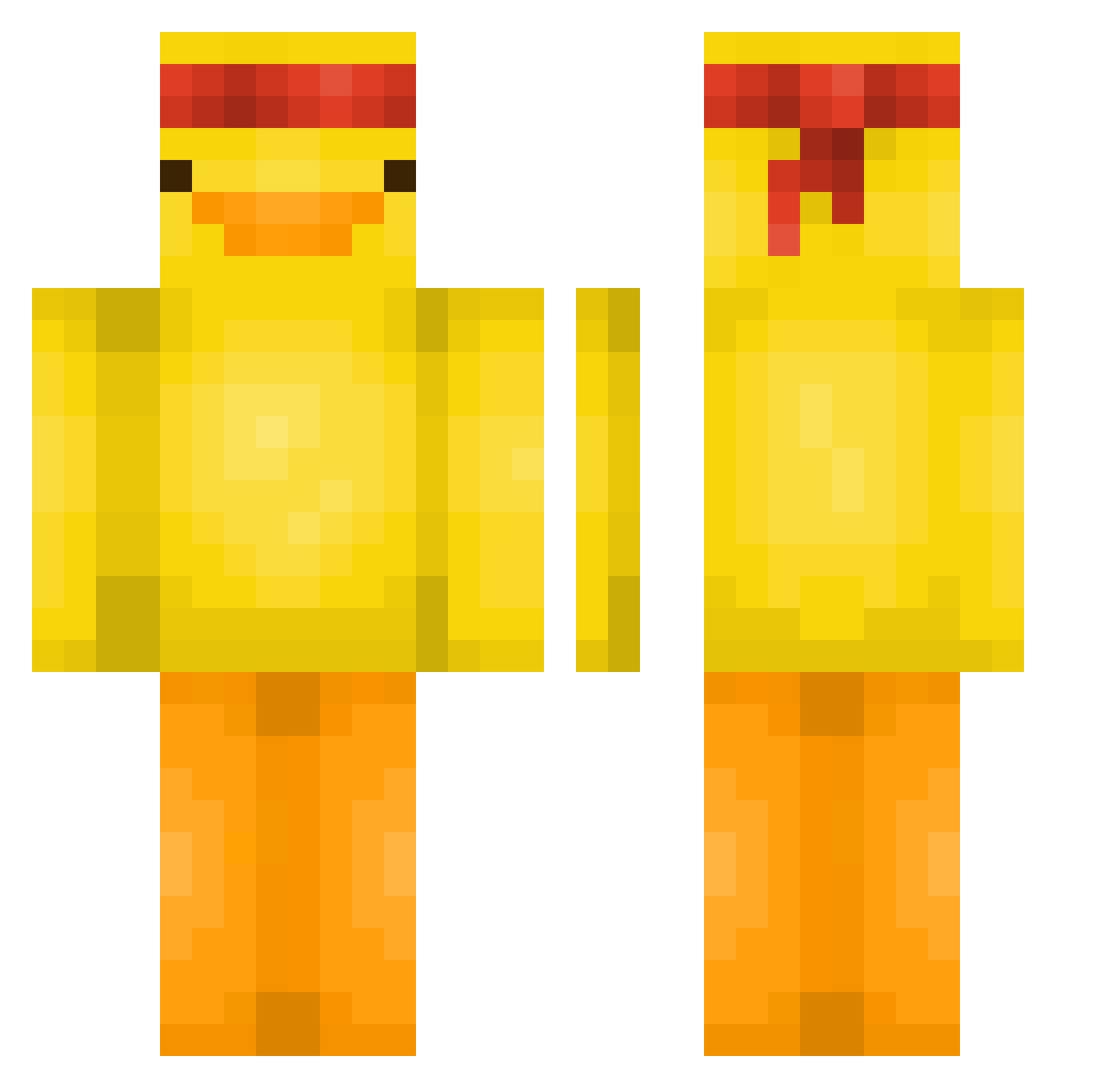
Current Minecraft skin of the player badoinkdoink, loaded from the official Mojang API. Rotate the 3D model with your mouse or finger, then download the skin as a PNG file and use it in Minecraft: Bedrock Edition or Java Edition for free. When badoinkdoink changes their skin, this page updates automatically and the old skin stays in the history below.
Other players with this skin (563)
badoinkdoink was the 461st player we have seen with this skin, first spotted on 17.10.2026. The same skin was seen on these players. Open a nickname to see their current skin and skin history.
 zaid2112 ItsMarquis BinBox19 Tango070 Pomar_ ZennyMC SlurpDurp79 OriginalSSwamppy MCVidsYT kamenfize HYUN000001 Leyummyduck wheretfdamallyat TheMimile02 hwell Ghostminer22 yagi12279 XpiredRs InfamousAncient KidsLabEcho F1Kingston xcadea yantoperson optic4k Koley23 jaehoon077 thatguyouknoe SalvaBGames HakOzO ArkBit1 Snipeyouded FeelTheMeto Mrvasvas Mincraftman16 yoqx SmallRubberDuck Bente1203 Wopert Slipgator2014 vojtassww Earach P1PSQ3AK SenHocFPT Rixoxxx Dippy___ GumbaLord Lingongrovan0 ZAPyCharzard WhatsUpItsYaBoii kepazu Reeeeeeeee8826 VillagerOssian ilyamr NAST22 NightTurtle237 Triperis CRIMSONchin0405 SpaceDoggy18 Happykamel 3quan
More Duck Minecraft skins
How to install the badoinkdoink skin
- Press the Download button above to save the skin as a PNG file.
- Minecraft: Bedrock Edition (PE): open the Dressing Room from the main menu (or tap your character → Edit Character), go to Classic Skins → Owned, press the + (new skin) button, choose the downloaded PNG and pick the Classic (Steve) model. Works on PC and mobile; consoles cannot import custom skins.
- Minecraft: Java Edition: open the Minecraft Launcher, go to the Skins tab, click New Skin, load the PNG, pick the Classic (Steve) model and press Save & Use. You can also upload it at minecraft.net → Profile → Change Skin.
The skin does not show up after import - what should I do?
Restart Minecraft and open the Dressing Room again - imported skins sometimes appear only after a restart. Also make sure you selected the imported skin and picked the Classic (Steve) model.
Which model should I choose, Classic or Slim?
This skin is designed for the Classic (Steve) model. If you pick the wrong model, the arms of the skin will look stretched or squeezed.
Is the skin of badoinkdoink free to download?
Yes. Press Download, save the PNG file and use it in Minecraft: Bedrock Edition or Java Edition - no payment or registration needed. The skin also works on multiplayer servers and Realms.
More skins
Looking for more? Go back to all Minecraft skins and check the top skins of the week, month and all time, or find any player's skin by nickname.