
b851 - Minecraft Skins & Skin History
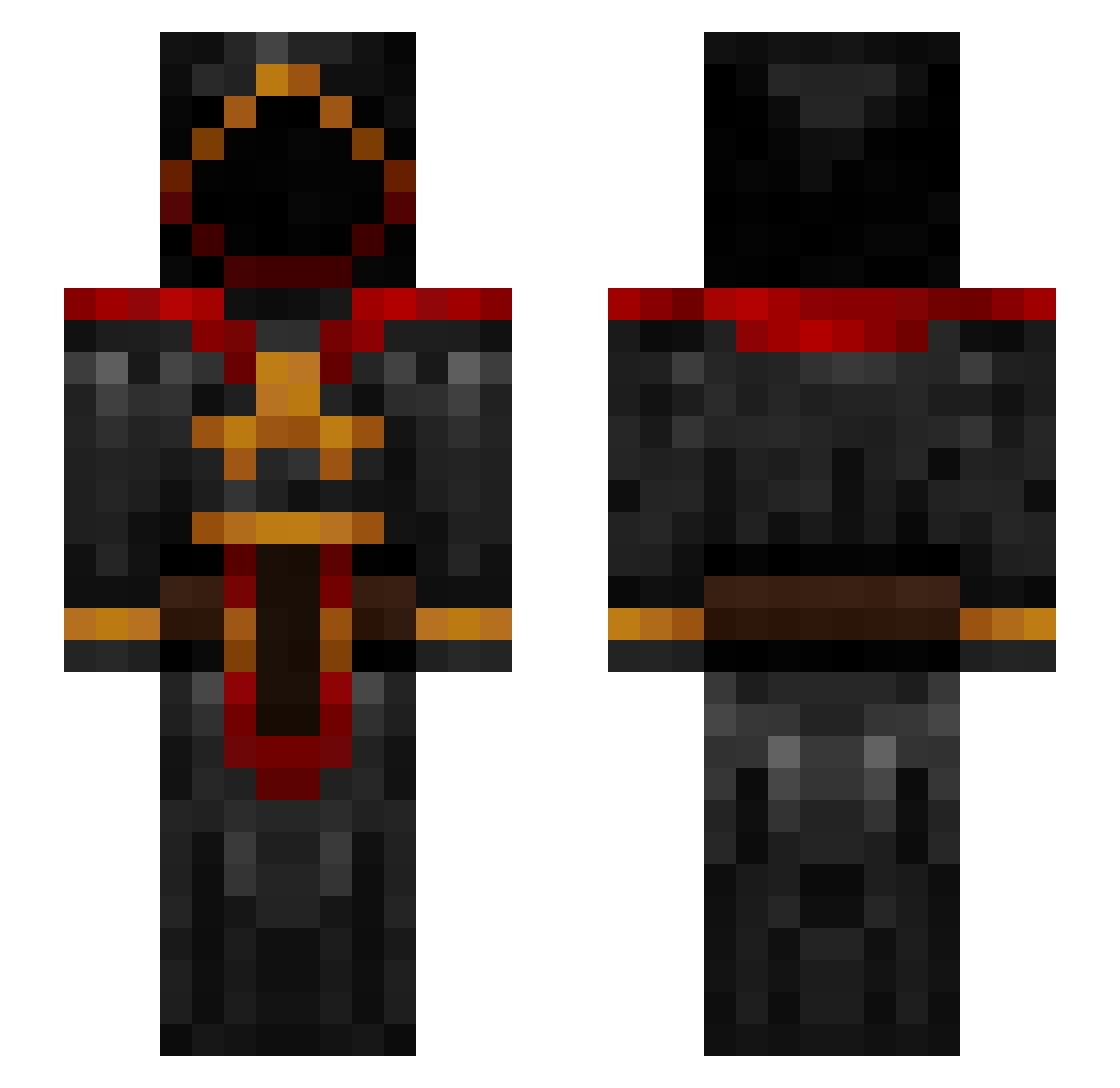
Current Minecraft skin of the player b851, loaded from the official Mojang API. Rotate the 3D model with your mouse or finger, then download the skin as a PNG file and use it in Minecraft: Bedrock Edition or Java Edition for free. When b851 changes their skin, this page updates automatically and the old skin stays in the history below.
Other players with this skin (228)
b851 was the 36th player we have seen with this skin, first spotted on 16.08.2026. The same skin was seen on these players. Open a nickname to see their current skin and skin history.
 RemielX ViceralDeath excaliber0105 MC_Sanctify Uroboros_SS ChungusUngus808 igmas1 Kammesennin Guiizo0 SloveniaKing1 Thiggy_ deepunknown420 7thWardLorddd waspxor ninjabeast2 Moaik Jet1755 Monkeyhouse89 atEaE2626 Novae7 lukehutton alex_tane _aer_ laobaaoligei EL1TEfalc0n HenkSolo922 Darkside750 Trianit1218 gerbstix Lehmix3 HillTopPhillips Darkytox volt_500 Willytwodoggs33 Extra_Heresy Gusue_ Assassin_1525 dakotajcg DarkenFyre CursedStick ironmonster88 Pignatajr Deathmax4 mysticwizard Truscott astoat BlackCreeper184 Xpli blank2nd goodnoodle808 dav33 LORD_TAZOR Deathmark323 DaRaKaZu Tholdier Blazer_XVI DrStrain20 AceTripleSix _Sunyata_ Exeltor
More Cultist Minecraft skins
How to install the b851 skin
- Press the Download button above to save the skin as a PNG file.
- Minecraft: Bedrock Edition (PE): open the Dressing Room from the main menu (or tap your character → Edit Character), go to Classic Skins → Owned, press the + (new skin) button, choose the downloaded PNG and pick the Slim (Alex) model. Works on PC and mobile; consoles cannot import custom skins.
- Minecraft: Java Edition: open the Minecraft Launcher, go to the Skins tab, click New Skin, load the PNG, pick the Slim (Alex) model and press Save & Use. You can also upload it at minecraft.net → Profile → Change Skin.
The skin does not show up after import - what should I do?
Restart Minecraft and open the Dressing Room again - imported skins sometimes appear only after a restart. Also make sure you selected the imported skin and picked the Slim (Alex) model.
Which model should I choose, Classic or Slim?
This skin is designed for the Slim (Alex) model. If you pick the wrong model, the arms of the skin will look stretched or squeezed.
Is the skin of b851 free to download?
Yes. Press Download, save the PNG file and use it in Minecraft: Bedrock Edition or Java Edition - no payment or registration needed. The skin also works on multiplayer servers and Realms.
More skins
Looking for more? Go back to all Minecraft skins and check the top skins of the week, month and all time, or find any player's skin by nickname.