
arridersparri - Minecraft Skins & Skin History
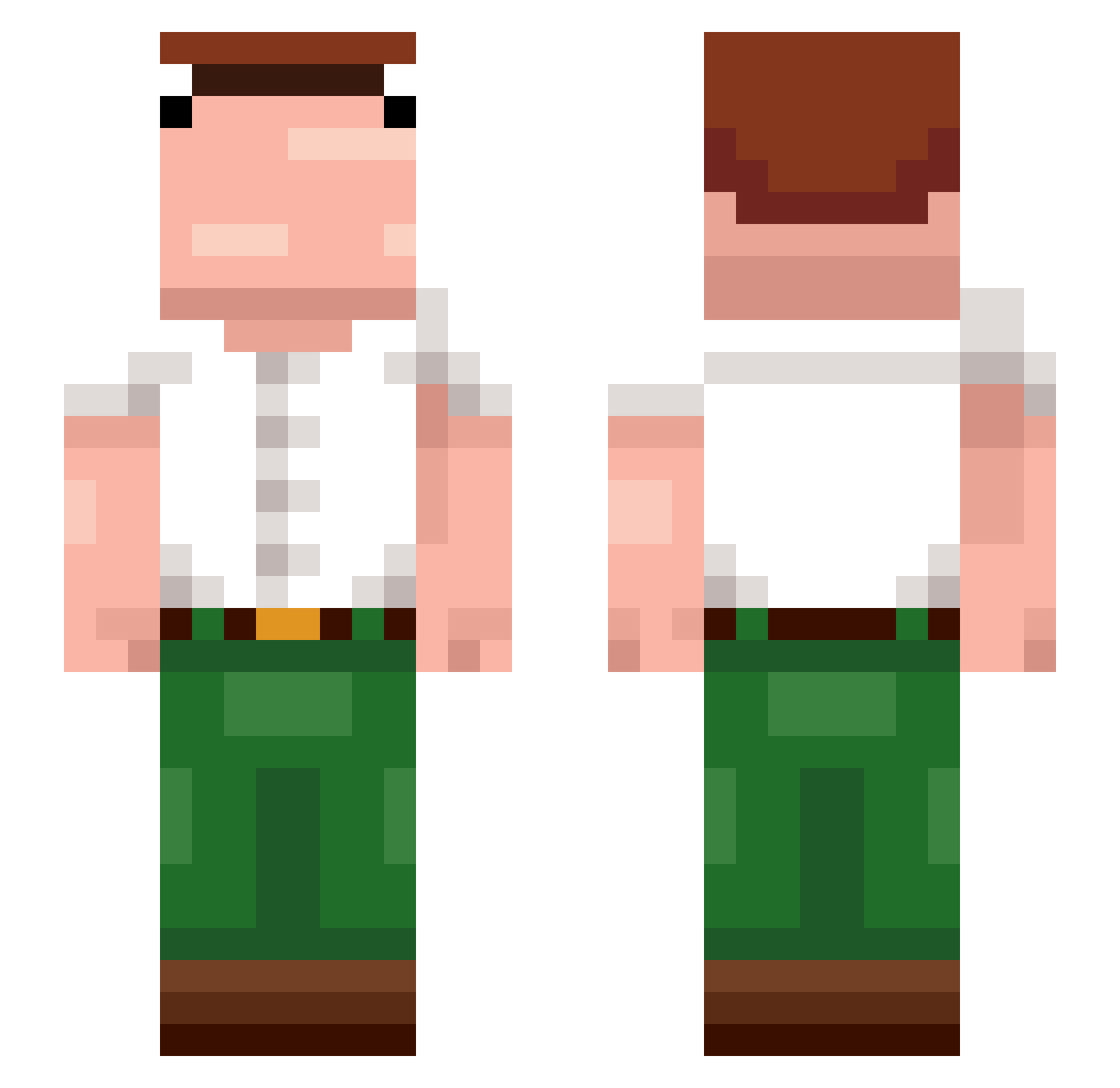
Current Minecraft skin of the player arridersparri, loaded from the official Mojang API. Rotate the 3D model with your mouse or finger, then download the skin as a PNG file and use it in Minecraft: Bedrock Edition or Java Edition for free. When arridersparri changes their skin, this page updates automatically and the old skin stays in the history below.
Other players with this skin (374)
arridersparri was the 128th player we have seen with this skin, first spotted on 28.08.2026. The same skin was seen on these players. Open a nickname to see their current skin and skin history.
 g4t0r67 WashedupMilk ImJociph 48vw mohamadmahdii177 Flowersea00 sassyspeckle67 Nachooo46 MrZed53 Jonas0901 GORDETE42 Xodiii Uhnii YoboyDav12 CACAHAHA thomblaster ThatJewBrock Caoyating TOMY_PAPU mxams Jumeaux__ Jorge2Hard qipccc grippinandfartin krovka RyszardWodosyn Domblk222 Lurpio Smuds4 Santxzz Tihamlock Dodolo_Cotoco bonkzildo TrashSniper Jucedilja33 xZydE ItsYaBoiJD FIKEEEEE thealex999 Oimpr SlowPudding420 AKA_141 maxidavinci GaisericXOC m248 buttmunch Brodt ZEOHK XCros szynn ThighhighsLover tengrillion D106k Bogeen6 Jenas123 Psymatic OfficialWelderBG MertElFred0 CorsaRoman Bulabog
More Peter Griffin Minecraft skins
See all 227 Peter Griffin skins
How to install the arridersparri skin
- Press the Download button above to save the skin as a PNG file.
- Minecraft: Bedrock Edition (PE): open the Dressing Room from the main menu (or tap your character → Edit Character), go to Classic Skins → Owned, press the + (new skin) button, choose the downloaded PNG and pick the Slim (Alex) model. Works on PC and mobile; consoles cannot import custom skins.
- Minecraft: Java Edition: open the Minecraft Launcher, go to the Skins tab, click New Skin, load the PNG, pick the Slim (Alex) model and press Save & Use. You can also upload it at minecraft.net → Profile → Change Skin.
The skin does not show up after import - what should I do?
Restart Minecraft and open the Dressing Room again - imported skins sometimes appear only after a restart. Also make sure you selected the imported skin and picked the Slim (Alex) model.
Which model should I choose, Classic or Slim?
This skin is designed for the Slim (Alex) model. If you pick the wrong model, the arms of the skin will look stretched or squeezed.
Is the skin of arridersparri free to download?
Yes. Press Download, save the PNG file and use it in Minecraft: Bedrock Edition or Java Edition - no payment or registration needed. The skin also works on multiplayer servers and Realms.
More skins
Looking for more? Go back to all Minecraft skins and check the top skins of the week, month and all time, or find any player's skin by nickname.