
areyoutheone - Minecraft Skins & Skin History
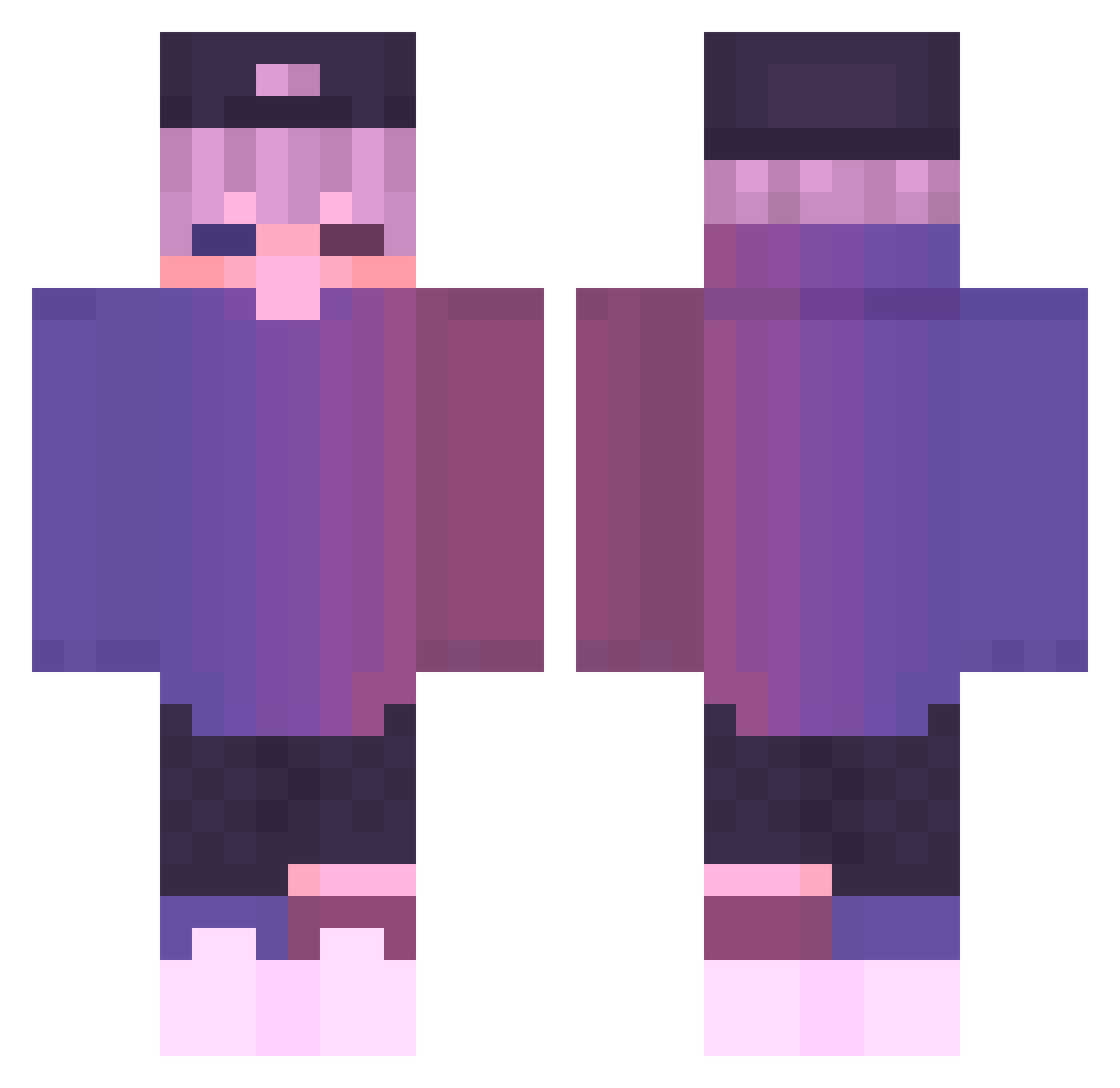
Current Minecraft skin of the player areyoutheone, loaded from the official Mojang API. Rotate the 3D model with your mouse or finger, then download the skin as a PNG file and use it in Minecraft: Bedrock Edition or Java Edition for free. When areyoutheone changes their skin, this page updates automatically and the old skin stays in the history below.
Other players with this skin (730)
areyoutheone was the 410th player we have seen with this skin, first spotted on 28.09.2026. The same skin was seen on these players. Open a nickname to see their current skin and skin history.
 Pururut114 Vaefg xlqh FoundLove Lion9487 Memors Khp_s00n fkhkpopo Dragonball75 HerrHacker korablik_ GeneralJojie maracuja_44 Sakakum Sadboi_Aegis zSpy ChinaBoyAks Treams779 MrMayhem33 CatBoi1397 Jallesz kamrynkt1 NingMo76 Bamrenn IamNoNest70 cmaiii GAIJIN457 iWeather Mustard2333 ouotaiouo PePePan007 Senpai0567 CheeseMoon_ OlgaMachslochov_ TheCubanPrez red2375 Ayth3r_ Therrorpeut DABaoZi_666 Anse7en jakecannon123 X_HaMoDe_X Andreeasstreak nominal2000 corruptedacee AngelGC1 FireBeanxX Finalone126 Rick_gray Incendra PAULINHOLOKO MECHannon JesusHacks timwinkel02 June77 Guitargrinder Zireloyn_ Gabikiller88 jxytj Georgeseven
More Cap Minecraft skins
How to install the areyoutheone skin
- Press the Download button above to save the skin as a PNG file.
- Minecraft: Bedrock Edition (PE): open the Dressing Room from the main menu (or tap your character → Edit Character), go to Classic Skins → Owned, press the + (new skin) button, choose the downloaded PNG and pick the Classic (Steve) model. Works on PC and mobile; consoles cannot import custom skins.
- Minecraft: Java Edition: open the Minecraft Launcher, go to the Skins tab, click New Skin, load the PNG, pick the Classic (Steve) model and press Save & Use. You can also upload it at minecraft.net → Profile → Change Skin.
The skin does not show up after import - what should I do?
Restart Minecraft and open the Dressing Room again - imported skins sometimes appear only after a restart. Also make sure you selected the imported skin and picked the Classic (Steve) model.
Which model should I choose, Classic or Slim?
This skin is designed for the Classic (Steve) model. If you pick the wrong model, the arms of the skin will look stretched or squeezed.
Is the skin of areyoutheone free to download?
Yes. Press Download, save the PNG file and use it in Minecraft: Bedrock Edition or Java Edition - no payment or registration needed. The skin also works on multiplayer servers and Realms.
More skins
Looking for more? Go back to all Minecraft skins and check the top skins of the week, month and all time, or find any player's skin by nickname.